Hot-Swapping Bently Nevada 3500/42M 140734-02 Rear I/O Modules: Is Probe De-Energization Necessary?
Engineers often maintain condition monitoring hardware on critical turbomachinery in processing plants. A common question arises when replacing a Bently Nevada 3500/42M Proximity Monitor 140734-02 rear I/O module. Maintenance technicians must know whether they should de-energize the field proximity probes during live rack servicing. Powergear X Automation provides technical insights into proper online maintenance procedures for high-reliability machinery protection systems.

The Role of Rear I/O Modules in Factory Automation
The 3500/42M system routes dynamic vibration signals directly into industrial automation networks and control systems. The rear I/O module transfers raw signals from proximity transducers to the front monitoring card. Continuous processing facilities in oil refining, power generation, and chemical production rely on these modules for uninterrupted machinery protection. Proper maintenance protocols prevent costly false trips and ensure smooth operation across complex plant architectures.
Understanding the Modular Architecture of Condition Monitoring Cards
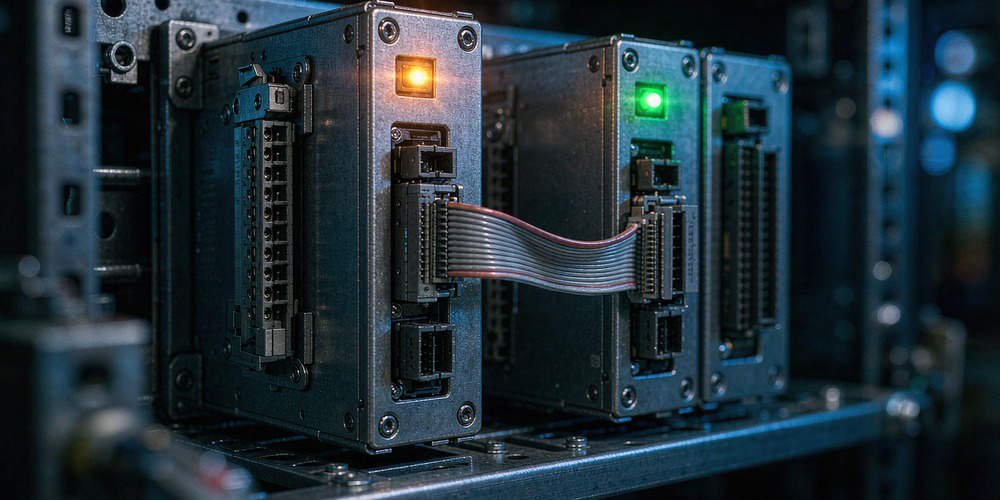
Bently Nevada designs the 3500 series rack with physical isolation between processing cards and terminal interfaces. The 140734-02 rear I/O card provides signal routing, wiring terminals, and impedance matching. However, the front main monitor module generates the required negative 24-volt DC excitation voltage for eddy current probes. Replacing the rear I/O component does not interrupt probe excitation unless wiring short circuits occur. Therefore, operators do not need to disconnect power to proximity sensors when replacing the rear module.
Key Dangers of Unnecessary Sensor Power Interruptions
Disconnecting sensor power during live operations creates operational risks for rotating equipment. Proximity probes require stable supply voltage to maintain precise gap voltage settings. Removing power causes transient signal shifts when the system restarts. As a result, downstream programmable logic controllers (PLC) or distributed control systems (DCS) may interpret signal drops as actual shaft displacement. Maintaining power to the front monitor card preserves transducer stability during rear card maintenance.
Verifying Hardware Revisions and Backplane Compatibility
System integrators must verify exact part numbers before replacing hardware in critical control systems. Bently Nevada offers multiple rear I/O variants with distinct terminal layouts and grounding options. Installing an incompatible module revision like swapping a 140734-01 with a 140734-02 without checking rack keying can cause channel fault alarms. Always confirm firmware revisions, keying pins, and software configurations in 3500 Rack Configuration Software before field installation.
Step-by-Step Field Replacement Protocol for Engineers
- Notify Operators and Bypass Protection: Secure formal authorization and place the target monitoring channels into bypass mode to prevent false emergency shutdowns.
- Document Wiring Connections: Label all transducer cables, extension cords, and shield wires connected to the 140734-02 terminal blocks.
- Unscrew and Extract the Rear Module: Loosen the captive retaining screws on the rear I/O card and pull the module smoothly out of the backplane.
- Insert the Replacement Card: Align the new 140734-02 module with the guide rails, push firmly into the backplane connector, and tighten the retaining screws.
- Verify Sensor Gap Voltages: Reconnect signal wiring and check probe gap voltages in software to ensure full channel health before removing bypasses.
Best Installation Practices for Signal Integrity
Field technicians must handle transducer wiring with care during module replacement. Pulling on flexible cables can damage extension cable connectors or disrupt shield grounding. Maintain single-point shield grounding at the rack side to prevent ground loops across factory automation infrastructure. Furthermore, check that all screw terminals hold wires securely. Bad connections introduce signal noise that degrades machinery protection accuracy.
Procurement Guidelines and Lifecycle Compatibility
Procurement teams sourcing replacement components for legacy rack systems must evaluate hardware lifecycle status. Replacing a damaged I/O module does not require purchasing new eddy current probes, extension cables, or proximitors. Matching the exact part number 140734-02 ensures seamless physical fit and electrical compatibility with existing front cards. Verify module condition and supplier testing reports before integrating spare parts into operating facilities.
Application Scenario: Online Maintenance on a Refinery Gas Compressor
A petrochemical plant experienced a channel signal fault on a critical synthesis gas compressor monitored by a Bently Nevada 3500 system. The diagnostics identified a failing terminal block on the 3500/42M 140734-02 rear I/O module. The plant could not schedule an emergency shutdown due to continuous production demands.
Following standard safety procedures, engineers bypassed the affected vibration trip logic in the DCS while keeping the front monitor module powered. Technicians unclipped the wiring harness, replaced the faulty 140734-02 rear card, and re-terminated the probe lines without powering down the proximity sensors. The gap voltage remained stable at negative 10.5 volts DC throughout the process, allowing the team to restore full protection within twenty minutes without interrupting plant operations.
For genuine machinery protection hardware and technical support on condition monitoring systems, explore premium components at Powergear X Automation to keep your plant running reliably.
Frequently Asked Questions (FAQ)
Q1: Do I need to re-calibrate my proximity probes after replacing the rear I/O module?
No. Calibration parameters reside in the probe, extension cable, and proximitor combination alongside the front monitor configuration. Replacing the rear I/O module only replaces the physical connection interface and does not alter probe calibration.
Q2: What happens if I short-circuit probe wires during rear module replacement?
Short-circuiting terminal wires can blow internal protective fuses on the front monitor card or cause channel BAD status alarms. Always handle disconnected wiring carefully to prevent leads from touching cabinet ground or adjacent terminals.
Q3: Can I hot-swap the front 3500/42M monitor module along with the rear I/O card?
Yes, the 3500 system supports hot-swapping both front and rear modules. However, removing the front monitor module will temporarily interrupt probe power and stop active vibration monitoring on those four channels.