Over 50,000 hot-selling automation module components.

Fix TM218LDA40DR2HN STAT LED Yellow Green Flashing | M218 PLC

Troubleshooting Schneider M218 TM218LDA40DR2HN STAT LED Flashing Yellow and Green

Front-panel LED status indicators on Schneider Electric Modicon M218 controllers offer fast operational diagnostics for automation engineers. The TM218LDA40DR2HN controller displays alternating yellow and green on its STAT LED during system startup. This signal indicates the CPU is currently booting or running self-diagnostic checks. Powergear X Automation provides this troubleshooting guide to help technicians diagnose initialization stalls and restore reliable control system performance.

Understanding CPU Status States in Industrial Automation Systems

The STAT LED reflects the active lifecycle phase of the Modicon M218 PLC. Solid green confirms normal RUNNING mode, while flashing green indicates a STOPPED state. Alternating yellow and green signals system initialization immediately following power-up. However, a controller stuck in this startup phase prevents the system from entering its automated cycle. Engineers must recognize that initialization stalls stem from power quality or hardware configuration issues rather than immediate CPU failure.

Power Supply Quality and Voltage Drop Factors in Factory Automation

Unstable 24VDC control power frequently disrupts the boot sequence of programmable logic controllers. Heavy inductive loads like contactors and solenoid valves generate severe voltage drops when wired to the same power supply. Moreover, aging power supplies introduce excessive ripple voltage into the main processor. As a result, the controller repeatedly reboots or fails to complete initialization. Isolating PLC power with a dedicated power supply ensures clean startup voltage.

Firmware Compatibility and Machine Expert Programming Standards

Firmware mismatches between the controller hardware and the programming environment cause severe initialization delays. Upgrading CPU units without verifying firmware compatibility stops the boot routine. In addition, missing TM2 or TM3 expansion I/O modules cause hardware handshake errors during startup. Engineers must review application project files in EcoStruxure Machine Expert before replacing active controllers in operational production lines.

Step-by-Step Commissioning and Diagnostic Sequence for M218 PLCs

  1. Monitor Startup Duration: Observe the STAT LED during power-up to confirm if it resolves to green within thirty seconds.
  2. Inspect 24VDC Power Terminal Voltage: Measure input voltage at the PLC terminals during load changes to verify voltage stability.
  3. Connect Machine Expert Diagnostics: Link the controller via USB or Ethernet to read internal system fault logs and diagnostic messages.
  4. Verify Expansion Module Bus Connections: Inspect physical ribbon cables on TM2 and TM3 modules for loose connections or misconfigurations.

Field Installation Practices and Noise Suppression Standards

High electromagnetic interference in motor control cabinets triggers frequent CPU resets and bus communications errors. Signal wiring running parallel to variable frequency drive cables induces unwanted electrical noise. Therefore, control panel designs must follow international electrical safety standards such as IEC 60204-1. Installing shielded twisted-pair cables and proper single-point grounding protects delicate analog and digital circuits against noise corruption.

B2B Procurement Guidelines for Modicon M218 Spare Parts

Procurement teams should evaluate system compatibility prior to ordering replacement controllers. Replacing a damaged TM218LDA40DR2HN unit requires matching physical I/O specifications and software firmware revisions. In addition, purchasing verified legacy components reduces line shutdown risk during critical maintenance windows. Maintenance departments should store fully tested backup CPUs containing pre-loaded project configurations for rapid emergency replacement.

Application Scenario: Packaging Machine Initialization Recovery

A high-speed cartoning system unexpectedly stopped operating after a routine facility power outage. The installed TM218LDA40DR2HN controller displayed an alternating yellow and green STAT LED continuously for over ten minutes. The site technician initially assumed a failed PLC processor and requested an immediate hardware swap.

Upon site investigation, the engineering team discovered an unstable 24VDC power supply output dropping to 18VDC whenever downstream safety relays energized. The team installed a dedicated industrial 24VDC power supply exclusively for the PLC and added surge suppressors across all solenoid coils. Upon rebooting, the STAT LED transitioned from yellow-green to solid green within eight seconds, restoring full machine operation without needing a replacement controller.

To source genuine Schneider Electric PLC hardware and access reliable industrial components, visit Powergear X Automation to explore complete factory automation solutions.

Frequently Asked Questions (FAQ)

Q1: Does a yellow and green flashing STAT LED indicate a permanently damaged CPU?
No. This pattern normally indicates routine system booting and hardware initialization. It only signals a hardware defect if the state persists indefinitely despite stable power and valid firmware.

Q2: How long should the STAT LED flash yellow and green during a normal startup?
Under normal operating conditions, the STAT LED transitions to solid green or flashing green within five to thirty seconds, depending on application size and connected expansion modules.

Q3: Can I swap a TM218LDA40DR2HN controller without updating Machine Expert project files?
You can swap units directly only if the replacement unit shares the exact same firmware revision and memory configuration. Mismatched firmware versions require project recompilation and re-downloading.


Fix TM200CE24T Unlit Ethernet LED & Machine Expert Basic Faults

Troubleshooting Schneider TM200CE24T Unlit Ethernet LEDs and Machine Expert Basic Discovery Failures

In modern factory automation, reliable Ethernet connectivity ensures efficient programming, commissioning, and system diagnostics. The Schneider Electric Modicon TM200CE24T programmable logic controller serves compact machinery across various industrial sectors. However, field engineers frequently encounter situations where the Ethernet LED remains unlit and software discovery fails. Powergear X Automation presents this step-by-step diagnostic guide to help technicians resolve physical link failures and software communication errors in control systems.

Diagnosing Physical Layer Faults and Ethernet LED Status Indicators

Physical layer integrity forms the baseline for all Ethernet-based industrial automation network communications. An unlit Link/Activity LED usually indicates an unpowered PLC, broken RJ45 cabling, or damaged port hardware. According to industrial maintenance statistics, physical cabling issues account for nearly 70% of network field faults. Continuous machine vibration often damages mechanical RJ45 latch clips and degrades solder joints inside control cabinets. Therefore, engineers must test the connection using a known good, industrial-grade CAT5e cable directly between the PC and controller.

Resolving IP Subnet Mismatches and Network Adapter Conflicts

EcoStruxure Machine Expert – Basic cannot discover PLCs located on different IP subnets without valid routing. For instance, a PC on subnet 192.168.0.x fails to auto-detect a controller configured on 192.168.1.x. Moreover, active Wi-Fi connections, VPN tunnels, and virtual network adapters often intercept local broadcast packets. As a result, engineers should temporarily disable secondary adapters and assign a static IP address to the primary Ethernet interface before refreshing device lists.

Evaluating Software Platform Compatibility and Firmware Alignment

Software version mismatches frequently prevent successful PLC discovery and project downloads. The Modicon M200 family requires the dedicated EcoStruxure Machine Expert – Basic programming environment. Attempting to connect via standard Machine Expert or legacy SoMachine platforms results in empty discovery lists. In addition, outdated software versions lack support for newer controller firmware revisions. Therefore, control engineers must verify software compatibility before attempting firmware upgrades or project transfers.

Step-by-Step Commissioning Procedure for Ethernet Connection Recovery

  1. Verify Power Supply Inputs: Measure 24VDC terminal voltages to confirm stable power distribution to the CPU module.
  2. Test Direct Ethernet Cabling: Bypass unmanaged switches and connect the PC directly to the PLC using a tested industrial patch cable.
  3. Isolate Computer Network Adapters: Disable Wi-Fi, VPNs, and virtual network interfaces inside Windows Network Connections.
  4. Assign Static Local IP Address: Configure the computer Ethernet adapter to match the default network segment of the controller.
  5. Execute Device Refresh in Software: Open Machine Expert – Basic, navigate to Commissioning, and perform an Ethernet Device Refresh.

B2B Procurement and PLC Module Replacement Strategy

Procurement managers should evaluate systemic installation factors before classifying a unresponsive controller as hardware failure. Replacing a TM200CE24T PLC requires verifying I/O point counts, transistor output types, and application software compatibility. Furthermore, upgrading legacy machine controllers demands careful review of expansion bus limits and fieldbus communication protocols. Investing in surge-protected 24VDC power supplies and shielded Ethernet connectors extends hardware operational lifespans significantly.

Application Scenario: Packaging Machine Communication Recovery

A high-speed food packaging line experienced sudden communication loss with an integrated TM200CE24T PLC during routine operation. The Ethernet LED on the CPU module turned completely dark, preventing Machine Expert – Basic from locating the device. The maintenance team initially suspected internal hardware failure and considered replacing the PLC.

Following the Powergear X Automation diagnostic protocol, engineers discovered that severe cabinet vibration had fractured the RJ45 port pins on the unmanaged switch. Replacing the damaged patch cable and securing the conduit reduced physical stress on the port. Consequently, the Ethernet LED illuminated immediately, and the programming software successfully restored full online diagnostics without requiring PLC replacement.

To source reliable automation hardware and explore high-performance PLC components, visit Powergear X Automation for expert technical solutions and system support.

Frequently Asked Questions (FAQ)

Q1: Does an unlit Ethernet LED always mean the TM200CE24T PLC is damaged?
No. An unlit LED usually indicates a lack of physical carrier signal, which commonly stems from loose cabling, unpowered switches, or disabled PC network interfaces rather than internal PLC failure.

Q2: Can I use standard EcoStruxure Machine Expert to program the TM200CE24T?
No. The Modicon M200 series specifically requires EcoStruxure Machine Expert – Basic. The standard edition software will not recognize the controller during network scans.

Q3: How do I find the IP address of a TM200CE24T if software auto-discovery fails?
You can use a third-party Wireshark packet analyzer to capture ARP broadcast packets during PLC power-up, or reset the controller to its default factory IP configuration using the hardware dip switches.

Troubleshooting 140DAM59000 Output Failures in Quantum PLCs

Emergency Repair and Troubleshooting Guide for Schneider Modicon Quantum 140DAM59000 Output Failure

In mature legacy distributed control systems (DCS) and programmable logic controllers (PLC), output channels occasionally fail to turn off. Field technicians frequently diagnose this behavior as a welded contact error on the output module. However, the Schneider Electric Modicon Quantum 140DAM59000 is a discrete combination module featuring 16 inputs and 8 outputs at 115 Vac rated at 0.5 A per point. Powergear X Automation presents this troubleshooting guide to isolate output channel faults and execute safe emergency workarounds without causing unneeded downtime.

Understanding the Core Value of Modicon Quantum Discrete I/O Architecture

Industrial automation infrastructure in chemical plants and utilities relies heavily on stable 115 Vac control loops. When an actuator remains energized after the PLC commands an off state, maintenance crews must act quickly. Engineers must determine whether the fault stems from an external shorted contactor coil or an internal 140DAM59000 output failure. Implementing structured diagnostics prevents misdiagnosing healthy hardware and ensures continuous operation for critical process control systems.

Technical Insights: Load Limits and Grouped Output Protection

The 140DAM59000 module provides eight 115 Vac discrete outputs arranged into two distinct groups of four channels. Each output point handles up to 0.5 A of continuous load current. However, driving inductive loads like large contactor coils or solenoid valves generates high inductive voltage spikes. Without proper inductive surge suppression, these transients stress internal solid-state switching components. Consequently, an unsuppressed inductive load can short-circuit the output channel or weld external interposing contactor contacts.

Differentiating 115 Vac AC Modules from 24 Vdc Transistor Modules

A common error in factory automation maintenance involves applying 24 Vdc troubleshooting practices to 115 Vac AC circuits. For instance, the Schneider 140DDM39000 module handles 24 Vdc signals, whereas the 140DAM59000 operates exclusively on 115 Vac power. Mixing these voltage levels or wiring intermediate 24 Vdc relays into a 115 Vac output loop damages internal circuitry. Maintenance engineers must always verify the module part number and physical wiring before attempting any emergency modifications.

Step-by-Step Diagnostic Method for Suspected Output Channel Failure

  1. Command Channel OFF in PLC: Set the logic bit to OFF within the Quantum programming software.
  2. Measure Voltage at Output Terminal: Check for persistent 115 Vac output voltage at the module terminal block.
  3. Disconnect the Field Load Cable: Isolate the field wiring safely to separate the I/O module from external machinery.
  4. Re-test Terminal State: If voltage remains present after disconnecting the load, the module output channel has failed closed.

Emergency Restoration Using Spare Outputs and Interposing Relays

When a single output point on the 140DAM59000 fails closed and no spare module exists, engineers can use an unused healthy channel. Re-route the PLC logic address to an available spare output point on the module. Always install an interposing relay between the 140DAM59000 output terminal and the heavy inductive load. This interposing relay isolates the PLC output from high inrush currents and protects the module from future electrical breakdown.

Safety Boundary Protocol: Emergency Bypass Restrictions

Temporary wiring modifications can restore standard auxiliary equipment during emergency production runs. However, safety standards strictly prohibit bypassing automated safety instrumented systems (SIS) or emergency shutdown (ESD) interlocks. Never force PLC output bits or jumper physical terminals on high-pressure cutoffs, flame detectors, or emergency stop circuits. Critical safety loops require official replacement parts and full validation to maintain industrial safety compliance.

Preventing Repeated Output Channel Damage After Module Replacement

Replacing a damaged 140DAM59000 module without addressing field load issues often leads to immediate repeat failures. Inductive back-EMF from unsuppressed AC solenoids rapidly destroys fresh switching components. Field technicians should verify coil voltage, measure steady-state current, and install RC snubber networks across all AC inductive loads. Proper surge suppression extends hardware life and protects factory automation systems from unexpected downtime.

B2B Procurement and Hardware Compatibility Guidelines

Procurement teams sourcing replacement legacy Quantum modules must evaluate several technical parameters. You cannot replace a 140DAM59000 module using an arbitrary 8-point output card. Purchasing agents must cross-reference input/output point counts, group isolation voltage, continuous current ratings, and backplane firmware compatibility. Reviewing exact module nameplates and hardware manuals ensures smooth drop-in replacements during scheduled maintenance windows.

Application Scenario: Chemical Dosing Pump Output Emergency Recovery

A water treatment facility experienced a critical fault when a 115 Vac chemical dosing pump failed to stop. The operator issued a stop command from the DCS, but the pump continued running. Troubleshooting revealed that the assigned 140DAM59000 output point had shorted internally due to repetitive solenoid voltage spikes. Because spare modules were out of stock, the team implemented a quick workaround.

The engineer rewired the signal cable to an unused healthy output channel on the same 140DAM59000 module. They updated the logic mapping in the PLC software and added an external 115 Vac interposing relay with an RC snubber across the pump solenoid coil. This modification successfully restored automated pump control within two hours, keeping the plant operational while procurement sourced a permanent replacement module.

To source authentic Schneider Electric Modicon Quantum components and explore reliable industrial automation solutions, visit Powergear X Automation for technical expertise and inventory support.

Frequently Asked Questions (FAQ)

Q1: Is the Schneider 140DAM59000 a relay output module or a solid-state AC output module?
The 140DAM59000 is a discrete combination module featuring 16 AC inputs and 8 AC outputs rated at 115 Vac, 0.5 A per point with grouped fusing. Always check the official hardware manual and module nameplate for precise switching element specifications.

Q2: Can I fix a shorted 140DAM59000 output channel by resetting or clearing PLC memory?
No. A shorted or failed-closed output channel represents physical hardware degradation within the output stage. Clearing PLC memory or forcing logic states cannot repair damaged electronic components.

Q3: What snubber protection should I install for 115 Vac inductive loads on this module?
Install an appropriately rated RC (Resistor-Capacitor) snubber network directly across the AC contactor coil or solenoid terminals. This absorbs inductive energy spikes and protects the 140DAM59000 output channel during de-energization.

Fix 10ms Output Drop in 140DDO35300 Quantum Hot Standby PLC

Engineering Guide: Resolving 10ms Output Drops in Schneider 140DDO35300 Quantum Hot Standby Systems

In high-availability factory automation, achieving true seamless failover remains a critical challenge for process engineers. Schneider Electric Quantum Hot Standby systems deliver reliable CPU redundancy. However, field teams often notice a brief 10-millisecond physical output drop on the 140DDO35300 digital output module during primary-to-standby switchover. Powergear X Automation presents this technical evaluation to clarify that this drop stems from physical hardware control transfers rather than PLC program logic loss. Merely modifying PLC code will not eliminate this interruption.

Core Engineering Value of True Output Retention

In continuous manufacturing industries like chemical processing and power generation, redundant DCS and PLC control systems must protect field actuators. When a primary CPU fails, connected solenoids, relays, and contactors must maintain their physical state. Even a 10-millisecond voltage drop can trip sensitive interposing relays or trigger emergency valve shutdowns. Engineers must distinguish between CPU memory synchronization and physical output hardware behavior. Schneider Electric documentation highlights that CPU failover does not guarantee zero-millisecond interruption at every discrete output channel.

Technical Specifications of the 140DDO35300 Solid-State Module

The 140DDO35300 is a 32-point, 24 VDC solid-state positive logic output module designed for high-density discrete switching. Unlike mechanical relays, solid-state output transistors respond instantly to control bus transitions. If the primary CPU surrenders control, the output channel enters a brief holding window before the standby CPU re-drives the hardware bus. Consequently, even when the software logic state remains true, the physical terminal voltage drops to zero temporarily.

Diagnosing Signal Drops with Oscilloscope Verification

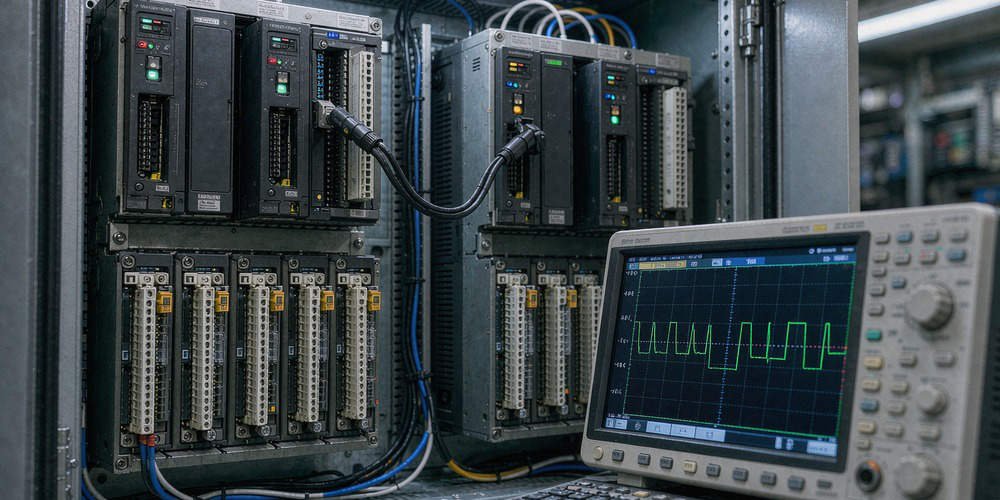
Relying solely on HMI graphical displays or PLC status bits creates dangerous false assumptions during commissioning. HMI screens display internal memory states rather than terminal voltages. Field engineers should capture the failover transition using a digital oscilloscope. Connect channels to monitor the 140DDO35300 output terminal, the load coil voltage, the 24 VDC power bus, and the CPU Hot Standby status signal. Oscilloscope traces clearly expose physical power interruptions that standard software diagnostics miss.

Aligning CPU Failover Times with Physical Output Performance

Quantum Hot Standby architectures isolate CPU redundancy from field I/O execution. Reducing the PLC scan time in Schneider Control Expert or Unity Pro will not prevent physical hardware power dips. System integrators must evaluate the entire signal chain, including application data sync, remote I/O (RIO) drop convergence, and load drop-out times. Therefore, true bumpless operation requires hardware-level mitigation rather than software adjustments.

Field Mitigation 1: Installing DC Hold-Up Modules and Buffer Circuits

Installing a 24 VDC hold-up module or capacitive buffer supply represents the most practical field solution. Placing a DC buffer module between the 140DDO35300 output and sensitive load coils maintains terminal voltage during the 10-millisecond failover gap. When selecting a buffer device, calculate the load current, minimum drop-out voltage, and coil discharge time to ensure sufficient hold-up margin.

Field Mitigation 2: Implementing Redundant Output Wiring Schemes

Critical interlocks demand redundant physical wiring paths rather than single-channel drivers. Never connect solid-state transistor outputs directly in parallel, as reverse current can damage the module channels. Instead, drive dual interposing relays connected in a parallel contact arrangement. This configuration ensures that if one channel drops out for 10 milliseconds, the parallel relay contact maintains current to the critical actuator.

Field Mitigation 3: Verifying External 24 VDC Power Supply Voltage

Transient dips on the primary 24 VDC power bus often mimic Hot Standby failover faults. Heavy contactor inrush currents or inadequate power supply capacity can cause transient voltage sags. Engineers must verify that the 24 VDC power distribution bus remains stable during switchover. Resolving power distribution bottlenecks eliminates artificial voltage drops on output channels.

Field Mitigation 4: Evaluating Mechanical Load Drop-Out Time Constants

Every mechanical relay or solenoid valve exhibits a specific drop-out time constant. If a contactor features a 30-millisecond mechanical release delay, a 10-millisecond voltage interruption will not cause physical contact opening. Conversely, fast-acting electronic relays with sub-5ms response times will trip immediately. Engineers must compare actual load specifications against measured output drop durations before redesigning control panels.

Procurement Guide and Upgrade Considerations for Legacy Hardware

Schneider Electric has placed the Modicon Quantum 140DDO35300 into mature lifecycle status, recommending modern Modicon X80 series modules like the BMXDDO3202K as migration paths. However, procurement teams must realize that replacing a 140DDO35300 with an X80 module will not automatically eliminate failover dips without evaluating the underlying RIO topology. Plant managers must plan comprehensive hardware migrations that account for backplane compatibility, field wiring adapters, and system architecture.

Practical Application Scenario: Petrochemical Valve Control System

A petrochemical refinery experienced sudden emergency valve closures during routine Quantum Hot Standby CPU switchover tests. The system utilized 140DDO35300 modules to drive 24 VDC pilot solenoid valves. High-speed recording revealed a 12-millisecond output drop during CPU failover, causing the fast-acting pilot valves to release.

The engineering team implemented a two-part solution. First, they installed compact 24 VDC buffer modules across the critical output loops to ride through voltage dips up to 50 milliseconds. Second, they integrated interposing isolation relays wired in redundant parallel configurations. During subsequent switchover testing, the solenoid coils experienced continuous power, fully eliminating process trips without altering the validated PLC safety logic.

For expert component sourcing, lifecycle management, and hardware solutions for industrial systems, visit Powergear X Automation to support your plant operations.

Frequently Asked Questions (FAQ)

Q1: Can I fix the 140DDO35300 10ms output drop by editing the PLC program logic?
No. The brief output drop occurs at the physical hardware interface during primary-to-standby bus control transfer. Software logic retainment cannot override physical output channel re-initialization.

Q2: Does the X80 BMXDDO3202K module solve the Hot Standby drop issue automatically?
Not necessarily. While the BMXDDO3202K is the recommended modern replacement, physical output behavior during failover depends on the overall RIO architecture, Ethernet drop adaptation, and power distribution design.

Q3: How do I measure the exact drop-out duration on a digital output module?
Connect a digital storage oscilloscope directly across the 140DDO35300 output terminal and 0V common. Trigger the scope on the falling edge of the 24 VDC signal while initiating a manual CPU switchover.

Fix TWDDRA8RT Relay Contact Welding & PLC Troubleshooting Guide

Emergency Response and Troubleshooting Guide for TWDDRA8RT Relay Contact Welding

Relay contact welding presents a major operational risk in modern factory automation environments. When a contact welds inside a Schneider Electric Twido TWDDRA8RT relay output module, connected actuators remain energized despite an OFF command from the PLC. Consequently, solenoid valves fail to close and motor contactors stay engaged. Powergear X Automation provides this practical field response and troubleshooting guide to help automation engineers resolve TWDDRA8RT contact failure safely.

Understanding the Operational Role of TWDDRA8RT in DCS and PLC Control Systems

The TWDDRA8RT module provides eight discrete relay outputs for driving field actuators in industrial automation systems. Control systems utilize these outputs to switch both AC and DC field loads. However, inductive counter-electromotive force and high inrush currents directly impact relay contact longevity. Therefore, field technicians must recognize how inductive loads degrade contacts to protect critical equipment in processing plants.

Technical Analysis of Load Current Limits and Electrical Contact Lifespan

Schneider Electric documentation specifies a maximum load current of 2 A per channel for the TWDDRA8RT module. Furthermore, each common terminal handles a maximum current limit of 7 A. Operating contacts at maximum resistive ratings under heavy inductive loads accelerates arc erosion. Industry failure statistics indicate that unsuppressed inductive spikes cause up to 70% of premature relay contact failures. As a result, engineers must evaluate load types before wiring actuators directly to PLC outputs.

Immediate Safety Isolation and Emergency Shutdown Protocols

  1. Halt Hazardous Motion: Engage the system emergency stop or approved plant shutdown procedure immediately to prevent mechanical damage.
  2. Isolate Field Power: Disconnect the external load power supply using an approved electrical isolation switch rather than relying on PLC logic.
  3. Execute LOTO Procedures: Apply Lockout/Tagout protocols and perform zero-voltage verification with a qualified multimeter before opening control cabinets.
  4. Verify Physical Contact State: Test terminal continuity under de-energized conditions to confirm true contact welding versus external circuit bypasses.

Diagnostic Methods to Distinguish Internal Failure from External Wiring Bugs

Technicians often mistake external short circuits or parallel bypass lines for internal relay contact welding. First, disconnect the field output wiring from the TWDDRA8RT terminal block. Next, measure resistance across the output channel and common terminal with the module powered down. A zero-ohm reading confirms internal contact welding. However, if the output channel opens properly, inspect external contactors, auxiliary contacts, and wiring conduits for short circuits.

Selecting Proper Suppression Components to Prevent Recurrent Contact Welding

Preventing recurrent contact welding requires implementing dedicated surge suppression circuits across external inductive loads. The table below outlines recommended protection methods for common field devices:

  • AC Solenoid Valves: Install an appropriately rated RC snubber circuit across the coil to absorb inductive voltage spikes.
  • DC Contactor Coils: Connect a reverse-biased flyback diode across the coil terminals to suppress high-voltage back-EMF.
  • Heavy Motor Starters: Interpose an intermediate industrial relay between the TWDDRA8RT output and the main contactor coil.
  • Capacitive Loads: Add an inrush current limiting resistor to prevent micro-welding during initial contact closure.

B2B Replacement Options and System Migration to Modicon TM3

Schneider Electric officially retired the Twido TWDDRA8RT series, making direct spare parts sourcing increasingly challenging. The manufacturer designates the Modicon TM3DQ8R relay module as the official replacement path. However, migrating from Twido to TM3 requires updated PLC hardware, revised I/O mapping, and modified mounting configurations. Procurement teams must verify backplane compatibility before executing hardware upgrades on legacy production lines.

Application Scenario: Resolving Valve Overheating in a Water Treatment Plant

A water treatment facility experienced continuous pump overheating caused by a welded contact on a TWDDRA8RT module driving a 230 VAC solenoid valve. The operator issued a stop command, but the welded relay maintained power to the valve coil. The maintenance team performed LOTO, isolated the external power circuit, and confirmed a welded relay output channel using continuity testing.

To eliminate future failures, the team installed a new relay module and added an external RC snubber circuit across the solenoid valve coil. Additionally, they routed the PLC output through an external interposing relay to isolate the PLC from high inductive spikes. This dual-layer modification restored reliable flow control and completely eliminated contact welding events across the facility.

For high-reliability PLC components, replacement modules, and expert technical support for legacy control systems, visit Powergear X Automation to secure robust hardware solutions for your industrial facilities.

Frequently Asked Questions (FAQ)

Q1: Can I repair a TWDDRA8RT module by replacing internal relays?
Component-level repair on industrial PLC modules is generally not recommended. Replacing individual internal relays risks damaging the printed circuit board traces and voids safety compliance standards.

Q2: Can I install a TM3DQ8R module directly onto an existing Twido PLC rack?
No. TM3 expansion modules require a Modicon M221, M241, or M251 controller. You cannot attach TM3 expansion modules directly to a legacy Twido base controller.

Q3: Why do AC contactor coils cause relay contact welding?
AC contactors draw high inrush currents during pull-in and generate severe inductive arc voltages during drop-out. Unsuppressed arcing melts the relay contact surfaces, causing them to fuse together upon closing.

Schneider TM221 USB Troubleshooting | Powergear X Automation

Troubleshooting Schneider TM221CE16T USB Mini-B Unknown USB Device Errors

Connecting programming PCs to the Schneider Electric Modicon M221 TM221CE16T PLC often relies on a USB Mini-B connection. However, field engineers frequently encounter the frustrating “Unknown USB Device” error in Windows Device Manager. This issue disrupts critical commissioning and plant maintenance schedules across industrial automation facilities. Powergear X Automation presents this step-by-step diagnostic guide to systematically isolate physical hardware faults from software communication driver errors.

Understanding USB Mini-B Functionality in Factory Automation

The USB Mini-B port serves as a primary engineering interface for PLC programming, diagnostics, and firmware updates. Many technicians assume that a powering device indicates a fully functional cable connection. However, USB communication requires active differential data lines alongside standard power conductors. When Windows displays “Device Descriptor Request Failed,” the operating system cannot retrieve essential hardware identification details. Therefore, engineers must troubleshoot physical layer integrity before attempting software-level driver reinstallations.

Resolving Compatibility Issues in Machine Expert Basic

Schneider Electric EcoStruxure Machine Expert Basic handles programming and configuration for the Modicon M221 PLC series. Older software installations or residual driver files frequently conflict with current Windows USB communication stacks. As a result, Windows misidentifies the connected PLC or displays yellow exclamation warnings. According to industrial maintenance reports, software driver corruption accounts for over 35% of USB connection failures in control systems. Consequently, maintaining clean software environments remains critical for reliable control system programming.

Evaluating Physical USB Cable Quality in High-EMI Environments

High-power electric motors and variable frequency drives generate intense electromagnetic interference across manufacturing floors. Poorly shielded USB Mini-B cables easily pick up ambient noise and fail during enumeration. Moreover, some commercial consumer cables contain power conductors only, completely lacking necessary data wires. Engineers must always utilize double-shielded, industrial-grade USB data cables during commissioning. Substituting low-cost consumer charging cables frequently causes intermittent disconnects and device enumeration failures.

Step-by-Step Device Manager Recovery Sequence

  1. Open Device Manager: Expand the Universal Serial Bus controllers section to locate the Unknown USB Device entry.
  2. Uninstall Faulty Node: Right-click the error entry and select Uninstall Device to clear corrupted enumeration caches.
  3. Reboot Engineering PC: Restart Windows completely to purge active USB host controller memory states.
  4. Reconnect Quality Cable: Connect a verified industrial USB Mini-B cable directly to a motherboard USB port.

Reinstalling Official Schneider Communication Drivers

Downloading standalone USB driver INF files from third-party websites often introduces severe malware or system instability. Instead, engineers should obtain official software packages directly through authorized Schneider Electric support channels. Uninstall legacy SoMachine Basic or Machine Expert software completely before installing the updated communication suite. Moreover, always reboot the engineering workstation after installation completes. This procedure ensures proper binding between the PLC runtime and Windows hardware abstraction layers.

Eliminating External USB Hubs and PC Hardware Conflicts

Unpowered USB hubs and long extension cables frequently cause voltage drops across signal lines. In addition, internal port power management settings in Windows can suspend USB controllers unexpectedly. Engineers should connect programming cables directly to native PC ports, avoiding intermediate adapters whenever possible. If issues persist across multiple PC ports, test the connection using a secondary engineering laptop to isolate workstation-specific operating system failures.

Inspecting PLC Hardware Interface Integrity

Physical stress from frequent plugging or cabinet door movements can damage fragile Mini-B surface-mount solder joints. Inspect the PLC female port under magnification for bent pins, debris, or loose connector housings. Furthermore, verify that the TM221CE16T controller receives stable 24VDC power during connection attempts. Unstable power supplies cause internal USB PHY chips to brown out during initialization, triggering device descriptor errors on the host computer.

Structured Fault Isolation Matrix

  • Cable Cross-Check: Swap the Mini-B cable with a known working data cable to rule out broken internal conductors.
  • Workstation Cross-Check: Connect the PLC to a secondary PC running Machine Expert Basic to rule out OS corruption.
  • Hardware Cross-Check: Connect the original cable and PC to a secondary M221 PLC to verify controller hardware health.

B2B Maintenance Strategy and Change Management

System integrators must maintain strict version control for all PLC programming software and controller firmware. Upgrading engineering software blindly during an active downtime event risks project corruption or firmware mismatches. Furthermore, maintenance teams should store verified configuration backups offsite before making hardware alterations. Implementing structured maintenance checklists reduces mean time to repair (MTTR) across complex automated production lines.

Application Scenario: Packaging Line Controller Recovery

A high-speed bottling facility experienced an unexpected stoppage on a packaging conveyor controlled by a Schneider TM221CE16T PLC. The maintenance technician connected an engineering laptop, but Windows continuously reported “Unknown USB Device (Device Descriptor Request Failed).” Attempting to download independent drivers failed to restore the connection, threatening extended factory downtime.

The lead engineer implemented a systematic troubleshooting approach. First, the team replaced the unshielded USB cable with an industrial double-shielded Mini-B data cable. Second, they cleared the corrupted USB enumeration node in Device Manager and rebooted the laptop. Upon reconnecting, Windows successfully enumerated the controller, allowing Machine Expert Basic to go online instantly. The team cleared a trapped fieldbus alarm and resumed full production within fifteen minutes.

To source original Schneider Electric controllers, expansion modules, and reliable automation components, visit Powergear X Automation for professional hardware supply and technical support.

Frequently Asked Questions (FAQ)

Q1: Does an “Unknown USB Device” error mean my TM221CE16T PLC hardware is permanently damaged?
Not necessarily. Most enumeration failures stem from faulty USB data cables, corrupted Windows USB cache nodes, or missing Machine Expert Basic driver services rather than physical PLC hardware failures.

Q2: Can I program the TM221CE16T via Ethernet if the USB port fails completely?
Yes. The TM221CE16T features an integrated Ethernet port. You can connect over Modbus TCP or Machine Expert protocol by configuring a static IP address on your PC within the same subnet as the controller.

Q3: Should I download standalone USB drivers from third-party driver update sites?
No. Third-party driver packages often contain incomplete INF files or unwanted software. Always install official Schneider Electric EcoStruxure Machine Expert Basic packages to obtain signed, fully compatible communication drivers.

Fix Modicon 140DAI35300 Dim LED & 30V Stray Voltage Issues

Troubleshooting Modicon 140DAI35300 Dim LED and 30V Stray Voltage

In modern industrial automation, discrete input modules deliver critical status feedback to programmable logic controllers (PLC). The Schneider Electric Modicon Quantum 140DAI35300 AC digital input module operates in demanding factory environments. However, field technicians often observe dim channel LEDs and residual 30V readings after field switches disconnect. Powergear X Automation provides this troubleshooting guide to resolve ghost voltage issues caused by stray capacitance in long cable runs.

Understanding Threshold Voltages in Modicon Quantum Input Modules

The 140DAI35300 module utilizes optocouplers and filtering networks to process alternating current signals. These internal circuits evaluate whether incoming voltage levels cross predefined turn-on thresholds. A residual voltage of 30VAC usually falls below the official logic ON threshold. Therefore, the PLC register correctly registers an OFF state despite the weakly illuminated channel indicator. Engineers must differentiate between harmless visual dimming and actual false logic triggers.

Identifying Stray Capacitance and High-Impedance Meter Artifacts

High-impedance digital multimeters present roughly 10 Mega-ohms of internal resistance during field measurements. Consequently, these meters draw almost no current, displaying phantom voltages created by capacitive coupling. Long multiconductor cables running parallel to high-voltage power lines act as natural capacitors. In addition, internal RC snubbers inside proximity sensors allow minor leakage currents to pass through disconnected lines. As a result, floating voltages linger on isolated input terminals.

Evaluating the Impact of Input Filter Times on Visual Indicators

Schneider Electric equips Quantum modules with hardware filtering to suppress mechanical contact bounce. However, high cable capacitance slows down the discharge rate through the internal optocoupler circuit. This delayed discharge extends the LED turn-off window, causing confusion during rapid maintenance checks. Field teams should verify channel status via PLC programming software rather than relying solely on module indicator lights.

Step-by-Step Field Diagnostic Procedure for Ghost Voltages

  1. Check Controller Status Registers: Verify whether the PLC software detects an active ON signal or remains safely OFF.
  2. Disconnect Field Wiring: Remove the field input wire directly from the terminal block to isolate the module channel.
  3. Perform Low-Impedance Load Testing: Connect a 10k-ohm resistor across the input terminal and common line while measuring voltage.
  4. Evaluate Cable Routing: Inspect cable trays to ensure AC signal lines do not share conduits with variable frequency drive outputs.

Implementing Bleeder Resistors and Interposing Relays

When long cable runs continuously generate severe stray voltages, physical mitigation becomes necessary. Installing a parallel bleeder resistor creates a discharge path for coupled energy, collapsing phantom voltages instantly. Alternatively, engineers can install 24VDC interposing relays near the PLC panel. This approach converts long AC field runs into isolated DC inputs, eliminating capacitive coupling risks across control systems.

Procurement and Compatibility Guidelines for Quantum Modules

Procurement managers must verify hardware specifications before replacing 140DAI35300 modules in legacy DCS or PLC racks. Never substitute AC input cards with DC variants, as incorrect voltage levels damage internal optocouplers. Furthermore, confirm firmware compatibility within EcoStruxure Control Expert software before scheduling system maintenance. Sourcing genuine components ensures long-term operational stability across continuous production lines.

Application Scenario: Chemical Plant Cable Coupling Resolution

A chemical processing facility experienced recurring dim LED warnings on a Quantum 140DAI35300 module monitoring remote valves. The 120VAC signal cables shared a 150-meter underground trench with heavy motor supply lines. A multimeter detected 35VAC on disconnected channels, causing operator confusion during safety audits.

The engineering team applied a low-impedance test load, which instantly dropped the measured voltage from 35VAC to 2VAC. This test confirmed that stray cable capacitance caused the phantom voltage. The team installed 10k-ohm bleeder resistors across the affected terminal blocks. This simple modification suppressed the residual energy, extinguishing the dim LEDs without altering PLC program logic.

For authentic replacement parts and comprehensive technical assistance with Modicon Quantum hardware, visit Powergear X Automation to keep your industrial control systems operating reliably.

Frequently Asked Questions (FAQ)

Q1: Does a dim LED on the 140DAI35300 module mean the channel is damaged?
No. A dim LED usually indicates low-level ghost voltage caused by cable capacitance or sensor leakage current, rather than internal module failure.

Q2: How does a low-impedance multimeter help identify phantom voltage?
A low-impedance meter places a slight load on the circuit. This load drains low-current capacitive charges, causing phantom voltage readings to collapse to zero.

Q3: Can I replace an AC input module like the 140DAI35300 with a DC input module?
No. AC and DC input modules use fundamentally different detection circuits. Swapping them without rewiring field power supplies will cause equipment damage or signal failure.

Fix Modicon M218 PTO Position Overflow Without PLC Restarts

Resolving Modicon M218 TM218LDA40DR4PH PTO Position Overflow Without PLC Restarts

In modern industrial automation, high-speed motion control drives efficient packaging, labeling, and material handling systems. The Schneider Electric Modicon M218 TM218LDA40DR4PH PLC features integrated Pulse Train Output (PTO) functions for precise positioning. However, long-term continuous operation in one direction often triggers a “Position Overflow” fault. Powergear X Automation provides this technical guide to resolve 32-bit counter limits correctly without unnecessary PLC restarts.

Understanding the Limits of 32-Bit PTO Position Counters

The M218 PLC tracks PTO motion using a signed 32-bit Double Integer (DINT) value. This counter ranges from -2,147,483,648 to +2,147,483,647 pulses. Continuous unidirectional movement causes the axis position to exceed the positive DINT boundary. As a result, the PTO controller detects an internal position error. The system revokes the “Referenced” flag and enters an ErrorStop state to protect factory automation equipment.

Calculating Overflow Timing at 100 kHz High-Speed Operation

The TM218LDA40DR4PH supports PTO output frequencies up to 100 kHz. Operating continuously at maximum speed consumes the 32-bit position range surprisingly fast. For instance, a 100,000 pulse-per-second output reaches the 2,147,483,647 pulse limit in approximately 5.97 hours. Therefore, high-speed rotary indexing or feeding applications encounter position overflows regularly if left unmanaged.

Why Moving Zero to User Variables Fails to Reset the PTO Axis

Field technicians frequently make the mistake of executing a standard MOV command to clear memory registers. Writing zero to a local DINT variable does not modify the internal PTO hardware counter. Instead, engineers must execute the dedicated PTOSetPosition function block from the M218 PTO library. This function block safely redefines the internal axis reference position to zero during runtime.

Step-by-Step Recovery Procedure for PTO Position Overflow

  1. Stop PTO Motion: Issue an immediate axis stop command when detecting the position overflow alarm.
  2. Clear Axis Errors: Trigger the Reset_error input on the PTOSimple block to exit the ErrorStop state.
  3. Execute PTOSetPosition: Drive the Execute input of PTOSetPosition to reassign the active position value to zero.
  4. Re-establish Homing Reference: Perform a homing routine because clearing overflow errors resets the internal Referenced state.

Structured Text Implementation for Automatic Position Management

Implementing structured text logic prevents machine downtime caused by unhandled position errors. Industry experience shows that resetting position proactively at predefined thresholds avoids unexpected fault stops. System integrators should configure automated reset routines before the position counter reaches two billion pulses.

  • Fault Detection: Monitor PTOSimple.PTOError and halt motion commands immediately.
  • Error Reset: Pulse the PTOSimple.Reset_error parameter to acknowledge the drive condition.
  • Position Preset: Call PTOSetPosition with PTO_REF_IN and set the Position parameter to zero.
  • Sequence Control: Use state machines to handle error clearing and position re-indexing sequentially.

Best Practices for Continuous Rotary and Long-Travel Equipment

Continuous rotary applications require a Modulo positioning strategy to manage infinite travel paths cleanly. Differentiating between total product counts and active axis positions keeps control systems responsive. In addition, engineers must verify electrical noise shielding on high-speed PTO pulse lines to prevent false position jumps. Adhering to IEC 61131-3 motion standards ensures predictable system behavior across all operating modes.

B2B Procurement and PLC Hardware Diagnostic Guidance

Experiencing a PTO position overflow does not indicate hardware failure on the TM218LDA40DR4PH controller. Purchasing teams should verify software parameters before replacing functional PLC units. However, if position jumps occur randomly alongside PTOGetDiag errors, inspect physical wiring, drive inputs, and grounding systems immediately. Proper hardware selection and firmware management protect long-term capital investments.

Application Scenario: High-Speed Labeling Machine Reset Optimization

A bottling plant operating a high-speed labeling line experienced daily M218 PLC fault stops after six hours of continuous operation. The system utilized 100 kHz PTO pulses to drive a servo labeling wheel. The initial engineering team regularly rebooted the PLC cabinet to clear the 32-bit counter overflow, causing costly production delays.

Application engineers implemented a state-machine routine using PTOSetPosition and PTOSimple.Reset_error. The new PLC logic monitors total label feed pulses and resets the internal PTO position to zero during brief line pauses every two hours. This software optimization eliminated unexpected position overflow stops completely, raising line efficiency by 12% without replacing hardware.

To source genuine Schneider Electric controllers and optimize your factory automation systems, visit Powergear X Automation for professional hardware distribution and expert engineering support.

Frequently Asked Questions (FAQ)

Q1: Can I reset the M218 PTO position counter while the motor is moving?
No. You must stop PTO pulse generation and clear active error states before executing the PTOSetPosition function block. Resetting positions on an active moving axis triggers invalid velocity commands.

Q2: Does executing PTOSetPosition clear the Referenced status on the PTO axis?
Yes. Changing the internal reference position invalidates the previous homing status. You must verify or re-execute the homing sequence to ensure absolute positioning accuracy.

Q3: What is the difference between a PTO counter overflow and a PLC user DINT overflow?
A PTO overflow occurs inside the hardware motion controller when pulse outputs exceed 32-bit limits. A user DINT overflow occurs in standard PLC program code when calculation variables exceed 2,147,483,647 without resetting.

Schneider Quantum vs M580: Choosing the Right OPC UA Strategy

Fix 140CRA93200 Active LED Off Faults in Quantum RIO Networks

Troubleshooting Schneider 140CRA93200 Active LED Off Faults in Quantum RIO Networks

In modern industrial automation systems, reliable remote I/O architectures maintain continuous plant operations. Control engineers frequently troubleshoot communication failures on Modicon Quantum platforms. However, technicians often mistake the Schneider Electric 140CRA93200 drop adapter for an Ethernet device. The 140CRA93200 operates on a legacy S908 coaxial remote I/O network, not Ethernet. Powergear X Automation presents this diagnostic guide to resolve “Active” or “Com Act” LED failures on 140CRA93200 modules effectively.

Schneider Quantum vs M580: Choosing the Right OPC UA Strategy

Understanding the S908 Coaxial Physical Layer Architecture

The 140CRA93200 module utilizes a 75-ohm coaxial media network running at 1.544 Mbps. Unlike modern Ethernet I/O, this module connects directly to a 140CRP93200 RIO head adapter via dual coaxial channels. Furthermore, loose F-connectors and sharp cable bends introduce severe signal attenuation across the physical link. Engineers must inspect cable impedance and physical connections before replacing the hardware module. B2B facility managers must recognize that physical layer degradation causes most communication loss incidents.

Correcting Rotary Address Switch Misconfigurations

The rear panel of the 140CRA93200 features SW1 and SW2 rotary address switches. The valid drop address range spans strictly from address 2 to 32. Assigning an address of 0 or exceeding 32 causes immediate module configuration errors. Moreover, replacing a faulty module without matching the original address switches prevents the main CPU from identifying the drop. Integrators must carefully match the physical switch positions during hardware replacement routines.

Interpreting Diagnostic LED Patterns for Quick Identification

Analyzing LED status indicators accelerates troubleshooting inside complex factory automation control cabinets:

  • Ready ON and Com Act OFF: The module completes internal self-tests but fails to establish coaxial RIO communication.
  • Ready ON and Com Act ON: The RIO drop adapter maintains normal dual-channel data transmission with the master head.
  • Fault ON: An I/O module communication failure or rack configuration mismatch exists within the drop rack.
  • Error A or Error B ON: Channel A or Channel B exhibits severe noise, open circuits, or excessive signal degradation.

Step-by-Step Field Diagnostic Sequence for Active LED Loss

  1. Verify Head Architecture: Ensure the master rack uses a 140CRP93200 head adapter rather than an Ethernet 140NOC78000 module.
  2. Check Drop Address Switches: Confirm rear rotary switches SW1 and SW2 match the PLC configuration file within range 2-32.
  3. Inspect Coaxial Cabling: Examine Channel A and B F-connectors, cable bend radii, and 75-ohm terminators for loose points.
  4. Verify Dual Channel Health: Resolve single-channel errors promptly before the secondary link fails and drops the entire rack.

Distinguishing Legacy S908 RIO from Modern Ethernet RIO Systems

Cross-referencing hardware part numbers prevents costly procurement errors during emergency maintenance shutdowns. The legacy S908 platform pairs the 140CRP93200 head with the 140CRA93200 drop using coaxial cabling. Conversely, modern Quantum Ethernet RIO utilizes 140CRP31200 and 140CRA31200 adapters connected via RJ45 Ethernet cables. Moreover, Schneider Electric recommends migrating legacy drops to Modicon X80 BMECRA31210 adapters during major control systems overhauls.

B2B Procurement Strategies for End-of-Life Quantum Hardware

Schneider Electric has transitioned the 140CRA93200 module to commercial phase-out status. However, market research shows over 40% of process plants still rely on legacy PLC architecture for daily operations. Sourcing genuine refurbished or surplus spares maintains operational stability without forcing premature capital expenditures. Procurement managers should partner with specialized industrial suppliers to verify hardware firmware compatibility before scheduling installation windows.

Application Scenario: Petrochemical Refinery I/O Drop Restoration

A continuous distillation unit experienced an emergency shutdown after losing remote I/O communication on Drop 08. The main Quantum controller reported a total communication failure, and the 140CRA93200 “Com Act” LED turned off completely. Maintenance technicians initially suspected a failed CRA drop adapter and prepared a replacement unit.

Following our diagnostic protocol, the engineering team inspected the dual coaxial cabling instead. They discovered that heavy vibration from an adjacent compressor had loosened the Channel B F-connector, while Channel A suffered from severe shield corrosion. Re-terminating both coaxial connections restored full signal strength immediately. The original 140CRA93200 module resumed normal operations with active status LEDs, saving hours of unnecessary downtime.

To source original Schneider Electric Modicon Quantum modules and reliable factory automation spares, visit Powergear X Automation for technical guidance and high-performance hardware inventory.

Frequently Asked Questions (FAQ)

Q1: Can I connect a 140CRA93200 drop adapter to a 140NOC78000 Ethernet module?
No. The 140CRA93200 relies on 75-ohm coaxial S908 architecture. Ethernet modules like the 140NOC78000 require Ethernet RIO drop adapters such as the 140CRA31200.

Q2: What should I do if the Error A LED is lit but the system is still running?
An active Error A LED indicates a failure on Channel A coaxial cable. You must repair the damaged cable immediately before Channel B experiences an error and drops the entire rack offline.

Q3: How do I calculate the drop address from the rear SW1 and SW2 switches?
Combine the tens digit from SW1 and the units digit from SW2. For example, setting SW1 to 2 and SW2 to 5 sets the drop address to 25.

Maximizing I-O Capacity in Schneider Electric Quantum PLC Systems

Troubleshoot 140NOE77110 Link Failures & Restore Ethernet IP

Troubleshooting Schneider 140NOE77110 Ethernet Link Failures and Web Server Unreachability

In modern industrial automation systems, communication modules form the backbone of plant-wide monitoring and control systems. The Schneider Electric Modicon Quantum 140NOE77110 FactoryCast Ethernet module provides high-speed TCP/IP networking for industrial control systems. However, field engineers frequently encounter unlit Link LEDs and unaccessible Web pages. Powergear X Automation presents this troubleshooting guide to clarify common technical misconceptions regarding IP recovery and physical link diagnostics for the 140NOE77110 module.

Maximizing I-O Capacity in Schneider Electric Quantum PLC Systems

Debunking the Serial Port IP Recovery Misconception in PLC Modules

Field technicians often assume they can recover module IP addresses using a direct RS-232 serial terminal. However, the 140NOE77110 module lacks a native serial maintenance interface. The front panel exclusively features RJ45 10/100BASE-TX and MT-RJ 100BASE-FX Ethernet ports. Therefore, connecting a PC serial cable directly to this Ethernet module remains physically impossible. Engineers must instead recover lost IP configurations through BOOTP/DHCP servers, Control Expert software, or indirect PLC CPU serial connections.

Distinguishing Layer 1 Physical Link Failures from Layer 3 IP Misconfigurations

An unlit Link LED indicates a physical layer failure rather than an incorrect IP address. The 140NOE77110 module utilizes dual 10/100 Mbps interfaces to maintain network links. If the Link LED turns off, engineers must inspect network cables, switch ports, and optical transceivers first. Conversely, an inaccessible Web server with a solid Link LED suggests an IP subnet mismatch or a disabled FactoryCast web service. Isolating physical layer issues from logical network settings saves critical diagnostic time during plant outages.

Leveraging BOOTP and DHCP Protocols for Direct IP Restoration

The 140NOE77110 module relies on standard BOOTP and DHCP protocols when missing a valid static IP address. Schneider Electric documentation states that unconfigured NOE modules issue BOOTP requests upon system boot. Engineers can connect a laptop directly to the module using an isolated Ethernet switch. By pairing the module MAC address with a pre-planned IP address in BOOTP Lite, technicians can assign new network parameters effortlessly. Always verify MAC address accuracy to prevent addressing conflicts across factory automation networks.

Indirect IP Recovery Procedure via Quantum CPU Serial Interface

When Ethernet access fails completely, engineers can utilize the Quantum CPU serial port to restore network parameters. This method redirects communication through the PLC backplane rather than the module front panel.

  1. Establish CPU Serial Connection: Connect an RS-232 serial cable from the PC to the Modicon Quantum CPU terminal port.
  2. Launch Control Software: Open Unity Pro or EcoStruxure Control Expert and go online with the PLC CPU.
  3. Locate NOE Configuration: Navigate to the Quantum backplane hardware configuration and select the 140NOE77110 module slot.
  4. Update IP Parameters: Input the correct IP address, subnet mask, and gateway settings into the Ethernet module configuration window.
  5. Download Project Settings: Download the revised configuration to the CPU to reinitialize the 140NOE77110 Ethernet interface.

Environmental Tolerance and Physical Maintenance Guidelines

Industrial Ethernet hardware must withstand challenging environments in chemical plants, oil refineries, and water treatment facilities. The 140NOE77110 operates reliably between 0 and 60 degrees Celsius under non-condensing humidity conditions. However, prolonged exposure to high ambient temperatures, vibration, and corrosive gases accelerates physical port degradation. Regular inspection of RJ45 locking tabs and MT-RJ fiber cleanliness prevents unexpected link drops and intermittent packet loss.

B2B Procurement and Hardware Firmware Compatibility

Replacing legacy Quantum Ethernet modules requires strict attention to firmware and hardware compatibility. Modern Emerson and Schneider automation architectures require matching hardware revisions to ensure full backplane functionality. For instance, swapping a 140NOE77110 with a 140NOE77100 or 140NOE77111 can cause configuration mismatches due to differing FactoryCast services and Hot Standby support. Procurement managers should perform offline project validation before purchasing replacement modules for critical DCS applications.

Application Scenario: Chemical Plant Network Recovery

During a scheduled maintenance shutdown at a continuous chemical processing facility, an operator reported an unlit Link LED on a 140NOE77110 module. Furthermore, the local SCADA station lost communication with the FactoryCast web server. The engineering team initially suspected module failure and considered a full hardware replacement.

Powergear X Automation advised a systematic two-step diagnostic approach. First, the team replaced a degraded RJ45 patch cable, instantly restoring the physical Link LED. Second, they connected to the Quantum CPU via its Modbus serial port using EcoStruxure Control Expert. The team identified a corrupted IP configuration file, updated the subnet mask, and downloaded the verified project. This indirect recovery method restored full web server communication in under 30 minutes without incurring module replacement costs.

For high-grade industrial hardware sourcing and expert engineering support on Modicon Quantum modules, visit Powergear X Automation to secure reliable components for your industrial infrastructure.

Frequently Asked Questions (FAQ)

Q1: Can I assign an IP address to the 140NOE77110 using a terminal emulation program like PuTTY?
No. The 140NOE77110 does not feature an RS-232 serial console port. You must use BOOTP/DHCP utilities, Control Expert software via the CPU, or the FactoryCast web browser interface to configure IP parameters.

Q2: Does an unlit Link LED mean my 140NOE77110 module is permanently damaged?
Not necessarily. An unlit Link LED indicates a Layer 1 physical connection failure. Check your Ethernet patch cable, switch port status, and SFP transceiver before concluding that the module hardware is defective.

Q3: Can I directly replace a 140NOE77110 with a 140NOE77100 module?
Direct substitution is not recommended without modifying your PLC project file. While both are Quantum Ethernet modules, they differ in memory capacity, FactoryCast web features, and Hot Standby redundancy capabilities.

Back to Top
Product has been added to your cart