
Over 50,000 hot-selling automation module components.

Bently Nevada 3500 Event List Guide for 3300 XL Probe Faults

Diagnosing Bently Nevada 3300 XL Loose Connections via 3500 System Event Lists

Reliable proximity probe measurements protect critical rotating machinery in modern industrial automation setups. Intermittent loose connections between 3300 XL 8mm proximity probes, extension cables, and Proximitor sensors often cause false vibration spikes or channel faults. These transient issues confuse maintenance teams and cause unnecessary shutdowns in continuous processes. Powergear X Automation provides this technical guide to help engineers analyze Bently Nevada 3500 Event Lists, pinpoint connection faults, and improve machinery protection across DCS and PLC environments.

Core Value of Event Logs in Machinery Protection Systems

The Bently Nevada 3500 monitoring system continuously captures module status updates, transducer faults, and communication events. Loose connections rarely cause total system failure immediately. Instead, they produce short-lived signal drops or voltage spikes. According to industrial maintenance reports, over 30% of false machinery trips stem from wiring degradation or loose connectors rather than probe damage. Analyzing event timestamps and status sequences allows engineers to isolate physical wiring issues quickly without stopping active plant operations.

Analyzing Event Timestamps to Identify Intermittent Patterns

Event List timestamps reveal whether a fault recurs periodically or links to machine vibration changes. Permanent transducer failure locks the channel into a continuous NOT OK state. Conversely, intermittent loose connections generate self-clearing fault logs that last only a few seconds. Engineers can track timestamps to correlate faults with motor start sequences or thermal expansion phases. If a channel alternates rapidly between NOT OK and OK states, technicians should inspect physical cable connections rather than replacing the sensor head.

Evaluating Channel Status Events and Gap Voltage Shifts

The 3500 Rack Configuration Software categorizes signal anomalies into specific channel status events. Intermittent wiring issues typically trigger transient Input Fault or Transducer Failed messages. Monitoring DC gap voltage trends helps engineers verify the physical integrity of the circuit. A sudden gap voltage drop to 0 VDC followed by immediate recovery indicates an open circuit at the Proximitor terminal or ClickLok connector. Stable gap voltage with fluctuating AC vibration usually points to mechanical interference instead.

Understanding Alarm Sequences and Fault Propagation Chains

Determining the root cause of an alarm requires evaluating the entire event sequence rather than a single log entry. A classic loose connection sequence starts with a Transducer Signal Lost message, followed by a Channel NOT OK status, and ends with an automatic Channel Returned OK entry. In contrast, physical probe destruction maintains a hard fault status without clearing. Tracing these log sequences helps reliability engineers prevent false trip actions and optimize factory automation maintenance schedules.

Field Installation Practices for Proximity Cable Protection

Preventing loose connection faults requires strict adherence to physical cabling standards. Technicians must ensure that ClickLok connectors lock fully and remain free from strain. In addition, signal cables must follow dedicated grounded conduits away from high-voltage lines. According to API 670 standards for machinery protection, improper grounding creates ground loops that mimic loose connection symptoms. Connecting cable shields to ground at the control cabinet side only eliminates circulating currents and improves signal clarity.

Step-by-Step Troubleshooting with Component Substitution

  1. Check Physical Connectors: Inspect the ClickLok connection between the 3300 XL probe and extension cable for corrosion, moisture, or loose locking rings.
  2. Swap Extension Cables: Swap the extension cable with a known functional unit. If the fault moves to the new channel, replace the damaged cable.
  3. Test the Proximitor Sensor: Move the signal line to an adjacent Proximitor channel. If the issue follows the sensor, replace the Proximitor unit.
  4. Verify Gap Voltage: Measure DC gap voltage using a digital multimeter at the terminal block to confirm stable bias voltage under operating temperatures.

B2B Procurement and Hardware Replacement Considerations

Replacing legacy 3300 components with modern 3300 XL systems requires careful compatibility checks. System integrators must match probe length, extension cable resistance, and Proximitor scale factors to maintain accurate calibration. Deploying mismatched components causes zero-point shifts, incorrect vibration readings, and continuous channel alarms. Plant managers should verify rack configuration parameters in the 3500 software before installing new hardware during scheduled maintenance turnarounds.

Application Scenario: Petrochemical Compressor Protection

A petrochemical facility experienced intermittent Channel 2 NOT OK alarms on a critical multi-stage centrifugal compressor. The vibration monitoring channel triggered brief Alert warnings every few hours, but mechanical vibration levels remained normal. The maintenance team analyzed the Bently Nevada 3500 Event List and noticed that every fault entry resolved itself within two seconds. Rather than replacing the 3300 XL probe inside the machine casing, technicians inspected the external junction box. They discovered a loose terminal screw caused by compressor frame vibration. Tightening the terminal block restored full signal stability and prevented an unscheduled plant shutdown.

To upgrade your machinery monitoring infrastructure or source certified replacement modules, visit Powergear X Automation for high-reliability industrial control solutions.

Frequently Asked Questions (FAQ)

Q1: How can I distinguish between a bad 3300 XL probe and a loose extension cable?
A broken probe usually causes a permanent Channel NOT OK fault and abnormal gap voltage. A loose extension cable causes intermittent, self-clearing event logs that correlate with machine vibration or temperature changes.

Q2: Can loose terminal wiring damage the 3500 monitor card?
No, 3500 input channels feature short-circuit and open-circuit protection. However, repeated intermittent spikes can trigger false Danger alarms and trip connected machinery if voting logic is not enabled.

Q3: Why does my gap voltage jump when I touch the Proximitor wiring?
This behavior indicates a cold solder joint, loose terminal screw, or degraded cable shield connection. Inspect the terminal strip and re-torque all wiring connections to eliminate contact resistance.

Bently Nevada 3300 XL Cable Terminal: Specialized Tools Guide

Bently Nevada 3300 XL Click-Loc Termination: Do You Need Specialized Tools?

The Critical Role of Click-Loc Connectors in Asset Protection

In factory automation and machinery protection, the Bently Nevada 3500 Monitoring System stands as the industry standard for rotating equipment. The 3300 XL series extension cable links the proximity probe directly to the proximitor sensor. At the heart of this sensor loop lies the Click-Loc connector. This high-frequency connection point secures the vital millivolt signals that detect microscopic shaft movements. Standard wiring methods often fail here because this loop handles RF carrier waves rather than simple DC power. Consequently, field engineers must prioritize termination quality to ensure total plant safety.

Technical Insights: Why Standard Strippers Degrade High-Frequency Signals

The 3300 XL eddy current measurement system operates on high-frequency radio networks to map real-time vibration displacement. The Click-Loc connector maintains a precise characteristic impedance across the coaxial network. Regular commercial wire strippers frequently nick the outer jacket or slice the delicate shielding mesh. As a result, this physical damage alters the loop capacitance and introduces electromagnetic interference (EMI). Field experience shows that hand-stripped cables often pass basic static continuity tests during commissioning. However, they regularly trigger ghost alarms and intermittent channel faults once the turbine spins up to full operating speed.

The Crimp Height Factor: Preventing Vibration Signal Drift

Engineers must achieve an exact crimp height and uniform compression when processing specialized coaxial terminals. Standard aviation or network crimping tools cannot deliver the specific mechanical retention force that Bently Nevada hardware demands. Over-crimping crushes the inner Teflon dielectric layer, which directly shorts out the signal. Conversely, under-crimping creates a loose connection that oxidizes rapidly under harsh refinery conditions. According to Electric Power Research Institute (EPRI) maintenance data, faulty cable terminations rank among the top causes of false trips in industrial control systems. Therefore, investing in calibrated, factory-matched crimping tools remains non-negotiable for critical machinery.

Powergear X Automation Expert Commentary: Balancing Upfront Costs and Long-Term Reliability

At Powergear X Automation, we consistently witness maintenance teams attempting to bypass specialized tooling costs by utilizing universal tools. While a universal tool lowers short-term procurement expenses, it exponentially multiplies operational risks on the plant floor. In critical process industries like oil and gas or power generation, a single false trip can cost thousands of dollars per minute in lost production. We strongly recommend that reliability managers treat specialized termination toolkits as a mandatory asset protection investment rather than an optional accessory.

Field Installation and Best Practices Guide

To ensure maximum signal integrity and avoid premature cable wear, field technicians should follow this structured deployment workflow:

  • ✅ Verify Component Matching: Ensure your extension cable model matches the specific 8mm or 5mm proximity probe system requirements.
  • 🔍 Inspect Mechanical Health: Check the cable jacket for tight bend radiuses, severe kinks, or oily residues prior to cutting.
  • 🔧 Deploy Specialized Tooling: Utilize a dedicated coaxial stripping tool configured to the exact multi-step dimensions of the Click-Loc connector.
  • ⚙️ Execute Controlled Crimping: Apply pressure using a ratcheting crimp tool that only releases once it reaches the correct compression threshold.
  • 📦 Secure the Assembly: Anchor the completed connection inside a conduit box to prevent the cable from whipping or shaking during operation.

Real-World Application Scenario: Petrochemical Compressor Overhaul

During a recent centrifugal compressor retrofitting project at a major petrochemical facility, the contractor used generic tools to terminate thirty new 3300 XL extension lines. Within three weeks of startup, three critical channels reported random vibration spikes that threatened to trigger an automatic emergency shutdown. A specialized diagnostic team traced the issue back to erratic contact resistance inside the hand-crimped Click-Loc heads. After the team replaced the lines using a calibrated factory termination kit, the signal noise dropped by 18 decibels, and the channels achieved perfect operational stability.

Frequently Asked Questions (FAQ)

Q1: Can I use an aviation-grade terminal crimper for Click-Loc connectors?
No. While aviation tools look similar, their die profiles and pressure ratings do not match the exact outer diameter tolerances of Bently Nevada hardware, leading to poor signal shielding.

Q2: What happens if oil or moisture enters the Click-Loc joint?
Moisture creates an unwanted parallel resistance path that dampens the RF signal, which the DCS or PLC system typically misinterprets as low vibration or a sensor failure.

Q3: Is it better to buy pre-terminated cables or make them in the field?
For standard distances, pre-terminated original cables offer the highest reliability. However, if you must route cables through tight conduits, field termination using specialized tools is required.

Optimize Your Monitoring Systems with Certified Hardware

Achieving flawless machine monitoring requires genuine, industrial-grade components that stand up to the most demanding environments. Discover our full selection of high-performance hardware, cables, and instrumentation accessories designed for modern control architectures.

Explore premium automation solutions today by visiting Powergear X Automation to upgrade your plant infrastructure.

Bently Nevada Armor vs FluidLoc Cable Performance Comparison

Bently Nevada 3500 Cable Showdown: Armor vs. FluidLoc Electrical Performance

In machinery condition monitoring, engineers frequently debate component selection for the Bently Nevada 3500 system. A common question among procurement officers and site technicians involves proximity probe extension cables. Specifically, they wonder if the armored (Armor) version delivers superior signal transmission or accuracy compared to the unarmored FluidLoc® version.

As a veteran provider of high-end factory automation and control systems hardware, Powergear X Automation analyzed this technical dilemma. From an engineering standpoint, both options deliver identical electrical performance under matched specifications. The actual differences lie entirely in mechanical protection and environmental endurance.

The Electrical Myth of Armored Transmissions

Many instrumentation technicians mistakenly assume that armored cables provide better shielding against electrical noise. However, Bently Nevada eddy current proximity probe systems rely on a tightly matched calibration loop. This loop consists of the probe, the extension cable, and the Proximitor® sensor.

The system prioritizes total calibration length (typically 5-meter or 9-meter configurations) and physical impedance matching. Consequently, parameters like linear range, frequency response, and scale factor sensitivity remain unchanged between Armor and FluidLoc designs. If you experience voltage drift after a cable swap, look for mismatched loop lengths or contaminated connectors rather than cable casing differences.

Mechanical Armor Shields High-Vibration Assets

The stainless steel armor sleeve serves a singular primary purpose: mitigating mechanical damage risks. In heavy industrial automation environments, cables face severe physical hazards during routine maintenance or equipment operation.

  • Steam Turbine Decks: High ambient temperatures combined with structural casing vibrations demand armored protection.
  • Compressor Skids: Crowded physical footprints increase the risk of maintenance foot traffic or tool impacts crushing bare lines.
  • Conduit Routing: If you route lines through dedicated, clean cable trays or protective conduits, the armor layer becomes redundant.

FluidLoc Technology Prevents Chemical Degradation

The FluidLoc configuration is not just a standard unarmored wire. It features a specialized inner construction designed to block moisture, oil, and process fluids from migrating through the cable interior.

In industrial oil and gas applications, lubricating oil frequently migrates via capillary action if the outer jacket suffers a breach. FluidLoc protects the critical connection junction at the Proximitor sensor end. However, remember that FluidLoc does not equal continuous fluid immersion; long-term subsea or deep-well applications still require specialized chemical-rated outer conduits.

Proactive Maintenance Protocol for Proximity Systems

To maximize the availability of your automated control systems, follow these practical installation steps:

  1. Maintain Bend Radii: Never bend armored lines past their minimum specified bend radius, as micro-fractures in the inner coax degrade high-frequency response.
  2. Isolate the Armor Ground: Do not utilize the mechanical armor sleeve as an electrical shield drain path; doing so introduces ground loops that trigger false machinery trips.
  3. Perform Verification Calibrations: Always verify the loop’s gap voltage with a spindle micrometer calibration kit whenever you replace an extension cable.

Industrial Case Study: Petrochemical Compressor Overhaul

During a recent plant turnaround, a regional refinery experienced intermittent vibration spikes on a critical recycling compressor. The site had previously installed standard unarmored lines routed past an auxiliary oil pump. Over time, continuous exposure to hot synthetic oil mist degraded the outer jackets, causing signal attenuation.

Our team replaced the compromised lines with FluidLoc alternatives and added Armor protection to the sections exposed to maintenance walkways. This dual-strategy implementation eliminated the signal drift, demonstrating that choosing the right physical jacket directly protects automated facility uptime.

Explore our comprehensive inventory of certified control systems hardware at Powergear X Automation to source dependable, genuine proximity monitoring components.

Frequently Asked Questions

Q1: Does the Armor cable reduce Electro-Magnetic Interference (EMI) better than FluidLoc?
No. Both versions utilize the same internal coaxial shielding to manage electrical noise. The external armor is strictly designed for mechanical and physical impact resistance.

Q2: Can I mix a 5-meter Armor cable with a 9-meter Proximitor sensor?
No. The total electrical length of the probe plus the extension cable must match the specific calibration of the Proximitor sensor (e.g., a 1-meter probe requires a 4-meter extension cable to work with a 5-meter Proximitor).

Q3: What indicates that a FluidLoc cable needs replacement?
Look for brittleness in the outer jacket, discoloration from oil exposure, or erratic gap voltage readings on your DCS or PLC diagnostic screen, which indicate fluid penetration.

Bently Nevada 3500-42M 140734-02 Grounding Best Practices_

Bently Nevada 3500/42M 140734-02 Grounding Best Practices

Eliminating 50Hz Interference: Grounding the Bently Nevada 3500/42M 140734-02

Understanding Grounding Challenges in Control Systems

The Bently Nevada 3500/42M Proximitor/Seismic Monitor, utilizing the 140734-02 rear I/O, is a staple in industrial automation. However, engineers often face 50Hz power frequency interference that triggers false vibration alarms. We observe that these issues frequently stem from improper COM and safety ground management. Maintaining signal integrity requires precise grounding techniques to ensure accurate data within your DCS or PLC infrastructure.

Bently Nevada 3500-42M 140734-02 Grounding Best Practices_

Bently Nevada 3500-42M 140734-02 Grounding Best Practices_

The Role of the COM Terminal

Many technicians mistakenly bond the COM terminal to multiple plant grounding points. The COM terminal acts as a signal reference, not a protective earth. Connecting it to several locations creates ground loops that inject 50Hz noise into your vibration signals. This interference degrades measurement accuracy and compromises your factory automation monitoring performance. You must keep the COM terminal isolated from the safety ground path to prevent circulating currents.

Implementing Single-Point Grounding

Industry standards, including API 670 guidelines, recommend a single-point grounding strategy for signal commons. This approach forces all return currents through one controlled path. Follow these steps to optimize your installation:

  • Identify one designated grounding point inside your control cabinet.
  • Connect the signal common to this point only.
  • Ensure the cabinet ground bar links directly to the plant safety ground.
  • Route sensor cables away from high-current power conductors.
  • Verify that shields terminate correctly according to manufacturer specifications.

Strategic Insights from Power Gear X Automation Limited

Based on our field experience, approximately 75% of noise-related issues result from poor shielding rather than hardware defects. Before replacing your 3500/42M module, perform a thorough inspection of your cabling. Check for electromagnetic interference (EMI) near VFDs and large motors. If you continue to see stable 50Hz peaks across multiple channels, your grounding topology likely requires a professional review. For expert support or authentic Bently Nevada components, please visit Power Gear X Automation Limited.

Troubleshooting and Best Practices

  • ⚙️ Measure AC voltage potential between the cabinet and machine frame.
  • 🔧 Isolate shield connections during testing to identify ground loop sources.
  • ✅ Use high-quality shielded twisted-pair instrumentation cables for all sensors.
  • ⚙️ Install galvanic isolation for sensors located over 100 meters away.
  • 🔧 Inspect all terminal block connections for corrosion or loose wires.

Frequently Asked Questions

Q1: How can I distinguish electrical interference from mechanical vibration faults?
Electrical noise usually presents as a constant 50Hz frequency peak across multiple channels. Mechanical faults typically track with the machine’s running speed. If the noise disappears when you isolate the cable shield, the issue is almost certainly grounding-related.

Q2: Why does my vibration reading fluctuate when a nearby motor starts?
This indicates electromagnetic coupling or a ground loop issue. Large motors generate significant EMI. If your signal cables lack proper shielding or run parallel to motor power lines, the monitor will pick up induced noise during high-load operations.

Q3: Should I always replace the 140734-02 module when I see 50Hz noise?
Replacement is rarely the first solution. Our team at Power Gear X Automation Limited suggests performing a systematic grounding audit first. Hardware failure in the 3500 system is uncommon compared to environmental and installation-related signal corruption.

Troubleshooting 3500-62 Monitor OK, TX RX, and Bypass LED Meanings

Troubleshooting 3500/62 Monitor: OK, TX/RX, and Bypass LED Meanings

Advanced Diagnostic Guide for Bently Nevada 3500/62 Process Variable Monitor LED Indicators

Maximizing Operational Intelligence in Machinery Protection

The Bently Nevada 3500/62 serves as a vital bridge between field instrumentation and complex protection systems. This six-channel monitor processes critical variables like pressure, temperature, and flow. For field engineers, the front panel LEDs provide a real-time window into system health. Mastery of these indicators reduces Mean Time to Repair (MTTR) significantly. Consequently, teams can isolate faults without immediately resorting to external diagnostic software.

Troubleshooting 3500-62 Monitor OK, TX RX, and Bypass LED Meanings

Troubleshooting 3500-62 Monitor OK, TX RX, and Bypass LED Meanings

Interpreting the OK LED for System Integrity Verification

The OK LED acts as the primary heartbeat of the hardware. A solid green light confirms the module passed its internal self-tests successfully. Conversely, an extinguished or red LED signals a serious hardware fault or configuration error. Technicians often encounter a non-OK status after hot-swapping modules with mismatched firmware versions. Moreover, backplane communication failures frequently cause these intermittent drops. Maintaining a stable OK status is essential for SIL-rated safety loops in hazardous environments.

Analyzing TX/RX Indicators for Communication Health

The TX/RX LED monitors the data exchange between the module and the 3500 rack backplane. Rapid blinking indicates active and healthy digital communication. If the light remains off, the module is likely isolated from the system controller. This often points to wiring faults or incorrect baud rate settings in the rack configuration. In high-speed industrial automation environments, consistent communication ensures your DCS receives the most current process values.

Understanding the Safety Implications of the Bypass LED

The Bypass LED warns personnel when the module’s alarm or trip logic is inactive. A lit LED means the protection for one or more channels has been intentionally suppressed. Technicians use this mode during sensor calibration or routine maintenance to prevent false trips. However, leaving a module in bypass after service poses a severe risk to machinery. Therefore, many petrochemical plants integrate these bypass statuses directly into their SCADA alarm hierarchies for better visibility.

Proactive Maintenance and Installation Strategies

Successful deployment starts with verifying the module immediately after rack insertion. The OK LED should stabilize within a few seconds under normal conditions. If faults persist, check the slot configuration in the 3500 Rack Configuration Software. Additionally, observe the TX/RX behavior before assuming a hardware failure. Many integration issues stem from protocol mismatches rather than physical component damage. Always log every bypass event to ensure compliance with API 670 standards.

Expert Commentary from Powergear X Automation Limited

At Powergear X Automation Limited, we see a growing trend toward predictive maintenance. While the 3500/62 is a legacy powerhouse, its role in modern DCS and PLC architectures remains critical. We recommend that engineers treat the LEDs as a primary diagnostic tool rather than just “status lights.” High-reliability systems depend on the technician’s ability to read these visual cues quickly. Always maintain a validated configuration backup to facilitate rapid module replacement during outages.

Solution Scenarios for Field Engineering

  • Oil & Gas Refineries: Use the 3500/62 to monitor compressor suction pressure and ensure anti-surge protection.
  • Power Generation: Monitor steam turbine bearing temperatures to prevent catastrophic mechanical failure.
  • Chemical Processing: Integrate flow rate monitoring into safety instrumented systems (SIS) for emergency shutdowns.

Technical Troubleshooting Checklist

  • ✅ Confirm rack power supply voltage before replacing a non-responsive module.
  • ✅ Verify firmware compatibility between the 3500/62 and the Rack Interface Module (RIM).
  • ✅ Ensure all proximity probe or RTD wiring is secure to prevent “Not OK” channel faults.
  • ✅ Check that the bypass key switch on the rack is in the correct position for operation.

Frequently Asked Questions (FAQ)

Q: Can a module be “OK” if the sensors are disconnected?
Usually, no. If a channel is configured and the sensor is missing, the module will report a “Not OK” status for that specific channel, which often clears the global OK LED. You must bypass or configure unused channels to maintain a green OK status.

: How does the TX/RX LED help with Modbus troubleshooting?
If your external gateway isn’t receiving data, check the TX/RX LED. If it isn’t blinking, the 3500/62 isn’t being polled correctly by the Rack Interface Module. This narrows the problem to the rack’s internal bus or configuration software.

Q: Is it safe to hot-swap the 3500/62 while the plant is running?
The 3500 system supports hot-swapping; however, you must engage the module bypass first. Without a bypass, the transition might cause a transient signal that triggers a false trip in the protection logic.

For high-quality modules and expert technical support, visit the official Powergear X Automation Limited website to view our latest inventory.

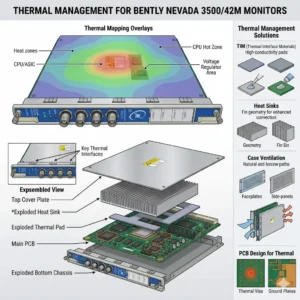
Thermal Management for Bently Nevada 3500-42M Monitors

Thermal Management for Bently Nevada 3500/42M Monitors

Thermal Management Risks for Bently Nevada 3500/42M Proximitor Seismic Monitors

Critical Role of Vibration Monitoring in Industrial Automation

The Bently Nevada 3500/42M serves as a vital component in high-reliability vibration and position monitoring. In sectors like oil and gas or power generation, this module protects critical rotating machinery. However, thermal stress can compromise its signal accuracy. Excessive heat directly undermines system stability. As a result, operators may face false alarms or missed mechanical faults.

Thermal Management for Bently Nevada 3500-42M Monitors

Thermal Management for Bently Nevada 3500-42M Monitors

Technical Impact of Overheating on Signal Integrity

The standard operating range for the 3500/42M typically spans from 0°C to 65°C. When internal temperatures exceed these limits, signal conditioning circuits begin to drift. Moreover, high heat accelerates the aging of electrolytic capacitors. This degradation shortens the module’s overall lifespan significantly. In many refinery environments, poor ventilation pushes temperatures above 70°C, causing intermittent channel dropouts.

Operational Risks and Response Stability Challenges

Heat introduces electrical noise and ADC instability within the monitor’s analog front-end. Consequently, proximitor signal scaling may drift away from calibrated values. These deviations often lead to false high-vibration alarms. Such errors trigger unnecessary machinery shutdowns and lost production time. Conversely, drift might mask early-stage bearing wear. This delay turns minor maintenance into a catastrophic unplanned outage.

System-Level Reliability in Rack Architectures

The 3500 system architecture relies on seamless integration between modules and power supplies. An overheating 3500/42M module increases the total thermal load of the entire rack. This heat transfer can trigger system-wide watchdog resets. Furthermore, redundant configurations suffer when thermal stress affects both primary and backup channels simultaneously. Maintaining a balanced thermal profile is essential for modern control systems.

Installation and Maintenance Best Practices

Field experience suggests that most overheating issues stem from installation errors rather than hardware defects. Engineers must prioritize cabinet thermal management to ensure longevity. Proper airflow prevents heat pockets from forming around sensitive electronics. In addition, dust accumulation acts as a thermal insulator, blocking essential cooling paths.

  • ✅ Maintain minimum airflow clearance at the top and bottom of the rack.
  • ✅ Avoid placing racks near heat sources like VFD panels or transformers.
  • ✅ Inspect and clean cabinet air filters monthly in dusty environments.
  • ✅ Utilize positive-pressure cabinets to keep internal components clean.
  • ✅ Verify total rack power load against the Power Supply Unit (PSU) rating.

Strategic Selection and Compatibility Insights

The 3500/42M offers backward compatibility within the 3500 rack series. However, hardware revisions and firmware versions must align for optimal performance. Older racks often lack the optimized airflow designs found in newer chassis. Therefore, users should verify rack revision levels before performing upgrades. Ignoring environmental conditions during selection often leads to premature module failure.

Expert Commentary from Powergear X Automation Limited

At Powergear X Automation Limited, we believe thermal management is a core part of machinery protection strategy. High-performance modules like the 3500/42M require stable environments to deliver precision. We often see random alarms disappear simply by redistributing modules to improve airflow. Treating cooling as an afterthought is a risk no plant manager should take. For high-quality automation parts and expert support, explore our solutions at Powergear X Automation Limited.

Application Scenarios and Solutions

  • High-Speed Turbines: Requires precise displacement monitoring where even 1°C of drift can trigger a safety trip.
  • Refinery Compressors: Utilizes seismic monitoring in harsh, ambient heat conditions requiring active cooling.
  • Remote Pumping Stations: Depends on self-diagnostics to alert maintenance teams of thermal rising before a fault occurs.

Frequently Asked Questions (FAQ)

Q: How can I detect overheating before it causes a system shutdown?
We recommend using thermal imaging cameras during routine inspections. This technique reveals hot spots that standard temperature sensors might miss. Also, monitor the “System Event List” for frequent self-test warnings or intermittent channel status changes.

Q: Will adding more fans to the cabinet always solve the problem?
Not necessarily. If the internal rack airflow is blocked by cabling or overpacking, external fans won’t help. You must ensure a clear path for air to move through the module slots themselves.

Q: Does the 3500/42M have a built-in automatic shutdown for heat?
The module includes self-protection logic, but it usually triggers a “Module Fault” rather than a clean shutdown. By the time this happens, your machinery protection is already compromised. Prevention through environmental control is the only safe approach.

Looking for reliable Bently Nevada modules or expert advice on rack configuration? Visit Powergear X Automation Limited today for global shipping and technical excellence.

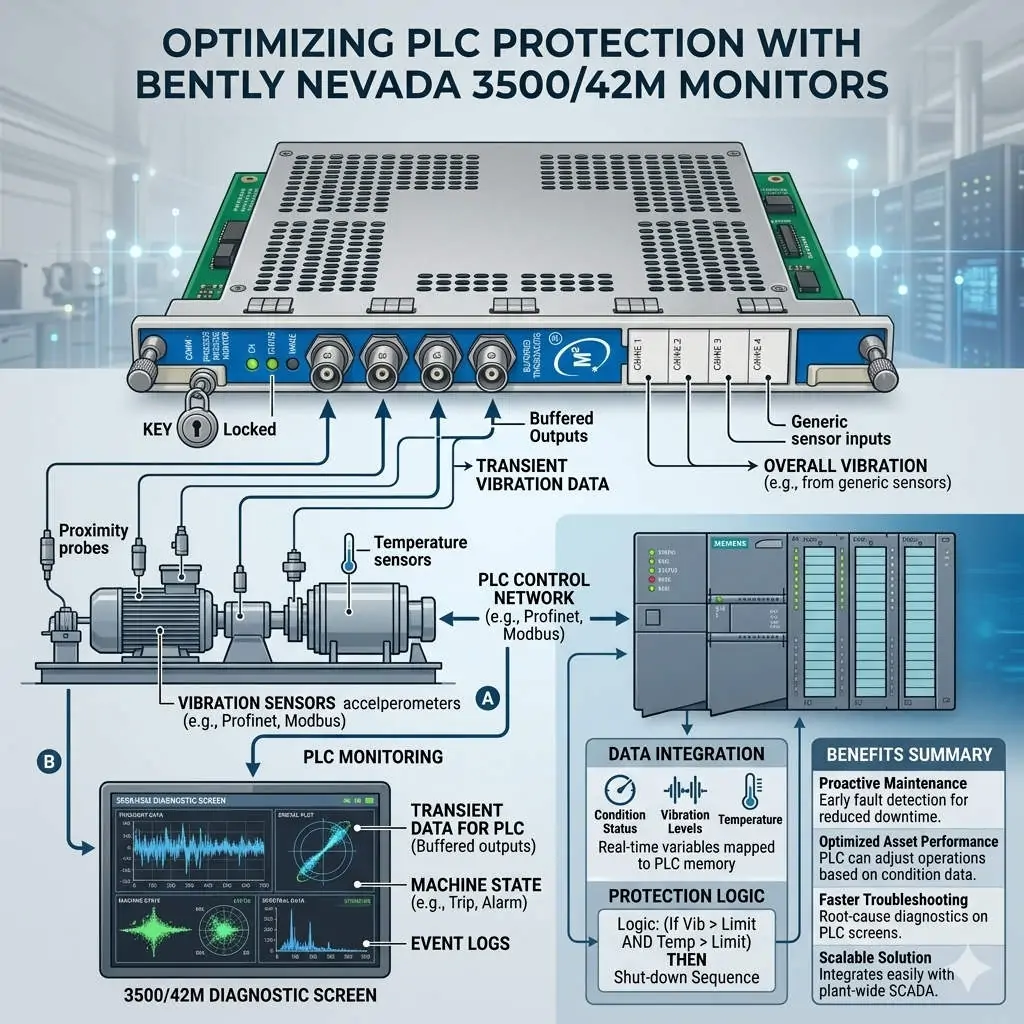
Optimizing PLC Protection with Bently Nevada 3500-42M Monitors

Optimizing PLC Protection with Bently Nevada 3500/42M Monitors

Optimizing Machinery Protection with Bently Nevada 3500/42M Proximitor Seismic Monitors

The Vital Role of 3500/42M in Industrial Automation

The Bently Nevada 3500/42M serves as a critical guardian for high-value rotating assets. It integrates multiple sensor inputs to facilitate precise alarm decisions across various industrial sectors. This module significantly enhances safety in oil and gas, petrochemical, and power generation environments. By reducing false trips, it ensures continuous production while maintaining strict safety standards. Consequently, plants can avoid the massive financial losses associated with unplanned downtime.

Optimizing PLC Protection with Bently Nevada 3500-42M Monitors

Optimizing PLC Protection with Bently Nevada 3500-42M Monitors

Advanced Boolean Logic for Tailored Control Systems

The 3500/42M supports sophisticated Boolean alarm logic, including OR, AND, and NOT configurations. Engineers use OR logic for early fault detection when any single bearing exceeds limits. Conversely, AND logic requires multiple simultaneous conditions, which effectively filters out transient noise during machine startup. Furthermore, NOT logic allows operators to suppress specific alarms during necessary maintenance intervals. These flexible configurations ensure that the monitor reacts only to genuine mechanical threats.

Enhancing Reliability Through Voting and Time Delays

Reliability improves further through the integration of time delays and channel voting behaviors. For instance, a 2-out-of-3 (2oo3) logic prevents a single faulty sensor from triggering a full system shutdown. This approach aligns perfectly with API 670 standards for machinery protection systems. As a result, the 3500/42M balances the need for sensitivity with the necessity of operational stability. Proper delay settings prevent nuisance trips caused by momentary process disturbances.

Strategic Multi-Channel Integration for Factory Automation

Each module processes both proximity and seismic inputs, allowing for comprehensive multi-channel correlation. Instead of viewing sensors in isolation, engineers can analyze radial and axial vibration together. This holistic view significantly improves the accuracy of fault diagnosis and predictive maintenance. Moreover, integrating these signals into a broader DCS or PLC network streamlines plant-wide monitoring. Precise data correlation extends equipment life by preventing both under-protection and unnecessary mechanical stress.

Best Practices for Field Commissioning and Maintenance

Successful deployment requires more than just hardware installation; it demands rigorous logic validation. During commissioning, experts at Powergear X Automation Limited recommend avoiding default OR logic for all shutdown parameters. Instead, use simulated signals to test the response of every logic gate before the actual startup. Additionally, ensure that maintenance bypasses are clearly visible on human-machine interfaces (HMI). Proper grounding and shielded cabling remain essential to prevent intermittent signals in high-vibration zones.

Author Insights: The Future of Machinery Protection

At Powergear X Automation Limited, we believe the 3500/42M represents a shift toward more intelligent protection. Modern industry reports from MarketsandMarkets suggest the vibration monitoring market will grow as AI integration increases. However, the fundamental reliability of hardware-based logic remains the gold standard for safety. We advise users to maintain strict firmware version control to ensure seamless backward compatibility. Investing in high-quality monitoring today prevents catastrophic mechanical failures tomorrow.

Industrial Solution Scenarios

  • Gas Turbine Protection: Use AND logic with 2oo3 voting to protect turbines from excessive vibration during load changes.
  • Remote Pumping Stations: Implement OR logic for early alerts to dispatch maintenance teams before a failure occurs.
  • Refinery Compressors: Combine NOT logic with digital inputs to safely calibrate probes without tripping the unit.

Technical Implementation Checklist

  • ✅ Verify firmware compatibility between the 3500/42M and the existing 3500 rack.
  • ✅ Use single-point grounding for all shielded cables to eliminate ground loops.
  • ✅ Configure “Alert” levels with OR logic for maximum sensitivity.
  • ✅ Configure “Danger” levels with AND logic to ensure high-integrity shutdowns.

Frequently Asked Questions (FAQ)

Q: How does the 3500/42M improve Mean Time Between Failures (MTBF)?
By using AND logic and voting, the system filters out “nuisance” data that would otherwise cause unnecessary wear from frequent startups and stops. This stabilization allows the machinery to operate within its design limits more consistently.

Q: Can I mix different sensor types on a single 3500/42M module?
Yes, the 42M is highly versatile. It can process signals from Proximitor sensors, velocity transducers, and accelerometers simultaneously, provided the configuration software is updated to match the specific transducer constants.

Q: What is the most common error during module replacement?
Failure to upload the specific configuration file from the old module often leads to incorrect logic behavior. Always back up your 3500 rack configuration using the Bently Nevada software before attempting a hardware swap.

For high-quality industrial spare parts and expert technical support, visit the official Powergear X Automation Limited website today.

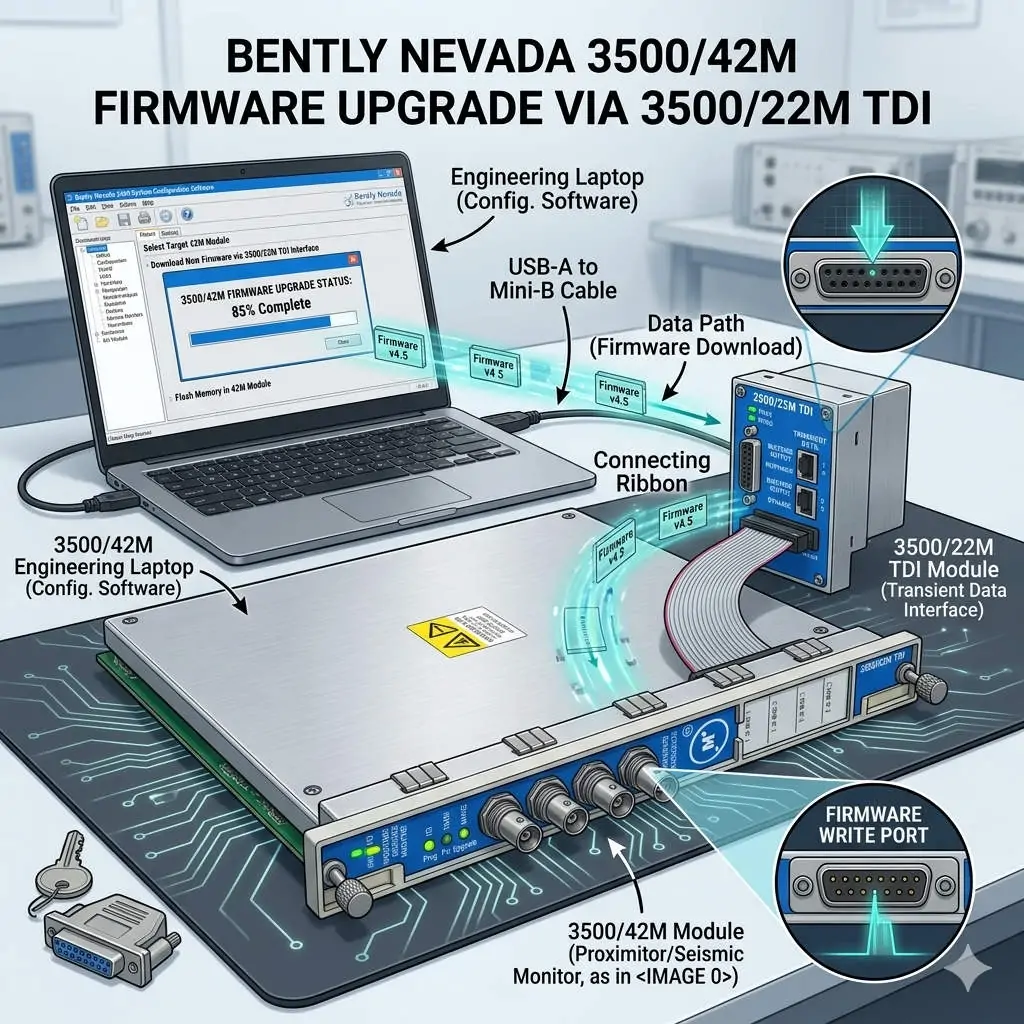
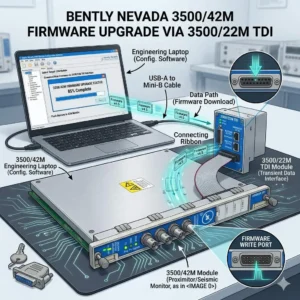
Bently Nevada 3500-42M Firmware Upgrade via 3500-22M TDI

Bently Nevada 3500/42M Firmware Upgrade via 3500/22M TDI

Seamless Firmware Upgrades for 3500/42M via the 3500/22M Communication Module

Enhancing Reliability in Machinery Protection Systems

In the world of industrial automation, maintaining firmware consistency is vital for system health. The Bently Nevada 3500 series represents the gold standard for machinery protection. Specifically, the 3500/42M Proximitor/Seismic Monitor requires precise firmware to deliver accurate vibration diagnostics. By utilizing the 3500/22M Transient Data Interface (TDI) as a gateway, engineers can perform updates remotely. This method eliminates the need to remove hardware from the rack, ensuring continuous mechanical integrity.

Bently Nevada 3500-42M Firmware Upgrade via 3500-22M TDI

Bently Nevada 3500-42M Firmware Upgrade via 3500-22M TDI

Understanding the TDI Communication Gateway Architecture

The 3500/22M module serves as the primary bridge between the rack backplane and configuration software. It manages data traffic for both Ethernet and serial connections. During a firmware flash, the TDI module receives data packets and distributes them to the targeted 3500/42M monitor. This centralized architecture simplifies maintenance in complex factory automation environments. However, a stable network link is mandatory. Consequently, any communication dropout during the process could potentially corrupt the module memory.

Navigating Firmware Compatibility and Revision Control

Strict revision control defines successful Bently Nevada system management. Each monitor module must align with the rack’s overall firmware version. Mismatched versions often cause channel misinterpretation or alarm logic failures. Moreover, the configuration software version must support the specific firmware build. Powergear X Automation Limited experts recommend consulting the official “Firmware Compatibility Matrix” before starting. This proactive step prevents communication instability and ensures the DCS or PLC receives accurate data.

Strategic Scheduling for System Availability

Upgrading a single module typically takes between three and ten minutes. During this window, the 3500/42M module stops monitoring active vibration signals. This creates a temporary “blind spot” for critical rotating equipment like turbines or compressors. Therefore, engineers should only initiate upgrades during planned maintenance windows. Alternatively, perform updates while the machinery is in a standby state. Proper planning protects the assets while the control systems receive necessary security and feature patches.

Operational Best Practices for Safe Flashing

Field experience suggests that power stability is the most critical factor during firmware transfer. Voltage fluctuations can interrupt the write process and “brick” the hardware. In addition, avoid using high-latency connections like VPNs for firmware tasks. Local direct-cable connections offer the highest success rate. While the 3500 system supports hot-swapping, you must never reseat a module during an active flash. Following these technical guidelines ensures the longevity of your industrial hardware investment.

Industry Standards and Technical Insights

According to reports, the global machinery monitoring market is shifting toward digitalized maintenance. Standardizing firmware across your plant enhances diagnostic accuracy and audit readiness. For regulated sectors like petrochemicals, maintaining validated firmware levels is essential for compliance. At Powergear X Automation Limited, we believe that staying current with firmware is a cost-effective way to unlock advanced vibration analysis features without replacing physical modules.

Application Scenarios and Solutions

  • Oil & Gas Refineries: Use the 3500/22M to update monitors across large-scale compressor stations without entering hazardous zones.
  • Power Generation: Ensure turbine protection modules have the latest patches for improved transient data capture during start-up.
  • Water Treatment: Maintain high availability by upgrading backup pump monitors during low-demand periods.

Technical Execution Checklist

  • ✅ Verify the 3500/22M TDI is online and stable in the configuration software.
  • ✅ Confirm the target 3500/42M module slot is correctly identified.
  • ✅ Ensure the rack power supply is connected to a reliable UPS.
  • ✅ Back up the existing rack configuration before initiating any firmware changes.
  • ✅ Validate the module status and reload the configuration after the update finishes.

Expert Frequently Asked Questions

Q: Will my existing configuration be lost after a firmware upgrade?
Generally, the configuration remains, but firmware changes can sometimes alter memory mapping. We always recommend saving a copy of the rack configuration to your PC. After the upgrade, verify that all setpoints and delay timings remain unchanged.

Q: Can I upgrade multiple 3500/42M modules simultaneously?
Most configuration software allows for sequential updating. However, upgrading modules one by one is safer. This approach limits the “blind spot” to a single monitoring group at any given time, maintaining better overall rack protection.

Q: What should I do if the upgrade progress bar freezes?
Do not cycle power immediately. Wait at least 15 minutes to ensure no background processes are active. If the module remains unresponsive, check the TDI communication status. You may need to perform a “bootloader” recovery if the primary firmware image is corrupted.

For high-quality modules and expert technical support, visit the official Powergear X Automation Limited website to secure your system components.

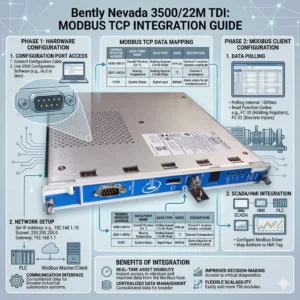
Bently Nevada 3500-22M TDI Modbus TCP Integration Guide

Optimize Vibration Data with Bently Nevada 3500/22M Interface

Seamless Data Integration with the Bently Nevada 3500/22M Transient Data Interface

Bridging the Gap Between Vibration Monitoring and Plant Control

In high-stakes industries like oil and gas or power generation, communication compatibility often creates a technical bottleneck. The Bently Nevada 3500/22M Transient Data Interface (TDI) serves as the vital gateway between 3500 series machinery protection racks and external control systems. By facilitating reliable data extraction, this module allows operators to push critical machinery health insights directly into DCS or SCADA platforms. Consequently, plants can eliminate the need for complex custom middleware while maintaining high-fidelity asset management.

Bently Nevada 3500-22M TDI Modbus TCP Integration Guide

Bently Nevada 3500-22M TDI Modbus TCP Integration Guide

Technical Insights: Mastering Modbus TCP/IP Connectivity

The 3500/22M module utilizes Modbus TCP/IP protocols rather than traditional Modbus RTU serial connections. This shift to an Ethernet-based TCP/IP stack offers significant advantages for modern industrial automation. For instance, it provides higher data throughput and supports multi-client access for remote diagnostics. Therefore, integration with modern Ethernet-based DCS architectures becomes much simpler. However, legacy systems relying on RS-485 Modbus RTU will require an external protocol gateway to bridge the communication gap.

Optimizing Throughput and Reducing Network Latency

Engineers designed the 3500/22M to handle both transient and steady-state high-resolution data. Faster polling cycles through TCP improve real-time vibration monitoring and accelerate alarm response speeds. Nevertheless, heavy network congestion can introduce unwanted latency. To maintain performance, we recommend segmenting condition monitoring traffic via a dedicated VLAN. In our experience at Powergear X Automation Limited, delayed alarms often stem from overloaded plant networks rather than hardware failures within the 3500 rack itself.

System Architecture and Compliance with API 670 Standards

The 3500/22M functions as both a data concentrator and a communication interface for the entire rack. It interfaces with the internal backplane for data acquisition while providing external Ethernet ports for data export. This design effectively separates the deterministic protection system from the analytical monitoring network. As a result, the system maintains strict compliance with API 670 machinery protection standards. This separation ensures that network-level issues do not interfere with critical machine trip functions.

Installation Best Practices for Industrial Environments

Successful deployment of the 3500/22M requires a robust network and electrical design. You should never connect the module directly to a general office LAN. Instead, use industrial-grade switches and establish a dedicated VLAN to prevent broadcast storms. Furthermore, ensure the rack is properly grounded to mitigate electromagnetic interference (EMI). In turbine halls, high-current lines can create noise that leads to “ghost alarms” in the SCADA system if Ethernet cables lack proper shielding.

Evaluating Compatibility for Legacy Brownfield Projects

When upgrading older plants, buyers must verify rack firmware versions before procuring the 3500/22M. While the module is compatible with standard 3500 racks, older systems might not fully exploit TCP-based features. If your current control system is strictly Modbus RTU-dependent, budget for a high-quality industrial TCP-to-RTU converter. This proactive approach prevents unexpected integration costs from exceeding the hardware investment during the commissioning phase.

Expert Commentary from Powergear X Automation Limited

At Powergear X Automation Limited, we believe the 3500/22M is a prerequisite for any facility moving toward Industry 4.0 or digital transformation. The ability to stream high-density vibration data without serial bottlenecks is a game-changer for predictive maintenance. However, we urge engineers to prioritize network security and segmentation. As these interfaces bridge the gap between OT and IT, a secure, isolated communication layer is essential for long-term operational stability.

Application Scenarios and Strategic Solutions

  • Large Compressor Stations: Isolated condition monitoring traffic ensures that transient data does not saturate the primary control network.
  • Petrochemical Refining: Direct integration with Honeywell or Emerson DCS via Modbus TCP simplifies the asset management workflow.
  • Digital Power Plants: Utilizing the TDI for remote diagnostics allows off-site experts to analyze vibration signatures in real-time.

Technical Implementation Checklist

  • ✅ Verify SCADA support for Modbus TCP mapping before installation.
  • ✅ Use shielded Cat6 cables and maintain distance from high-voltage conduits.
  • ✅ Implement an industrial protocol gateway if RS-485 connectivity is mandatory.
  • ✅ Update rack firmware to the latest version to ensure full TDI feature support.

Frequently Asked Questions (FAQ)

Q: Can I use the 3500/22M to replace a 3500/20 Rack Interface Module?
Yes, the 3500/22M is the newer generation Transient Data Interface that provides enhanced Ethernet capabilities. However, you must verify that your configuration software is updated to support the 22M hardware profile to avoid configuration errors.

Q: Why does my SCADA system intermittently lose connection to the TDI?
This is frequently caused by ARP table overflows or broadcast traffic on a shared network. We recommend assigning a static IP address to the 3500/22M and placing it behind a managed industrial switch with IGMP snooping enabled.

Q: Does the 3500/22M support simultaneous connections to System 1 and a third-party PLC?
Yes, the module supports multiple socket connections. This allows Bently Nevada’s System 1 software to collect rich diagnostic data while your plant PLC polls basic alarm registers via Modbus TCP simultaneously.

For more technical specifications and high-performance automation modules, visit the official Powergear X Automation Limited website to view our latest inventory.

Bently Nevada 177230 Guide: RMS Velocity for Vibration Monitoring

Bently Nevada 177230 Guide: RMS Velocity for Vibration Monitoring

Optimizing Machine Health with Bently Nevada 177230 Seismic Transmitters

The Role of RMS Velocity in Modern Industrial Automation

The Bently Nevada 177230 Seismic Transmitter measures machine casing vibration to provide a stable 4–20 mA output. Unlike peak-value sensors, this device focuses on Root Mean Square (RMS) velocity. This distinction is vital because RMS reflects the true destructive energy within a mechanical system. Most DCS and PLC systems in factory automation rely on this steady signal for real-time monitoring.

Bently Nevada 177230 Guide: RMS Velocity for Vibration Monitoring

Alignment with ISO Vibration Severity Standards

Maintenance teams often use ISO 10816 or ISO 20816 to determine equipment health. These standards define vibration severity limits specifically in RMS units. Therefore, using the 177230 eliminates the need for manual mathematical conversions. This alignment ensures that your alarm and trip setpoints remain accurate and consistent across the plant.

Technical Advantages of Integrated Signal Conditioning

This transmitter integrates the seismic sensor and signal processor into a single, rugged housing. By filtering out transient high-frequency noise, it prevents the “spikes” that often trigger false alarms in peak-detecting systems. Consequently, operators experience fewer unnecessary shutdowns, which directly improves overall equipment effectiveness (OEE) in chemical processing and power generation.

Seamless Integration into DCS and PLC Networks

The 4–20 mA loop design makes the Bently Nevada 177230 highly compatible with existing control systems. The current-driven signal offers high immunity to electromagnetic interference (EMI), which is common in VFD-heavy environments. Furthermore, you can install these transmitters over long distances without losing signal integrity or accuracy.

Expert Tips for Mechanical Installation and Coupling

Proper mounting is the most overlooked factor in vibration monitoring. You must attach the transmitter to a rigid, flat surface as close to the bearing housing as possible. Poor coupling attenuates vibration energy and leads to undervalued RMS readings. Avoid mounting on thin covers or flexible brackets, as these create false resonance and distort data.

Managing Electrical Noise and Surge Protection

High-noise industrial environments require shielded twisted-pair cabling to ensure signal purity. You should ground the shield at only one end to prevent ground loops. For outdoor installations in the oil and gas sector, I highly recommend using external surge arresters to protect the internal circuitry from lightning or power surges.

Technical Excellence Summary

  • True RMS velocity output ensures compliance with ISO 10816 standards.
  • Onboard signal conditioning reduces false trips from transient vibration spikes.
  • Rugged 4–20 mA loop design supports long-distance, noise-immune transmission.
  • Direct compatibility with PLC and DCS simplifies control system architecture.
  • Compact form factor allows for installation in tight bearing housing spaces.

Author Insight by Powergear X Automation

In my experience, many facilities struggle with “nuisance trips” because they use peak-detecting sensors on aging equipment. Switching to an RMS-based system like the Bently Nevada 177230 provides a much smoother trending curve. It allows the maintenance team to see the gradual degradation of a bearing rather than reacting to every minor mechanical jar. If you are upgrading from legacy mechanical switches, this is the most cost-effective way to modernize your plant’s reliability program.

For more technical guides and high-quality automation components, visit the experts at Powergear X Automation.

Practical Application Scenarios

  • Centrifugal Pumps: Continuous monitoring of bearing housing vibration to prevent catastrophic seal failure.
  • Cooling Tower Fans: Detecting blade imbalances or gearbox wear in harsh, moisture-heavy environments.
  • Electric Motors: Providing early warning for stator eccentricity or rolling-element bearing defects.
  • Industrial Compressors: Monitoring high-speed rotation to ensure compliance with safety interlocking protocols.

Frequently Asked Questions (FAQ)

Q1: How do I verify if the transmitter is functioning correctly during commissioning?
Establish a baseline reading while the machine is running under normal, stable conditions. If the RMS value drifts significantly without a change in machine load, inspect the mounting torque first. Most “failures” are actually caused by loose mechanical coupling or improper cable grounding.

Q2: What is the biggest mistake to avoid when replacing a peak-detecting sensor?
Never copy your old alarm setpoints directly. Peak values are mathematically higher than RMS values (Peak ≈ 1.414 × RMS for pure sine waves). If you don’t recalculate your thresholds, your new system may be too “relaxed” and fail to trip during a genuine fault.

Q3: Can this transmitter be used in hazardous or explosive environments?
Yes, but you must select the specific model variant with the appropriate certifications (such as ATEX, IECEx, or CSA). Always verify the part number suffix to ensure the housing and electrical ratings match your local safety classification.

Back to Top
Product has been added to your cart