
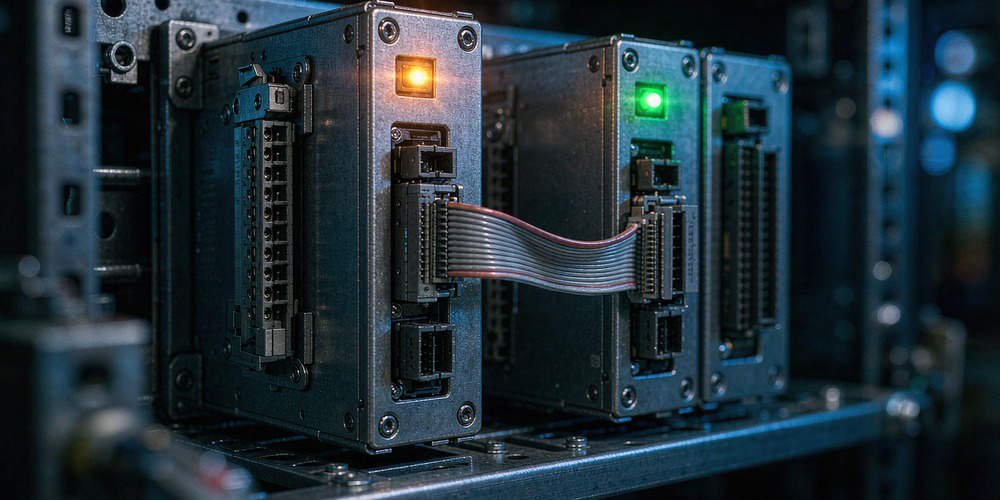
Honeywell FC-RUSIO Flashing Yellow STBY Diagnostics Guide
Decoding Honeywell FC-RUSIO Yellow Flashing STBY Status in Safety Systems
In high-stakes industrial automation, reliable safety instrumented systems protect critical manufacturing assets. The Honeywell FC-RUSIO Universal Safety I/O module handles field inputs for Safety Manager and Experion PKS DCS architectures. However, engineers frequently encounter a yellow flashing STBY indicator during module initialization or switchover. Powergear X Automation provides this practical diagnostic guide to help technicians interpret intermediate standby states correctly without risking safety trips.

Understanding Standby States in Redundant Control Systems
The STBY indicator signals the secondary module status within a redundant safety pair. According to ISA-84 safety standards, redundant hardware must verify memory synchronization before taking active control. A yellow flashing light usually indicates an intermediate state, such as boot-up or database qualification. Therefore, operators must not assume the secondary module is fully ready for automatic failover during this phase.
Evaluating Root Causes of Intermediate Yellow Flashing Statuses
Several factors cause the STBY LED to flash yellow on FC-RUSIO modules during operation. Modern factory automation environments demand strict hardware and firmware alignment between redundant pairs. An ongoing synchronization process or mismatched firmware version holds the module in a qualification loop. Moreover, minor communication faults across the redundant backplane prevent the standby unit from reaching fully synced status.
Ensuring Safety Integrity During Module Maintenance and Swaps
Safety System Integrity Level compliance requires strict verification before executing hot swaps. Field technicians must never rely solely on front panel LED indicators. Instead, operators should check the Experion PKS system diagnostics to confirm database consistency. In addition, technicians must review active bypasses and safety interlocks prior to cycling power on redundant I/O cards.
Step-by-Step Diagnostic Sequence for Honeywell I/O Troubleshooting
- Record All Module LEDs: Document the status of the FAULT, RUN, and STBY indicators simultaneously.
- Check System Diagnostics: Access the Safety Manager software to view detailed event logs and error codes.
- Verify Firmware Consistency: Confirm that the primary and secondary FC-RUSIO modules share identical firmware revisions.
- Inspect Backplane Connections: Ensure proper seating and clean physical connections along the rack backplane.
Best Practices for Maintenance and Safety System Readiness
Unplanned shutdowns often occur when technicians force failovers on unready standby modules. According to ARC Advisory Group reports, improper maintenance procedures cause nearly 20% of industrial unscheduled downtime. Therefore, maintenance teams must maintain verified software backups and update system documentation regularly. Always follow approved plant safety procedures before manipulating live SIS hardware.
B2B Procurement and Compatibility Insights for Honeywell Parts
Procurement teams must carefully verify exact part numbers when ordering replacement safety modules. For example, buying an FC-RUSIO-3224 module requires verifying backplane compatibility and terminal assembly revisions. Installing mismatched hardware revisions can delay synchronization and disrupt DCS communications. Powergear X Automation recommends consulting certified automation specialists to ensure seamless module integration.
Application Scenario: Refined Chemical Plant SIS Maintenance
A petrochemical processing facility experienced a persistent yellow flashing STBY light after replacing a secondary FC-RUSIO module. The engineering team initially suspected a defective replacement card. However, diagnostic software logs revealed that the primary module ran firmware version 2.1, while the new module contained version 2.4.
The technical team aligned the module firmware using Safety Manager software tools. Once the firmware versions matched, the STBY LED transitioned from flashing yellow to solid yellow within 45 seconds. This process successfully re-established full redundant synchronization without interrupting plant production.
To source original Honeywell safety modules and access expert support for your control systems, visit Powergear X Automation to find high-performance components for your facility.
Frequently Asked Questions (FAQ)
Q1: Does a yellow flashing STBY light mean the FC-RUSIO module is faulty?
No. A yellow flashing light typically indicates an intermediate transition state, such as memory synchronization or firmware validation, rather than an active hardware failure.
Q2: Can I manually trigger a failover while the STBY light is flashing yellow?
No. Forcing a failover while the secondary module is unverified can drop field signals and trigger an unintended safety trip across your DCS.
Q3: Where can I confirm the exact LED definitions for my FC-RUSIO module revision?
Always consult the official Honeywell Safety Manager Hardware Guide or check Experion PKS system diagnostics for your specific firmware revision.