

Fix GE IS200ERDDH1ABA Black Screen Fault With Flashing LED
Solving the GE IS200ERDDH1ABA Black Screen Anomaly With Flashing Communication LEDs
In heavy-duty industrial automation, visual feedback remains essential for safe control operations. Field engineers using GE Mark VI and Mark VIe systems often face a confusing diagnostic scenario. The IS200ERDDH1ABA remote display board initializes with a completely black screen. However, the onboard communication LED continues to blink normally. This symptom indicates that lower-level data bus hardware remains functional. Nevertheless, the independent video rendering or backlight path has failed entirely.
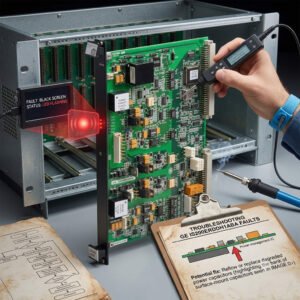
Fix GE IS200ERDDH1ABA Black Screen Fault With Flashing LED
The Operational Function of the Remote Display Module
The IS200ERDDH1ABA provides critical real-time status data directly from the turbine core. It translates complex internal data streams into actionable graphics for on-site maintenance crews. In power generation and petrochemical sectors, this interface reduces dependency on central control rooms. The module features integrated serial transceivers and dedicated memory chips to manage local screen refreshes. Consequently, it maintains local monitoring capabilities even during heavy DCS network loading events.
The Principle of Dual Path Initialization Failures
Understanding this fault requires analyzing the separate power supply routing on the processor board. The communication microprocessor operates on low-voltage logic thresholds, typically around 3.3VDC. Therefore, it can initialize and flash its status LED during marginal voltage sags. In contrast, the liquid crystal array and backlight driver demand stable, higher-tolerance power rails. If the incoming power supply degrades, the communication circuits boot up while the screen remains dead.
Investigating Firmware Incompatibility and Graphic Renders
A blinking indicator proves that the display board exchanges data packets with the controller backplane. However, successful data receipt does not guarantee that the local graphics processor can render images. During phased plant upgrades, engineers often install newer controller code while leaving legacy display software unchanged. This variation causes a severe firmware handshake mismatch upon system boot-up. The module receives information successfully but cannot map the variables to the older display library.
Mechanical Stress and High-Vibration Environment Risks
Turbine enclosures expose sensitive control systems to continuous mechanical vibrations and intense heat cycles. Over years of service, these forces weaken internal connections between the PCB and the glass panel. High contact resistance frequently develops along the microscopic copper traces of flexible ribbon cables. Moreover, airborne contaminants accelerate oxidation on terminal header pins inside the cabinet. These subtle physical defects can cut off video signals while leaving robust communication lines intact.
A Comprehensive Selection and Procurement Guide
When sourcing replacement components, procurement managers must match exact suffix variations. The IS200ERDDH1ABA features specific revision characteristics tailored for standard Mark VI configurations. Substituting it with older revisions can introduce physical shape conflicts or terminal layout changes. In addition, ensure the replacement board contains the correct pre-loaded bootloader firmware. Relying on specialized distributors like Powergear X Automation Limited prevents costly engineering delays.
Field Maintenance Routines for Display Interfaces
- ✅ Flashlight Inspection: Shine a bright light at an angle across the black screen to reveal hidden text.
- ⚙️ Dynamic Voltage Audit: Measure the terminal power rail under full startup load to capture temporary drops.
- 🔧 Ribbon Seating: Clean header contacts with certified solvent and secure ribbon cables using locking clips.
Industry Commentary from Powergear X Automation Limited
At Powergear X Automation Limited, we emphasize that field symptoms are rarely clear-cut in factory automation. A flashing LED often creates a false sense of security regarding hardware health. We advise technicians to execute cross-swaps with functional matching terminals during planned maintenance outages. This method quickly isolates software bugs from physical hardware component failures. To explore our comprehensive catalog of verified GE modules, check out our site at https://www.powergearx.com/.
Real-World Application Scenarios
During a peak-load startup at a natural gas power facility, a critical turbine display suddenly went dark. While the network interface indicators continued flashing, operators could not confirm auxiliary pump parameters locally. Using a structured diagnostic framework, technicians identified a 500-millivolt drop on the local 24VDC feeder loop. Replacing the worn terminal power supply immediately restored the screen graphics. This approach averted an expensive emergency shutdown sequence.
Frequently Asked Questions (FAQ)
1. What does it mean if faint images are visible under a flashlight during a black-screen event?
This indicates that the graphic logic and communication circuits are functioning perfectly. The failure rests entirely inside the backlight inverter circuit or the high-intensity LED array itself.
2. How do I upgrade the internal display software if the terminal remains completely black?
You must establish a direct serial connection via the dedicated maintenance port using ToolboxST. This bypasses the corrupted primary runtime database and forces a clean firmware overwrite sequence.
3. Can external electrical surges cause this specific flashing-LED black-screen state?
Yes. High-voltage transients often slip past primary cabinet barriers and strike the sensitive analog drivers of the display panel. Meanwhile, the digitally isolated communication transceivers survive the surge unscathed.