
Maximizing DCS Reliability: Displaying CC-PWR401 Diagnostics on Experion HMI
The Strategic Value of Power Supply Health Monitoring
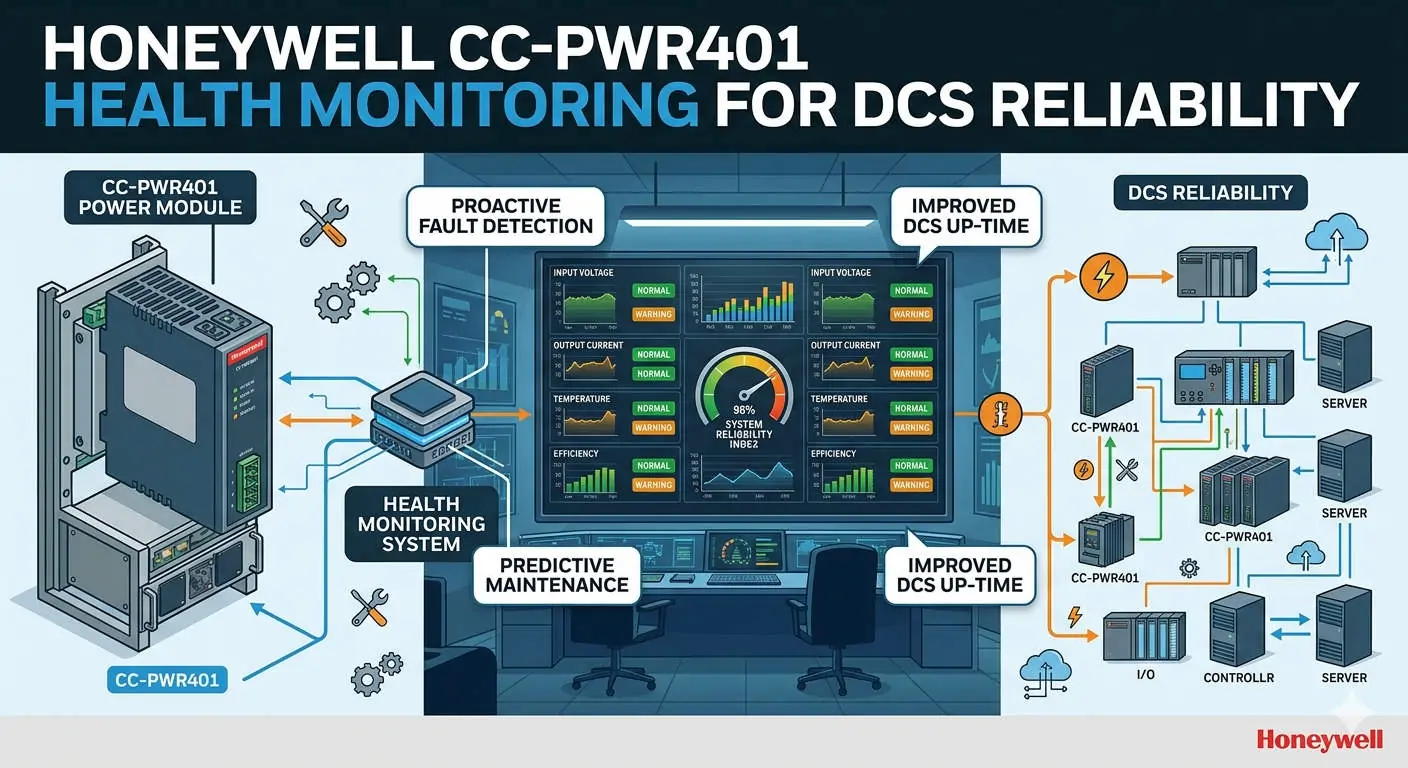
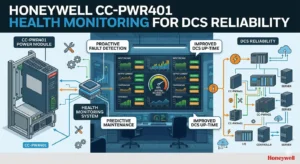
The Honeywell CC-PWR401 is more than a simple power source for your controller rack. It acts as a primary reliability indicator for the entire Experion system. By displaying health diagnostics on the HMI, operators can detect early signs of instability. This proactive approach prevents unplanned downtime in critical sectors like pharmaceuticals and petrochemicals. Consequently, real-time visibility transforms a passive component into a predictive maintenance asset.
Honeywell CC-PWR401 Health Monitoring for DCS Reliability
Tracking Voltage Stability and Load Performance
The CC-PWR401 provides regulated output to sensitive controller modules. Monitoring output voltage and load percentage helps identify degradation before a failure occurs. High thermal stress often results from sustained loads exceeding 80%. Moreover, voltage fluctuations frequently signal upstream UPS issues. Tracking these trends allows maintenance teams to intervene before a controller reset disrupts production.
Mapping Diagnostic Status Bits for Clear Alarming
Engineers can expose internal diagnostic parameters via Control Builder and the Experion Server database. Standard signals include “Power Supply Healthy,” “Overtemperature,” and “Internal Fault” status bits. Mapping these to HMI faceplates facilitates tiered alarm priorities. This practice aligns perfectly with ISA-18.2 alarm management standards. Therefore, operators receive actionable warnings instead of simple binary notifications.
Verifying Redundancy and Load Sharing Balance
In redundant configurations, the Experion system should display the active or standby state of each CC-PWR401. It is vital to monitor the load sharing condition between dual modules. Uneven sharing is a common hidden issue in factory automation. It leads to the premature failure of a single unit. Regular HMI checks ensure that your redundancy is actually functional and not just installed.
Best Practices for Experion HMI Graphic Design
Effective HMI design places power diagnostics where operators can see them easily. Integrate power status into the main controller overview displays. Use color coding that follows ISA-101 standards for high-performance HMI. For instance, use gray for normal and red for faults. This reduces cognitive load during high-stress incidents. As a result, operators respond faster to critical power alerts.
Addressing Environmental and Wiring Reliability
Harsh industrial environments require robust signal protection for accurate diagnostics. Always use shielded cables for monitoring lines to avoid false alarms. In areas prone to lightning, install external surge protection devices (SPD) upstream. Transients can damage modules without causing immediate failure. Therefore, diagnostic data serves as your only early warning for hidden hardware damage.
Expert Insights from Powergear X Automation
At Powergear X Automation, we believe visibility is the key to system longevity. Many engineers overlook power diagnostics during the initial commissioning phase. We recommend auditing your current HMI to ensure power health is not a blind spot. Upgrading to the CC-PWR401 provides the granularity needed for modern smart factories. Visit our website for more solutions on enhancing your control system infrastructure.
Power Health Technical Checklist
- ✅ Integrate power status into the controller overview display.
- ✅ Map granular diagnostic bits rather than simple binary states.
- ✅ Verify load sharing balance in redundant power setups.
- ✅ Use ISA-101 color standards for all HMI icons.
- ✅ Audit voltage trends to identify upstream power issues.
- ✅ Inspect wiring shields annually to prevent signal noise.
Industrial Solution Scenarios
- Continuous Chemical Processing: Prevents batch loss by alerting operators to power degradation early.
- Remote Oil & Gas Sites: Monitors power health via HMI to reduce unnecessary site visits.
- Pharmaceutical Cleanrooms: Ensures high system availability for sensitive environmental control logs.
Frequently Asked Questions
Q1: Can I integrate CC-PWR401 diagnostics into an older Experion PKS release?
Compatibility depends on your specific controller type and software version. While the hardware is often mechanically compatible, older software may require custom blocks. We suggest verifying the Honeywell compatibility matrix before starting any migration project.
Q2: Why should I monitor load percentage if my system is running fine?
Electronics degrade faster under high thermal stress. If your load is consistently high, you risk a sudden failure during a minor power surge. Monitoring allows you to redistribute the load or add expansion racks safely.
Q3: What is the first step when the HMI shows a “Power Warning” but the process is stable?
Check the internal temperature and load sharing bits first. Often, one module in a redundant pair has failed or disconnected. The process remains stable because of the second module, but you have lost your safety net.
Leave a Comment
Your email address will not be published. Required fields are marked *