Over 50,000 hot-selling automation module components.
Future-Proof Industrial Ethernet: CAT6A RJ45 for Factory Automation

Future-Proof Industrial Ethernet: CAT6A RJ45 for Factory Automation

🌐 Industrial Ethernet in Modern Automation

Industrial Ethernet forms the digital backbone of machine, process, and building automation.
It enables real-time control, remote monitoring, and IIoT connectivity across modern plants.

With Industry 4.0 accelerating data exchange between PLCs, sensors, HMIs, and cloud systems, reliable connectors and cabling now determine long-term performance and uptime.

🏭 Where Industrial Ethernet Connects Your Plant

From control cabinets to field devices, Ethernet connects PLCs, drives, and edge computing units.
Common protocols—such as Ethernet/IP, PROFINET, Modbus TCP, and EtherCAT—rely on stable CAT6A connectivity to ensure synchronization and throughput.

➡️ Explore Industrial Ethernet solutions at Powergear X Automation

Future-Proof Industrial Ethernet: CAT6A RJ45 for Factory Automation

⚡ Why Network Capacity Will Stress Existing Systems

Global IIoT expansion means billions of connected industrial nodes.
By 2025, total data volume may exceed 180 ZB, placing huge stress on legacy networks.

Plants must adopt cabling that supports higher bandwidth, lower latency, and improved EMI immunity — all of which CAT6A delivers.

🚀 Choose CAT6A for Future-Proof Performance

CAT6A supports 10 Gbps Ethernet with extended bandwidth up to 500 MHz.
According to TIA-568 and ISO/IEC 11801 standards, CAT6A is the preferred medium for new high-density installations.

Key benefits:

  • 10G-ready backbone for Industrial Ethernet
  • Reduced crosstalk and interference
  • Superior shielding for EMI-heavy environments
  • Backward compatibility with CAT6 and CAT5e

🧱 Ruggedization: Vibration, Shock, and Bending

Industrial environments expose connectors to vibration, shock, and mechanical stress.
Select RJ45 solutions tested above IEC minimums—for example, 20g vibration and 30g shock tolerance.

These ensure signal stability in robotics, heavy equipment, and production lines.

Future-Proof Industrial Ethernet: CAT6A RJ45 for Factory Automation

🔒 EMI, EMC, and ESD Protection

Industrial noise can degrade Ethernet signals and device reliability.
Choose RJ45 connectors with:

  • 360° full-metal shielding
  • Tested ESD protection
  • Grounded panel connections
  • Such designs maintain signal integrity under strong electromagnetic interference.

🌡 Operating Temperatures and Outdoor Use

For outdoor or harsh settings, ensure components withstand temperature and moisture extremes.
Look for:

  • Wide operating temperature range (-40°C to +85°C)
  • UV-resistant housings
  • Ingress protection (IP67/IP68) when exposed to dust or water

Future-Proof Industrial Ethernet: CAT6A RJ45 for Factory Automation

🔗 Protocol Compatibility and Integration

J45 connectors should support:

EtherCAT

PROFINET

Modbus TCP

Ethernet/IP

Universal compatibility simplifies system upgrades, maintenance, and multi-vendor integration—key for Industry 4.0 convergence.

🧰 Integration and Assembly Features

To streamline installation:

  • Choose multiport modules and panel-mount connectors
  • Consider SMD/THR soldering types
  • Use integrated LED indicators for status feedback
  • ➡️ These features reduce wiring time and enable faster fault diagnosis.

📈 Industry Evidence and Market Context

The industrial Ethernet market exceeded USD 11 billion in recent years and continues to grow at a steady CAGR toward 2030.
The migration from fieldbus to Ethernet underscores the need for CAT6A-class cabling and ruggedized RJ45 connectors.

(Sources: MarketsandMarkets, IMARC Group, IEEE, Phoenix Contact Technical Reports)

🔧 Practical Recommendations from Field Experience
Deploy CAT6A shielded copper for horizontal runs.

Use RJ45 connectors rated for industrial shock and EMI resistance.

Test assemblies under real vibration, temperature, and humidity before rollout.

🌟 Product Spotlight: Phoenix Contact Industrial RJ45

Phoenix Contact provides CAT6A industrial RJ45 connectors designed for harsh factory conditions.

Specifications:
✅ CAT6A up to 10 Gbps
⚙️ Vibration 20g, Shock 30g, Bending Retention 30 N
🔧 EMI/ESD: 360° shielding

📎 Learn more on Phoenix Contact’s CAT6A RJ45 product page

🧩 Application Scenarios and Deployment Tips

  • Typical use cases:
  • Field cabling and control cabinets
  • Robotic systems and sensor networks
  • Outdoor and mobile equipment
  • Checklist for engineers:
  • Map device locations and noise sources.
  • Use shielded CAT6A cables and connectors in EMI-prone zones.
  • Validate assembly under vibration, temperature, and ESD stress.

🧠 Author Insight: Invest Early in Reliability

Investing in high-quality connectors and standardized cabling prevents future downtime and rewiring costs.
Consistency in components simplifies maintenance and spare part logistics.

❓ FAQs

  • Q1: Do I need CAT6A everywhere?
    Use CAT6A for 10 Gbps, long cable runs, or high EMI zones. In other cases, CAT6 may suffice.
  • Q2: How important is connector ruggedization?
    Very. Rugged connectors reduce downtime in vibration-heavy or outdoor environments.
  • Q3: Can I mix fieldbus and Ethernet devices?
    Yes—but plan gateways and bridges, and use connectors compatible with common stacks (Ethernet/IP, PROFINET).

🧭 Call to Action

Ready to upgrade your Industrial Ethernet infrastructure?
👉 Visit Powergear X Automation to explore CAT6A RJ45 solutions and expert integration support.

📚 References

  • Markets and Markets: Industrial Ethernet Market Report
  • IMARC Group: Industrial Ethernet Growth Analysis
  • Phoenix Contact: CAT6A RJ45 Datasheets
  • TIA-568 Cabling Standards Overview
  • Global Data Growth Projections, 2025 (IDC/Statista)
RX3i Troubleshooting

Mastering Reliability: Troubleshooting Communication Failures in RX3i PACSystems

Understanding RX3i PACSystems Communication Issues

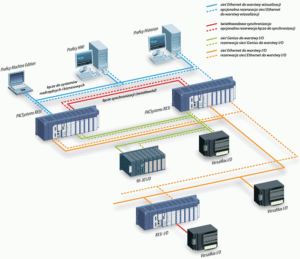
The RX3i PACSystems PLC is vital for robust industrial automation. However, communication failures can disrupt control, severely impacting factory automation. These issues range from simple loose cables to complex network configuration errors. Effective troubleshooting is crucial. We must quickly identify the root cause to maintain system uptime. This section sets the stage for expert-level diagnosis.

Initial Checks: Physical Layer and Wiring Integrity

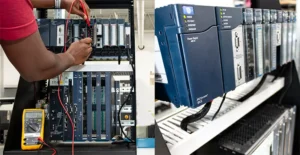
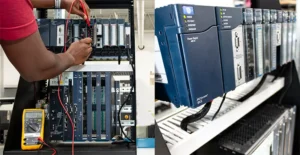
Always start troubleshooting at the physical layer. Loose or damaged wiring is a very common culprit. Verify all Ethernet cables (for PROFINET or Modbus TCP/IP) are securely plugged in. Check cable shielding and grounding according to industry standards. Moreover, inspect power supply voltages for all modules. Consistent power ensures stable module operation and reliable data transmission.

RX3i Troubleshooting

Diagnosing Network Configuration and IP Conflicts

Incorrect network settings frequently cause communication problems. Verify that the CPU and all remote I/O devices have unique, correct IP addresses. Use the Proficy Machine Edition software to check device configurations. In addition, ensure subnet masks and gateway settings are correct across the entire control systems network. An IP address conflict will instantly halt communication.

Examining RX3i Module Status and Diagnostics

The RX3i platform provides powerful on-board diagnostics. Look for LED indicators on the CPU and communication modules (e.g., green/red status). A solid red status often signals a critical fault. Consult the CPU fault tables or diagnostic logs in the PLC programming environment. These logs offer specific error codes, significantly speeding up the repair process.

Advanced Troubleshooting: Protocol and Performance Analysis

For persistent issues, consider the communication protocol itself. For instance, PROFINET systems require correct device names and cycle times. Use network monitoring tools to analyze data traffic and identify excessive latency or packet loss. Therefore, optimizing network loading and segmenting large networks can enhance overall DCS reliability. We must ensure the network can handle the required data throughput.

RX3i Troubleshooting

Author’s Insight: The Move to High-Speed Industrial Ethernet

Modern industrial automation demands faster, more reliable communication. The trend is clearly towards high-speed industrial Ethernet like PROFINET or Ethernet/IP. While these protocols offer benefits, they also introduce configuration complexity. My experience shows that proper network documentation and rigorous commissioning are the best preventative measures against future failures. Investing in expert training is far cheaper than dealing with unexpected downtime.

Application Scenario: Redundant Control Solutions

For mission-critical applications, consider implementing an RX3i hot-standby redundancy solution. While the initial setup is more complex, a redundant system ensures continuous operation even if one CPU or communication link fails. This architectural approach is highly valued in pharmaceutical and power generation control systems. It elevates reliability, offering peace of mind to operations managers.

RX3i Troubleshooting

RX3i Troubleshooting

Enhance Your System Reliability Today!

Communication failures cost time and money. Powergear X Automation Limited offers advanced troubleshooting services and certified RX3i components.

Step-by-Step Setup Guide for GE PACSystems RX3i PLC: Mastering Industrial Automation

Step-by-Step Setup Guide for GE PACSystems RX3i PLC: Mastering Industrial Automation

Why the PACSystems RX3i is Crucial for Modern Control Systems

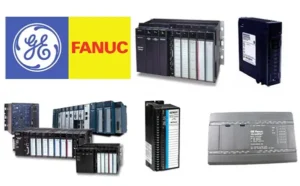
The GE PACSystems RX3i is a powerful PLC (Programmable Logic Controller). It is a key component in modern industrial automation. This controller offers high-speed processing and robust features. Its advanced capabilities support complex control tasks. Many engineers rely on the RX3i platform. Its versatility makes it suitable for various factory automation needs. We will explore the necessary setup steps below. This guide ensures a smooth and efficient deployment process. Understanding this platform provides a significant industry advantage.

Step-by-Step Setup Guide for GE PACSystems RX3i PLC: Mastering Industrial Automation

Initial Hardware Configuration and Module Installation

Begin the setup by mounting the main rack or backplane. Secure it firmly in the electrical panel. Next, install the main CPU module. This module is the brain of the control systems. Ensure all expansion modules are correctly seated. These modules may include I/O, communication, or specialized cards. Always check the physical connections carefully. A loose connection can cause system instability. Therefore, meticulous hardware setup is extremely important. This foundational step dictates the reliability of your system.

Connecting Power and Grounding: Ensuring System Integrity

Proper power and grounding are non-negotiable for any PLC. Connect the primary power source to the CPU and the power supply module. Refer to the GE product manual for exact voltage specifications. Incorrect voltage can damage sensitive electronics. Moreover, robust grounding minimizes electrical noise and interference. Use dedicated grounding points on the backplane. Good grounding protects your system from surges. This attention to detail upholds the principle of trustworthiness (E-E-A-T).

Software Installation and Project Creation

The PACSystems RX3i utilizes the Machine Edition (ME) software. Install this programming environment onto your engineering workstation. After installation, launch the ME application. Create a new project specific to your application. Select the correct RX3i CPU type from the hardware catalog. In addition, configure the rack and add all installed modules virtually. This digital representation must match your physical setup perfectly. This step establishes the basis for all control logic.

Step-by-Step Setup Guide for GE PACSystems RX3i PLC: Mastering Industrial Automation

Establishing Communication and Downloading the Initial Program

Configure the communication driver settings in the ME software. Typically, this uses an Ethernet connection. Assign a unique IP address to the RX3i CPU. The IP address must fit your plant network scheme. Once communication is verified, a successful connection icon will appear. Write a simple test program, perhaps a basic I/O check. As a result, you can download this initial program to the PLC. Switching the PLC to ‘Run’ mode verifies basic operational success. My own experience shows this simple test prevents later frustration.

Configuration of I/O Modules and Tag Database

The correct configuration of I/O is vital for DCS integration and control. Double-click each module in the ME software to set parameters. These include addressing, input filtering, or output type (e.g., analog, discrete). Define meaningful names for all I/O points in the tag database. Descriptive tags improve program readability and troubleshooting. However, avoid overly complex tag names that might confuse others. Clear documentation enhances the overall authority of your system design.

Author’s Insight: The Trend Toward Cybersecurity

The integration of industrial automation systems now demands strong cybersecurity. The RX3i offers features like secure boot and enhanced authentication. Engineers should prioritize network segmentation for PLCs. Never connect a control network directly to the public internet. This proactive approach protects critical infrastructure. Therefore, modern setup guides must include security considerations. This is my professional view on the evolving control landscape.

Step-by-Step Setup Guide for GE PACSystems RX3i PLC: Mastering Industrial Automation

Post-Setup Validation and System Documentation

Thoroughly test all hardware and software functionalities. Validate every input and output point. Check the system’s response to various operational scenarios. Document all IP addresses, tag definitions, and configuration settings. Comprehensive documentation is crucial for future maintenance. A well-documented system reflects high expertise and trustworthiness.

Application Scenario: High-Speed Packaging Line

The RX3i excels in high-speed, demanding applications. Consider a scenario in a packaging facility. The fast processing speed of the RX3i accurately coordinates multiple servo motors. It manages vision systems for quality checks and integrates safety functions. This application highlights the PLC’s power in complex motion control and data handling, a staple of advanced factory automation.

Discover Advanced Industrial Solutions

Are you looking to optimize your industrial automation projects with the power of GE PACSystems RX3i or other robust control systems? Learn how a leading solutions provider can elevate your facility’s performance.

GE RX3i vs RX7i

GE RX3i vs RX7i: A Deep Dive into PLC Differences for Industrial Automation

Understanding the PACSystems Evolution in Industrial Automation

Industrial automation relies heavily on robust control systems. General Electric (GE) (now part of Emerson Electric Co. PACSystems) provided two significant platforms: the RX3i and the older RX7i. Both Programmable Logic Controllers (PLCs) managed critical factory automation tasks. Understanding the distinctions is vital for system architects and control engineers. We will explore the core differences in performance, architecture, and application.

Architectural Foundation: Bus Technology and Backplane Speed

The backplane forms the communication backbone for all modules. The RX7i utilizes the older VME bus architecture. This architecture offered reliability in its time. However, the RX3i leverages the innovative PCI-Express-based Universal Backplane. This change dramatically improves data throughput and communication speed. Faster backplane communication directly enhances real-time control performance.

GE RX3i vs RX7i

Processing Power: Performance for Modern Control Systems

Modern control systems demand faster processing. The RX3i features cutting-edge, often multi-core, processors. These powerful CPUs execute complex control logic much quicker than the RX7i’s older generation processors. Moreover, the RX3i offers significantly more working memory. As a result, it handles larger data sets and sophisticated industrial automation applications easily. This speed difference is crucial for high-speed manufacturing.

Communication and Networking: Bridging the Industrial Ethernet Gap

Connectivity is paramount in today’s industrial automation landscape. The RX3i often includes integrated Gigabit Ethernet and supports modern protocols like PROFINET. This facilitates high-speed data exchange across the network. Conversely, the RX7i required separate communication modules for many advanced network functions. Therefore, the RX3i simplifies network setup and enhances distributed control systems capabilities.

Form Factor and Modularity: Adapting to Factory Automation Needs

The RX7i generally employed a larger form factor due to the VME bus standards. This sometimes required more cabinet space. The RX3i offers a more compact design, often fitting better into modern, space-conscious factory automation environments. Furthermore, both platforms offer hot-swap capabilities for I/O modules. However, the RX3i’s Universal Backplane provides better future-proofing for new module technologies.

GE RX3i vs RX7i

The Author’s Insight: Choosing the Right PLC Platform

The RX7i was a workhorse, proving its reliability for decades. However, its technology is now considered legacy. The RX3i clearly offers superior performance, better communication, and a more modern architecture. We recommend new installations and major upgrades should strongly favor the RX3i series. This aligns with industry trends towards faster data processing and seamless integration with Industrial Internet of Things (IIoT) concepts. Investing in the RX3i ensures longevity and better return on investment.

Application Scenarios: Where Each System Shines

The RX7i still operates reliably in many existing plants, particularly for lower-speed processes. Companies often keep them running due to high reliability and the cost of migration. The RX3i excels in high-performance applications like high-speed packaging, complex motion control, and extensive Distributed Control System (DCS) architectures. Its capacity for large-scale data logging and analysis makes it ideal for optimization efforts.

GE RX3i vs RX7i

Elevate Your Industrial Automation Strategy with Powergear X

Navigating the complexities of PLC and DCS platforms is our specialty. Powergear X Automation Limited provides expert consulting, integration, and solutions using the robust PACSystems technology. Whether you are migrating from RX7i to RX3i or designing a new control systems network, our certified engineers deliver world-class service.

Ready to upgrade your industrial automation systems? Click here to explore our specialized RX3i solutions and technical support packages tailored for optimal performance.

Troubleshooting Bently Nevada 3300 NSv Metric Probe Issues

Resolving Zero Output: Troubleshooting Bently Nevada 3300 NSv Metric Probe Issues

Understanding the 3300 NSv Metric Probe

The Bently Nevada 3300 NSv Metric Probe is vital. It measures shaft vibration and position accurately. These proximity probes are essential for industrial automation systems. They monitor critical machinery health. The probe system relies on a non-contact technique. Therefore, zero output is a serious indicator of a fault. We must address this quickly to maintain machine protection.

Initial Diagnostics: Checking Power and Wiring

Start by verifying the system’s power supply. The 3300 NSv proximity system needs stable DC voltage. Check the wiring for physical damage first. Look for cuts, abrasions, or loose connections. Moreover, confirm correct polarity for the power leads. Incorrect wiring often causes a zero or unstable signal. Always consult the system’s manual for pinout specifications.

Troubleshooting Bently Nevada 3300 NSv Metric Probe Issues

Examining the Proximitor Sensor and Gap Voltage

The Proximitor Sensor is key to the system’s function. Measure the Gap Voltage at the Proximitor output terminals. A healthy system shows a specific DC voltage range. A zero reading here strongly suggests a probe or Proximitor failure. Alternatively, a short circuit in the probe cable could be the issue. Use a digital multimeter for accurate voltage measurement.

Investigating Probe and Cable Integrity

Probe damage is a common culprit. Inspect the probe tip for dirt, grease, or physical damage. Contaminants can block the electromagnetic field. The probe cable’s integrity is also crucial. Perform a resistance check on the cable and probe assembly. A high resistance reading indicates an open circuit. This issue directly leads to no output signal.

System Integration with PLC and DCS

The 3300 NSv output feeds into control systems like PLC or DCS. The zero output might originate downstream. Check the input module settings on your factory automation controller. Ensure the scaling and input type are correct for the 3300 NSv signal. Incorrect configuration prevents the controller from reading the signal. Therefore, verify software settings thoroughly.

Troubleshooting Bently Nevada 3300 NSv Metric Probe Issues

The Influence of Grounding and Shielding

Proper grounding is paramount in noisy industrial environments. Bad grounding causes signal interference or loss. Ensure the Proximitor housing is correctly grounded. Additionally, the cable shielding must be intact and correctly terminated. Good shielding prevents electrical noise from corrupting the low-level signal. This is a vital step in high-noise industrial automation.

Author’s Insight: Leveraging Modern Diagnostics

My experience suggests investing in modern diagnostic tools. Portable vibration analyzers can quickly test the probe’s health. Furthermore, trending the Gap Voltage is a powerful predictive tool. A gradual voltage shift precedes total signal loss. Bently Nevada continues to set the standard for machine protection. Proactive maintenance far outweighs reactive repairs.

Troubleshooting Bently Nevada 3300 NSv Metric Probe Issues

Application Scenario: Turbo-Machinery Monitoring

The 3300 NSv is frequently deployed on critical turbo-machinery. Imagine a compressor trip caused by a false zero-vibration reading. Downtime costs skyrocket rapidly. Regular checks of the system’s Gap Voltage prevent this scenario. A functioning proximity probe is the first line of defense in process control safety.

For reliable solutions and expert support in maintaining your industrial automation and control systems, and for high-quality replacement parts, Powergear X Automation Limited offers a wide range of products.

Click here to explore Powergear X Automation Limited‘s solutions for vibration monitoring and machine protection.

ModelTitleLink
1900/27-01Bently Nevada Vibration Monitor ModuleLearn More
60M100-00Bently Nevada Condition Monitoring SystemLearn More
3500/53 133388-01Bently Nevada Overspeed Detection ModuleLearn More
3500/45 176449-04Bently Nevada Position MonitorLearn More
3500/77M-03-00 176449-07Bently Nevada Recip Cylinder Pressure MonitorLearn More
Optimizing Vibration Monitoring with the Bently Nevada 3500 System

Optimizing Vibration Monitoring with the Bently Nevada 3500 System

Understanding the Foundation of Machine Health

Vibration monitoring is critical for asset reliability. The Bently Nevada 3500 system is a leading solution. It provides continuous monitoring of critical machinery. This helps prevent unexpected failures. The system integrates well with modern industrial automation platforms. It works with both PLC and DCS systems. This integration creates a comprehensive overview of equipment health.

Key Components for Effective Monitoring

The Bently Nevada 3500 rack is the central hub. It houses various modules. These modules include power supplies and system monitors. They also include I/O modules. The system uses proximity probes and velocity sensors. These sensors collect real-time data. Data accuracy is essential. Moreover, proper sensor installation is paramount for reliable readings.

Optimizing Vibration Monitoring with the Bently Nevada 3500 System

Leveraging Software for Proactive Insights

Effective monitoring goes beyond hardware. The 3500 system uses powerful software. This software analyzes vibration data. It identifies trends and patterns. For instance, you can spot bearing wear early. This allows for planned maintenance. The software’s capabilities enhance overall factory automation. It turns raw data into actionable insights.

Integration with Modern Control Systems

The Bently Nevada 3500 seamlessly integrates with higher-level control systems. It connects to both PLC and DCS networks. This integration is vital for synchronized operations. As a result, machine data is available to operators. Operators can make informed decisions. This connectivity improves efficiency and reduces downtime. This is a key aspect of advanced industrial automation.

Optimizing Vibration Monitoring with the Bently Nevada 3500 System

Practical Tips for System Optimization

To optimize your 3500 system, focus on calibration. Regular calibration of probes ensures data integrity. Furthermore, configure alarm setpoints carefully. Incorrect setpoints can lead to false alarms. Or, they might miss critical issues. My experience shows that proper training for operators is crucial. They must understand the data. This expertise is what turns a good system into a great one.

Application in Real-World Scenarios

A chemical plant used the 3500 system on a critical pump. The system detected a sudden rise in vibration. This alerted maintenance staff immediately. They found a misaligned shaft. The quick detection prevented a catastrophic failure. This example highlights the system’s value. It proves that proactive monitoring saves time and money. It is a fundamental tool in any modern factory automation strategy.

3300 XL 8 mm Probe System Wiring Guide for Industrial Automation

Need a customized solution for your factory?

Learn more about how the Bently Nevada 3500 system can be tailored to your specific needs. Powergear X Automation Limited offers expert guidance and top-tier solutions to help you achieve operational excellence. Explore our products and services to elevate your industrial automation capabilities.

ModelTitleLink
3500/53 133388-01Bently Nevada Overspeed Detection ModuleLearn More
3500/45 176449-04Bently Nevada Position MonitorLearn More
3500/42-09-01Bently Nevada Proximitor Seismic MonitorLearn More
3500/32-01-01Bently Nevada 4-Channel Relay ModuleLearn More
3300 XL 8 mm Probe System Wiring Guide for Industrial Automation

3300 XL 8 mm Probe System Wiring Guide for Industrial Automation

Mastering Your 3300 XL 8 mm Probe System: A Complete Wiring Diagram Guide

The Bently Nevada 3300 XL 8 mm probe system is a critical component in industrial automation. It provides precise, non-contact measurements for machinery protection. A correct wiring setup is paramount. This guide provides a complete wiring diagram overview. It also offers essential insights for seamless integration into your control systems.

Understanding the 3300 XL Probe System Components

The 3300 XL system consists of three main parts. First, the probe measures displacement or vibration. Next, the extension cable connects the probe to the proximity sensor. Finally, the proximity sensor (or transducer) converts the measurement into a voltage signal. Proper wiring must connect these three components. It then sends the signal to your main factory automation system. Each component plays a vital role in accurate data collection.

3300 XL 8 mm Probe System Wiring Guide for Industrial Automation

The Core Wiring Diagram: From Probe to Terminal Block

Wiring the 3300 XL system follows a simple three-wire setup. This configuration includes Power, Common, and Signal. The proximity sensor has three terminals. One terminal connects to the DC power supply. Another connects to the common or ground. The third terminal carries the output signal. This signal is a DC voltage proportional to the probe’s gap. Therefore, a secure connection to all three terminals is essential. Loose connections can introduce noise or cause signal loss.

Connecting to Control Systems: PLC and DCS Integration

The 3300 XL system’s signal output must connect to a PLC (Programmable Logic Controller) or DCS (Distributed Control System). The output signal can be fed directly into an analog input card. You should ensure the PLC or DCS input module is configured for the correct voltage range. This ensures accurate signal interpretation. Moreover, a dedicated analog input card is highly recommended. Using a dedicated card minimizes electrical noise and cross-talk. This is crucial for precise machine health monitoring.

3300 XL 8 mm Probe System Wiring Guide for Industrial Automation

Ensuring Power and Grounding Integrity

A stable power supply is non-negotiable for reliable operation. The 3300 XL requires a clean, regulated DC power source. Proper grounding is equally important. The system’s common terminal must be tied to the chassis ground. This creates a clear path for electrical currents. As a result, it prevents ground loops and signal interference. Proper grounding also protects against electrical surges. It is a fundamental practice for all robust industrial automation setups.

Troubleshooting Common Wiring Issues

Experience shows that wiring issues often arise. The most common problem is signal drift or no output. Always check power supply voltage first. Next, inspect all connections for looseness or corrosion. A simple continuity test can verify cable integrity. Additionally, always use shielded cables. The shielding should be grounded at one end only. This prevents noise pickup from surrounding equipment. A well-executed wiring plan proactively prevents these common issues.

Author’s Insight: Investing in Reliability

A thorough and meticulous wiring job is not just a technical step. It is a critical investment in data integrity and system reliability. In my view, overlooking the fundamentals of wiring is a significant risk. Accurate data from your 3300 XL system directly impacts predictive maintenance decisions. Therefore, a small investment of time in correct wiring pays huge dividends. It ensures your machinery remains safe and operational.

3300 XL 8 mm Probe System Wiring Guide for Industrial Automation

Real-World Application: Turbine Monitoring Solutions

The 3300 XL probe system is ideal for monitoring axial thrust on steam turbines. Its wiring diagram connects the probe to a PLC. The PLC then processes the data. This data is displayed on an HMI. If the thrust exceeds a predefined limit, the PLC triggers an alarm. This proactive solution prevents catastrophic failure. A reliable wiring setup is the foundation of this entire system. It ensures the data fed into the PLC is always correct.

To discover more about our advanced solutions and high-quality industrial products that integrate with systems like the 3300 XL, visit our website. Our portfolio covers a wide range of needs for industrial automation and asset management.

Discover how Powergear X Automation Limited can support your projects.

Bently Nevada 3500 System Installation: A Complete Guide for Industrial Automation

Bently Nevada 3500 System Installation: A Complete Guide for Industrial Automation

Step-by-Step Installation Guide for the Bently Nevada 3500 System

The Bently Nevada 3500 system is a cornerstone of industrial automation. It provides continuous, online monitoring of machinery. This guide provides a clear, step-by-step installation process. Following these steps ensures a reliable and accurate setup. Proper installation is critical for protecting vital plant assets.

Understanding the 3500 System’s Core Components

Before installation, understand the system’s parts. The Bently Nevada 3500 rack houses all modules. Key modules include the power supply and rack interface module. You also need vibration, thrust, and speed monitor modules. Moreover, a communication gateway module is often used. It links to your DCS or PLC via protocols like Modbus. Knowledge of these parts prevents installation errors.

Bently Nevada 3500 System Installation: A Complete Guide for Industrial Automation

Properly Mounting the 3500 Rack

First, select a suitable location for the rack. The location must be free from excessive heat and vibration. Mount the rack firmly to a sturdy surface. Use all mounting holes to ensure stability. Improper mounting can affect module performance. Therefore, a secure, level surface is non-negotiable. This step is the foundation of a reliable monitoring system.

Installing the Power Supply and Rack Interface

Next, install the power supply module. A dual power supply setup is recommended. This provides redundancy for critical applications. Then, insert the Rack Interface Module (RIM). The RIM handles all communication with the rack. It also provides system-level alarms. This module is essential for system health monitoring.

Configuring Monitor Modules and Channels

After the core modules are in place, install your monitor modules. Each module has a specific function. A 3500/42M is for proximity probes. The 3500/50 is for speed measurement. Ensure each module is in its correct slot. The Bently Nevada 3500 system uses a specific slot numbering scheme. Incorrect placement will lead to configuration problems. As a result, always follow the manual for slot assignments.

Bently Nevada 3500 System Installation: A Complete Guide for Industrial Automation

Wiring the Field Sensors and Probes

Wiring is a critical part of the process. Connect field sensors and probes to the terminal blocks. These include proximity probes, accelerometers, and thermocouples. Use proper shielded cable to prevent interference. Grounding must be done according to the manual. Bad grounding can introduce noise. Noise can corrupt data. This compromises the entire monitoring solution.

System Configuration and Software Setup

The final step is software configuration. Use the Bently Nevada 3500 System Configuration Software (SCS). This software lets you define each channel. You can set up alarm setpoints and data collection intervals. This step tailors the system to your machinery. Without proper configuration, the system cannot provide useful data. Therefore, this step is crucial for effective machine protection.

Expert Insights: Bently Nevada and Industrial Automation

The Bently Nevada 3500 system is a perfect example of modern industrial automation. It seamlessly integrates with larger factory automation systems. It is more than just a monitoring device. It’s a key component in a predictive maintenance strategy. This reduces unplanned downtime. As an engineer with experience in control systems, I’ve seen firsthand the benefits. Its reliability is unmatched. Companies can save millions by preventing catastrophic failures.

Bently Nevada 3500 System Installation: A Complete Guide for Industrial Automation

Real-World Application: Power Plant Turbine Monitoring

A common use case is monitoring gas turbines in power plants. The 3500 system monitors rotor vibration and axial position. This protects against blade rub and bearing failure. Its integration with the control system allows for automatic shutdowns. This is a critical PLC function. This level of protection is vital for high-speed, high-value assets.

Want to learn more about how we can help you with your Bently Nevada 3500 or other industrial automation needs? Our team at Powergear X Automation Limited offers comprehensive solutions.

Click below to explore our product offerings and consulting services.

ModelTitleLink
3500/42-01-00Bently Nevada Proximitor Seismic MonitorLearn More
3500/32-01-00Bently Nevada Proximitor Seismic MonitorLearn More
3500/25Bently Nevada Enhanced Keyphasor ModuleLearn More
3500/60-01-00Bently Nevada RTD Temperature MonitorLearn More
3500/40-01-02Bently Nevada 4-Channel Proximitor MonitorLearn More
Happy Mid-Autumn Festival - PowerGear X Automation

Happy Mid-Autumn Festival – PowerGear X Automation

Happy Mid-Autumn Festival from Our Team to Yours

Happy Mid-Autumn Festival to our valued partners and customers. This special day is on October 6th. We are celebrating this important Chinese holiday. The Mid-Autumn Festival is a time for family gatherings. We enjoy a special dinner and mooncakes together. It is a time for gratitude and togetherness. We celebrate the full moon’s beauty and the autumn harvest.

Happy Mid-Autumn Festival - PowerGear X Automation

Building Strong Partnerships Together

We value the trust you have placed in us. We are proud to be your trusted partner. Our commitment to excellence remains strong every day. We provide complete industrial automation solutions for you. Our goal is to ensure your seamless operations. This festival reminds us to appreciate our relationships. We are here to support your success. We look forward to many years of cooperation.

Seamless Support, Around the Clock

Your business operations are our top priority. We offer 24-hour support, even on holidays. We are committed to your business continuity. Our team provides fast and reliable service. You can rely on us for immediate assistance. We are always ready to help you. Our support ensures minimal downtime for your business.

Happy Mid-Autumn Festival - PowerGear X Automation

Celebrating Chinese Culture with You

The Mid-Autumn Festival is a key part of Chinese culture. It represents harmony, unity, and prosperity. We share this festive spirit with you. We wish you and your family good fortune. This holiday allows us to connect on a deeper level. We are more than a business partner. We are part of a global community.

Happy Mid-Autumn Festival - PowerGear X Automation

Empowering Industries Worldwide

We have served customers in 150+ countries since 2012. Our global reach continues to grow stronger. We provide new and surplus parts. We also offer customized integration services. Our mission is to meet your diverse needs. We help you achieve your automation goals. We are proud to be a leader in this industry.

Maximizing Uptime: The Essential Bently Nevada 3500 Maintenance Checklist

Maximizing Uptime: The Essential Bently Nevada 3500 Maintenance Checklist

The Foundation of Reliability Engineering

A Bently Nevada 3500 system is critical for machinery protection. It acts as the guardian of your most vital assets. Therefore, its continuous performance is non-negotiable. Reliability engineers must follow a proactive maintenance strategy. This strategy prevents costly unplanned downtime. A formal checklist is the first step toward achieving this goal. It ensures consistent and reliable system operation.

Maximizing Uptime: The Essential Bently Nevada 3500 Maintenance Checklist

Why Maintenance Matters for Industrial Automation

The 3500 system integrates with broader industrial automation networks. It provides key data to PLC and DCS systems. These control systems rely on accurate information. Inaccurate data can lead to catastrophic failures. A well-maintained Bently Nevada rack ensures data integrity. Moreover, it strengthens your entire factory automation infrastructure. Proactive checks are key to a stable production environment.

The Foundational Checklist for Engineers

A basic Bently Nevada 3500 checklist is indispensable. First, inspect all physical components. Check for loose connections or dust accumulation. Verify the integrity of power supplies and rack modules. Next, perform a health check on all monitoring modules. Confirm that all channels are active. You should also validate transducer connections. Proximity probes and accelerometers must function correctly. Regular checks prevent small issues from becoming major problems.

Maximizing Uptime: The Essential Bently Nevada 3500 Maintenance Checklist

Advanced Diagnostics and System Health Checks

Beyond the basics, advanced diagnostics are essential. Use Bently Nevada’s System 1 software for in-depth analysis. This software provides valuable insight into system behavior. Check for high-vibration alarms and event logs. Review the health of Keyphasor and Overspeed modules. Moreover, verify communication protocols with external systems. This includes ensuring proper integration with DCS and PLC platforms. These checks provide a comprehensive view of system health.

My Take: Proactive Maintenance Drives Profitability

From my experience, a reactive approach to maintenance is a losing game. It is always more expensive than a proactive one. Companies should invest in tools and training. This empowers engineers to spot issues early. The Bently Nevada 3500 is a powerful tool. However, its effectiveness depends on your maintenance program. A robust program transforms your plant from reactive to predictive. As a result, you gain a significant competitive advantage.

Maximizing Uptime: The Essential Bently Nevada 3500 Maintenance Checklist

Partnering for Reliability Solutions

Ensuring the longevity of your industrial assets requires a strategic approach. High-quality components and expert support are crucial. At Powergear X Automation Limited, we provide solutions that enhance your plant’s reliability and performance. Explore our wide range of products and services, including Bently Nevada components and expert support.

ModelTitleLink
3500/53 133388-01Bently Nevada Overspeed Detection ModuleLearn More
3500/45 176449-04Bently Nevada Position MonitorLearn More
3500/42-09-01Bently Nevada Proximitor Seismic MonitorLearn More
3500/32-01-01Bently Nevada 4-Channel Relay ModuleLearn More
Back to Top
Product has been added to your cart