

Siemens vs. Rockwell PLC: Selecting the Right Automation System
Strategic Comparison: Siemens vs. Rockwell PLC Systems in Industrial Automation
The Core Value of Leading Control Systems
Siemens excels in complex scenarios requiring high system integration, such as automotive and chemical manufacturing. Its TIA Portal architecture significantly reduces cross-system debugging costs for large-scale projects. Conversely, Rockwell (Allen-Bradley) dominates the North American market and discrete manufacturing sectors. Rockwell offers a more intuitive learning path for beginners entering the PLC programming field. Therefore, Siemens provides global versatility, while Rockwell ensures rapid deployment for standardized production lines.
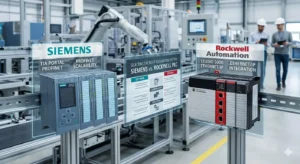
Programming Environments: TIA Portal vs. Studio 5000
The Siemens TIA Portal integrates PLC, HMI, and drives into a single unified platform. This integration eliminates frequent software switching and boosts overall engineering efficiency. Rockwell utilizes a modular approach with Studio 5000 and FactoryTalk separated into different packages. This separation helps beginners master individual functions but increases complexity during full system integration. Based on our field experience, Siemens allows direct variable linking, whereas Rockwell often requires manual tag configuration.
Optimizing Scan Time and System Response
Siemens S7-1200 and S7-1500 controllers maintain exceptional stability under heavy program loads. Rockwell CompactLogix systems provide highly responsive performance for smaller, high-speed applications. Precise scan times are vital for accurate motion control in packaging and robotics. However, improper task priority configuration in Rockwell systems can lead to cycle jitter. Siemens employs a default cyclic structure that is often more forgiving for less experienced programmers.
Industrial Communication Protocol Compatibility
Siemens natively supports PROFINET and Profibus, featuring mature OPC UA integration for Industry 4.0. Rockwell relies on EtherNet/IP, ensuring seamless compatibility with North American equipment ecosystems. Protocol selection dictates your future expansion costs and device hardware choices. Note that interfacing Siemens with EtherNet/IP devices usually requires an external gateway. Similarly, Rockwell systems need additional modules to communicate over PROFINET networks.
Field Installation and Maintenance Standards
Siemens hardware requires strict grounding practices, particularly for sensitive analog signal modules. Rockwell systems offer slightly higher tolerance for grounding variances under North American standards. We recommend single-point grounding to prevent circulating currents in your control cabinet. In high-vibration environments like mining, Siemens spring terminals offer superior reliability. Regular maintenance must include tightening Rockwell screw terminals to prevent intermittent I/O loss.
Powergear X Automation: Expert Engineering Perspective
At Powergear X Automation, we believe the choice depends on your regional ecosystem. Siemens offers the best flexibility for multi-brand integration in European and Asian markets. However, Rockwell remains the undisputed leader for projects based in the United States. Beyond the brand name, true engineering value lies in understanding electrical specifications and communication logic. We advise engineers to focus on mastering troubleshooting skills rather than just software syntax.
Technical Implementation Checklist
- ✅ Match the PLC brand to the regional technical support network.
- ✅ Use shielded twisted pair cables for all analog I/O.
- ✅ Install external surge protection for outdoor control equipment.
- ✅ Implement UPS backup for mission-critical automation controllers.
- ✅ Verify communication gateway requirements for multi-protocol systems.
- ✅ Optimize task priorities to prevent scan time fluctuations.
Strategic Industry Scenarios
- High-Speed Packaging: Rockwell CompactLogix for intuitive motion control and local support.
- Large Chemical Plants: Siemens S7-1500 with TIA Portal for massive system integration.
- North American Retrofits: Allen-Bradley ControlLogix for compatibility with existing plant standards.
Frequently Asked Questions (FAQ)
Q1: Should I prioritize Siemens or Rockwell for a new international project?
Consider the project location and the local spare parts supply chain. Siemens is the better choice for Asian and European sites due to its vast ecosystem. For North American sites, Rockwell ensures easier access to technicians and replacement hardware.
Q2: Is it difficult to migrate legacy code to new PLC platforms?
Siemens provides robust migration tools for S7-300 to S7-1500 transitions. However, older Rockwell systems like SLC500 may require significant manual re-coding. Always budget extra time for I/O address mapping and communication verification during upgrades.
Q3: Which platform handles third-party device integration more efficiently?
Siemens TIA Portal generally offers better multi-vendor integration tools through standardized GSD files. Rockwell is highly efficient within its own “Premier Integration” ecosystem. For a mix of brands, Siemens typically reduces the total engineering hours required.

