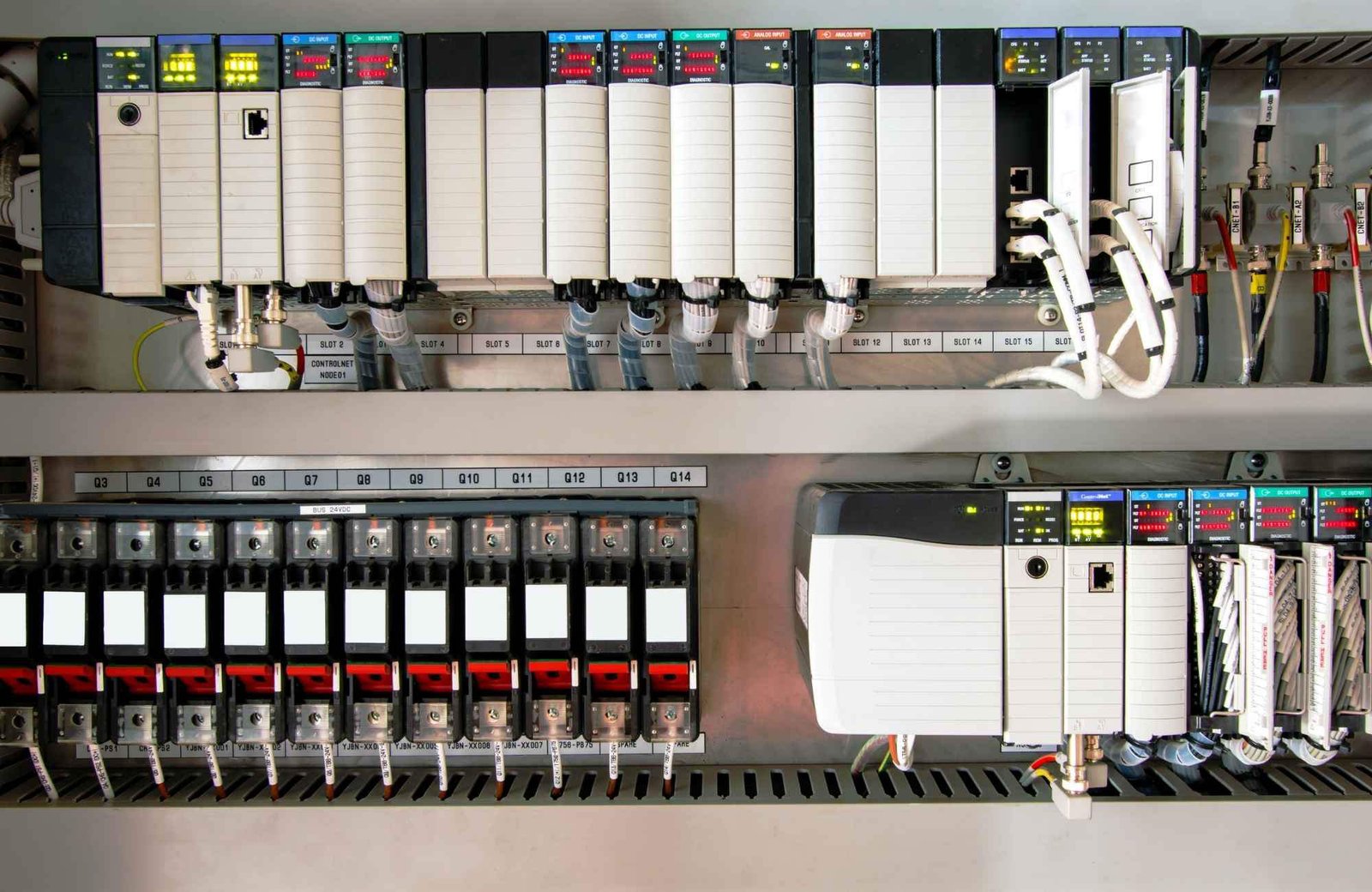
Over 50,000 hot-selling automation module components.
Siemens vs. Rockwell PLC: Selecting the Right Automation System

Siemens vs. Rockwell PLC: Selecting the Right Automation System

Strategic Comparison: Siemens vs. Rockwell PLC Systems in Industrial Automation

The Core Value of Leading Control Systems

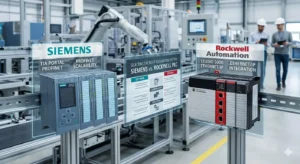
Siemens excels in complex scenarios requiring high system integration, such as automotive and chemical manufacturing. Its TIA Portal architecture significantly reduces cross-system debugging costs for large-scale projects. Conversely, Rockwell (Allen-Bradley) dominates the North American market and discrete manufacturing sectors. Rockwell offers a more intuitive learning path for beginners entering the PLC programming field. Therefore, Siemens provides global versatility, while Rockwell ensures rapid deployment for standardized production lines.
Siemens vs. Rockwell PLC: Selecting the Right Automation System

Programming Environments: TIA Portal vs. Studio 5000

The Siemens TIA Portal integrates PLC, HMI, and drives into a single unified platform. This integration eliminates frequent software switching and boosts overall engineering efficiency. Rockwell utilizes a modular approach with Studio 5000 and FactoryTalk separated into different packages. This separation helps beginners master individual functions but increases complexity during full system integration. Based on our field experience, Siemens allows direct variable linking, whereas Rockwell often requires manual tag configuration.

Optimizing Scan Time and System Response

Siemens S7-1200 and S7-1500 controllers maintain exceptional stability under heavy program loads. Rockwell CompactLogix systems provide highly responsive performance for smaller, high-speed applications. Precise scan times are vital for accurate motion control in packaging and robotics. However, improper task priority configuration in Rockwell systems can lead to cycle jitter. Siemens employs a default cyclic structure that is often more forgiving for less experienced programmers.

Industrial Communication Protocol Compatibility

Siemens natively supports PROFINET and Profibus, featuring mature OPC UA integration for Industry 4.0. Rockwell relies on EtherNet/IP, ensuring seamless compatibility with North American equipment ecosystems. Protocol selection dictates your future expansion costs and device hardware choices. Note that interfacing Siemens with EtherNet/IP devices usually requires an external gateway. Similarly, Rockwell systems need additional modules to communicate over PROFINET networks.

Field Installation and Maintenance Standards

Siemens hardware requires strict grounding practices, particularly for sensitive analog signal modules. Rockwell systems offer slightly higher tolerance for grounding variances under North American standards. We recommend single-point grounding to prevent circulating currents in your control cabinet. In high-vibration environments like mining, Siemens spring terminals offer superior reliability. Regular maintenance must include tightening Rockwell screw terminals to prevent intermittent I/O loss.

Powergear X Automation: Expert Engineering Perspective

At Powergear X Automation, we believe the choice depends on your regional ecosystem. Siemens offers the best flexibility for multi-brand integration in European and Asian markets. However, Rockwell remains the undisputed leader for projects based in the United States. Beyond the brand name, true engineering value lies in understanding electrical specifications and communication logic. We advise engineers to focus on mastering troubleshooting skills rather than just software syntax.

Technical Implementation Checklist

  • ✅ Match the PLC brand to the regional technical support network.
  • ✅ Use shielded twisted pair cables for all analog I/O.
  • ✅ Install external surge protection for outdoor control equipment.
  • ✅ Implement UPS backup for mission-critical automation controllers.
  • ✅ Verify communication gateway requirements for multi-protocol systems.
  • ✅ Optimize task priorities to prevent scan time fluctuations.

Strategic Industry Scenarios

  • High-Speed Packaging: Rockwell CompactLogix for intuitive motion control and local support.
  • Large Chemical Plants: Siemens S7-1500 with TIA Portal for massive system integration.
  • North American Retrofits: Allen-Bradley ControlLogix for compatibility with existing plant standards.

Frequently Asked Questions (FAQ)

Q1: Should I prioritize Siemens or Rockwell for a new international project?

Consider the project location and the local spare parts supply chain. Siemens is the better choice for Asian and European sites due to its vast ecosystem. For North American sites, Rockwell ensures easier access to technicians and replacement hardware.

Q2: Is it difficult to migrate legacy code to new PLC platforms?

Siemens provides robust migration tools for S7-300 to S7-1500 transitions. However, older Rockwell systems like SLC500 may require significant manual re-coding. Always budget extra time for I/O address mapping and communication verification during upgrades.

Q3: Which platform handles third-party device integration more efficiently?

Siemens TIA Portal generally offers better multi-vendor integration tools through standardized GSD files. Rockwell is highly efficient within its own “Premier Integration” ecosystem. For a mix of brands, Siemens typically reduces the total engineering hours required.
ControlLogix Power Supply Sizing Guide

ControlLogix Power Supply Sizing Guide | Powergear X Automation

How to Optimize Allen-Bradley ControlLogix Power Supply Sizing for Maximum Uptime

In the world of industrial automation, few errors are as frustrating as intermittent system resets. Engineers often blame software bugs or faulty modules. However, experienced integrators know that improper power sizing is the real culprit. A ControlLogix system powers a plant’s most critical operations. Therefore, calculating electrical loads accurately is not just a best practice; it is a requirement for operational integrity. At Powergear X Automation, we have observed that many field failures stem from a fundamental misunderstanding of backplane current.

ControlLogix Power Supply Sizing Guide

Calculating Power Beyond Simple Slot Counts

Many technicians mistakenly believe that a 17-slot chassis automatically requires the largest power supply available. In reality, the chassis itself consumes almost no power. The total load depends entirely on the specific modules installed. ControlLogix power supplies, such as the 1756-PA75 or 1756-PB75, provide current to the backplane at specific voltages, primarily 5.1 VDC. To calculate the requirements, you must sum the current draw of every controller, communication bridge, and I/O module listed in their respective datasheets.

Analyzing Module Power Consumption Trends

Modern control systems are becoming increasingly communication-intensive. While a standard digital input module might only draw 0.2 A, a high-performance 1756-EN4TR Ethernet module draws significantly more. Furthermore, motion control and SIL-rated safety modules exert a heavier toll on the backplane. Consequently, a densely packed 7-slot rack running complex motion profiles can easily outdraw a 13-slot rack filled with basic digital I/O. Always prioritize the cumulative amperage over physical space when selecting a PSU.

Implementing the 80% Rule for Long-Term Reliability

Designing a system to run at 100% capacity is a recipe for disaster. Heat is the primary enemy of electronics in factory automation. As temperatures rise inside a control cabinet, the efficiency of the power supply drops. Therefore, Powergear X Automation recommends a “Safety Margin” of 20% to 30%. If your calculated load is 10 A, you should opt for a supply rated for at least 13 A. This buffer accounts for component aging and prevents nuisance tripping during high-demand startup sequences.

Enhancing System Stability with Proper Installation

Reliable hardware requires professional installation techniques. In high-vibration environments like mining or oil and gas, mechanical stability is crucial. Ensure you use end anchors on both sides of the chassis to prevent module shifting. Additionally, external power quality heavily influences the lifespan of your PLC components. We suggest installing a dedicated surge suppressor upstream. This protects the sensitive backplane electronics from voltage spikes caused by large motors or variable frequency drives (VFDs).

Managing Redundant Power Architectures Correctly

Redundancy offers a false sense of security if not maintained. For mission-critical DCS or PLC applications using the 1756-PAR2 system, monitoring is essential. Many engineers forget to map the diagnostic bits into their HMI screens. As a result, a secondary power supply might fail unnoticed, leaving the system with zero redundancy. We recommend periodic “pull-the-plug” tests during scheduled shutdowns. This ensures the switchover mechanism functions perfectly under real-world conditions.

Engineering Technical Requirements Checklist

  • Calculate total current draw at 5.1 VDC and 24 VDC.
  • Verify that the PSU supports the chassis series.
  • Maintain a 25% overhead for future I/O expansion.
  • Install dedicated circuit breakers for the PLC rack.
  • Use shielded cables for high-density analog modules.
  • Check airflow clearance around the power supply heat sinks.

Real-World Application Scenario: High-Speed Packaging

In a recent high-speed bottling line project, the client experienced random “Major Fault” errors on their 1756-L83E controller. Our audit revealed the 10-slot chassis was running at 92% power capacity. Every time the high-speed counters peaked, the voltage dipped slightly. By upgrading from a 1756-PA72 to a 1756-PA75, we eliminated the downtime entirely. For more expert insights and high-quality components, visit Powergear X Automation to find the right solutions for your facility.

Frequently Asked Questions (FAQ)

Q1: Can I mix different brands of power supplies with my ControlLogix chassis?
No. The ControlLogix backplane uses a proprietary physical connection. You must use Rockwell-compatible 1756 power supplies to ensure electrical safety and warranty compliance.

Q2: How often should I replace my PLC power supplies proactively?
In standard factory environments, we recommend replacement every 7 to 10 years. In high-heat or high-vibration areas, consider a 5-year replacement cycle to prevent unexpected electrolytic capacitor failure.

Q3: Does the number of empty slots affect my power calculation?
Empty slots do not consume power. However, they represent potential future load. When sizing your PSU, always account for the modules you plan to add next year, not just what is in the rack today.

Troubleshooting AB PLC Non-Recoverable Faults: A Field Guide

How to Export & Analyze Allen-Bradley Non-Recoverable Major Faults

Troubleshooting Allen-Bradley Non-Recoverable Major Faults: A Diagnostic Guide

The Critical Role of the PLC Fault Log

In industrial automation, a “Non-Recoverable Major Fault” signal usually means production has already halted. Consequently, the controller’s fault log becomes your most valuable diagnostic asset. Engineers must export this data to distinguish between firmware corruption and hardware failure. Moreover, accurate logs support Root Cause Analysis (RCA) and help meet regulatory standards like FDA 21 CFR Part 11. Without this data, maintenance teams often waste hours guessing the cause of unplanned downtime.

Troubleshooting AB PLC Non-Recoverable Faults: A Field Guide

Understanding Fault Types and Code Granularity

Allen-Bradley systems, including ControlLogix and CompactLogix, categorize errors by Type, Code, and Extended Code. These specifics are vital because a non-recoverable fault often indicates a deep hardware or firmware conflict. For example, my field experience shows that electrostatic discharge (ESD) often triggers memory corruption. While front-panel LEDs might show a generic red light, the exported log reveals the specific memory address failure. Therefore, granular data is essential for preventing repeat occurrences in high-stakes factory automation environments.

Protecting Data in Volatile Controller Memory

Controllers store fault logs in volatile memory, which clears if the system loses power. To prevent data loss, I highly recommend installing a non-volatile memory module, such as the 1784-SD2. This hardware ensures the fault history survives a power cycle or a complete CPU reset. In continuous-process industries, losing this history can extend the Mean Time to Repair (MTTR) significantly. Furthermore, a permanent record is necessary for compliance audits in pharmaceutical or chemical plants.

Navigating Studio 5000 Compatibility Issues

Exporting a detailed fault log requires the correct version of Studio 5000 Logix Designer. If you use a mismatched software version, you might go online but miss critical “Extended Code” details. Always ensure your workstation software version matches or exceeds the controller’s major firmware revision. In addition, maintaining a multi-version installation on your engineering laptop prevents “diagnostic blind spots” when working with legacy control systems.

A Field-Proven Workflow for Exporting Logs

When a fault occurs, follow a disciplined technical process to ensure you capture every detail. Do not rush to clear the fault immediately, as this erases the evidence needed for a permanent fix.

  1. Establish a secure connection using Studio 5000 Logix Designer.
  2. Navigate to Controller Properties and select the Major Faults tab.
  3. Record the specific Fault Type, Code, and Extended Code.
  4. Select Tools then Save Project with Fault Information.
  5. Capture screenshots of the Diagnostics tab for additional context.

Practical Maintenance Insights from the Factory Floor

In high-EMI (Electromagnetic Interference) environments, “Non-Recoverable” faults often stem from poor grounding rather than a defective CPU. Before replacing expensive hardware, I suggest inspecting surge suppression and backplane integrity. If a controller faults repeatedly after power cycles, the power supply is the most likely culprit. Powergear X Automation experts often find that replacing the power supply solves 30% of persistent non-recoverable errors without needing a new processor.

The Powergear X Automation Perspective on Reliability

At Powergear X Automation, we believe that data-driven maintenance is the backbone of modern industrial reliability. We often see teams replace CPUs prematurely due to a lack of diagnostic clarity. By integrating non-volatile memory and robust firmware version control, you create a more resilient control system. If you are looking to upgrade your legacy systems or need high-quality replacement modules, our team provides the technical expertise to ensure your hardware choices match your operational needs.

Application Scenario: Resolving Intermittent Backplane Failures

In a large-scale pharmaceutical packaging line, a ControlLogix CPU reported a non-recoverable fault every 48 hours. By exporting the fault log, the engineering team identified “Type 01 Code 01” errors, which pointed to backplane communication issues. Instead of replacing the CPU, they discovered a loose 1756-A10 chassis mounting bolt causing intermittent grounding issues. This discovery saved the plant over $10,000 in unnecessary hardware costs.

Frequently Asked Questions (FAQ)

1. Does a non-recoverable fault always require a hardware replacement?
No, it does not. Statistics suggest nearly 50% of these faults result from power quality issues or firmware glitches. Always analyze the “Extended Fault Code” before purchasing new components.

2. What is the most common mistake made during an emergency fault event?
The most common error is clearing the fault or cycling power before exporting the log. This action permanently deletes the diagnostic breadcrumbs needed for a true root cause analysis.

3. How can I ensure my fault logs are preserved during a total power failure?
You should equip every mission-critical Allen-Bradley PLC with an industrial-grade SD card (non-volatile memory). Configure the controller to store “Project and Fault” data to the card on every major fault event.

Back to Top
Product has been added to your cart