

Over 50,000 hot-selling automation module components.
Troubleshooting Yokogawa SCP401-11 Sync Link LED Issues

SCP401-11 Sync Link Guide: Ensuring Controller Redundancy

Troubleshooting the Yokogawa SCP401-11 Sync Link LED for Reliable Redundancy

The Critical Role of Synchronization in Process Control

In the world of industrial automation, the Yokogawa SCP401-11 serves as a cornerstone for CENTUM VP and CS 3000 architectures. The Sync Link LED is a vital health indicator for the system. A dark LED signals a disruption in deterministic control execution. Consequently, the system faces risks during CPU switchovers. Maintaining a lit Sync Link LED ensures data consistency across redundant pairs. This reliability is essential for high-stakes industries like oil, gas, and chemical refining.

Troubleshooting Yokogawa SCP401-11 Sync Link LED Issues

The Technical Mechanics of the Sync Link Channel

The Sync Link is a dedicated, point-to-point hardware channel, not a standard Ethernet port. It facilitates real-time data mirroring between paired SCP401-11 units. Powergear X Automation observes that many engineers mistake a “RUNNING” status for a healthy system. However, without synchronization, redundant CPUs operate asynchronously. This state often leads to non-bumpless transitions during a failure. Therefore, you must prioritize the hardware link to meet IEC 61511 high-availability standards.

Common Physical Layer Failures and Slot Mismatch

Physical connectivity issues frequently cause the Sync Link LED to remain unlit. Engineers must use Yokogawa-specified synchronization cables for these connections. In addition, the redundant processors must occupy identical slot positions in the control unit. During hectic plant turnarounds, maintenance teams often swap cables or move modules incorrectly. As a result, the hardware fails to establish a handshake. Always verify that both CPUs reside in matching slots to restore the link.

Firmware Compatibility and System Generation Alignment

Firmware discrepancies represent a hidden threat to factory automation stability. The SCP401-11 requires identical firmware revisions across the redundant pair. Mixing older and newer versions during a partial upgrade can silently disable the synchronization feature. Moreover, system software versions in CENTUM VP must support the specific SCP hardware revision. Therefore, senior engineers always perform a firmware audit before commissioning new modules on-site.

Strategic Maintenance for High-Vibration Environments

Offshore platforms and compressor stations present unique challenges for control systems. Constant vibration can cause micro-disconnections in the Sync Link cabling. Powergear X Automation recommends using robust strain relief for all dedicated sync cables. Furthermore, you should avoid tight bending radii that might degrade signal integrity over time. Regular physical inspections during shutdowns prevent intermittent synchronization alarms that are difficult to diagnose remotely.

Powergear X Automation Expert Commentary

At Powergear X Automation, we view a dark Sync Link LED as a leading indicator of future downtime. Modern DCS environments are resilient, but they are not invincible. A silent failure in redundancy often goes unnoticed until a primary CPU fails. We suggest implementing a “Physical Health Check” protocol. This ensures that field technicians verify LED statuses daily, rather than relying solely on software diagnostics.

Best Practices for SCP401-11 Implementation

  • ✅ Confirm the Sync Link LED is steady and not blinking.
  • ✅ Verify “Synchronized” status using the Engineering Station (ENG) tools.
  • ✅ Use only genuine Yokogawa synchronization cables for all pairs.
  • ✅ Document firmware versions during every hardware replacement.
  • ✅ Ensure the pair resides in the same logical and physical slots.
  • ✅ Check for mechanical strain on ports in high-vibration areas.

Real-World Application Scenarios

In a large-scale petrochemical refinery upgrade, a client reported unexpected process trips during routine testing. Our investigation revealed that the standby SCP401-11 had a slightly older firmware version. Although the primary unit was healthy, the Sync Link was inactive. After aligning the firmware and replacing a damaged sync cable, the LED returned to green. This restored the “bumpless” switchover capability, protecting the plant from million-dollar losses.

Frequently Asked Questions (FAQ)

Q1: Does a dark LED always indicate a hardware failure in the SCP401-11?
Usually, no. Most issues stem from cabling errors, firmware mismatches, or incorrect slot placement. Hardware failure is rare but possible if the LED remains off after checking all physical and software parameters.

Q2: Can I mix an SCP401-11 with an older SCP model in the same pair?
We strongly advise against this. For optimal redundancy, always use a matched pair of identical processors. Mixing generations often leads to synchronization timeouts and unpredictable control behavior.

Q3: What is the first step if the Sync Link fails after a CPU replacement?
First, check the firmware version of the new unit against the existing primary unit. If they match, inspect the sync cable for seated pins or damage sustained during the installation process.

Ready to optimize your control system reliability? Visit Powergear X Automation for premium components and expert technical support.
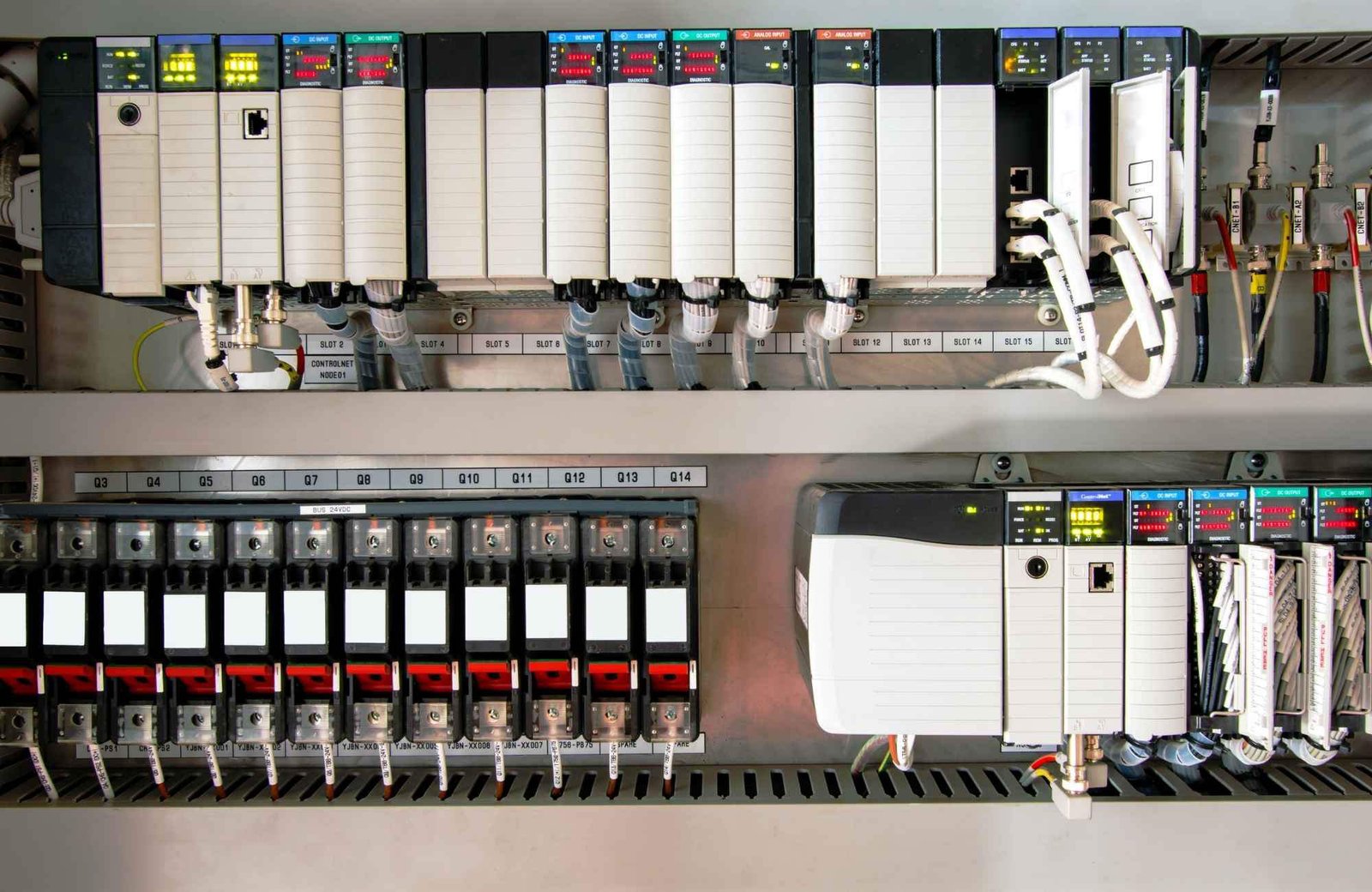
Troubleshooting AB PLC Non-Recoverable Faults: A Field Guide

How to Export & Analyze Allen-Bradley Non-Recoverable Major Faults

Troubleshooting Allen-Bradley Non-Recoverable Major Faults: A Diagnostic Guide

The Critical Role of the PLC Fault Log

In industrial automation, a “Non-Recoverable Major Fault” signal usually means production has already halted. Consequently, the controller’s fault log becomes your most valuable diagnostic asset. Engineers must export this data to distinguish between firmware corruption and hardware failure. Moreover, accurate logs support Root Cause Analysis (RCA) and help meet regulatory standards like FDA 21 CFR Part 11. Without this data, maintenance teams often waste hours guessing the cause of unplanned downtime.

Troubleshooting AB PLC Non-Recoverable Faults: A Field Guide

Understanding Fault Types and Code Granularity

Allen-Bradley systems, including ControlLogix and CompactLogix, categorize errors by Type, Code, and Extended Code. These specifics are vital because a non-recoverable fault often indicates a deep hardware or firmware conflict. For example, my field experience shows that electrostatic discharge (ESD) often triggers memory corruption. While front-panel LEDs might show a generic red light, the exported log reveals the specific memory address failure. Therefore, granular data is essential for preventing repeat occurrences in high-stakes factory automation environments.

Protecting Data in Volatile Controller Memory

Controllers store fault logs in volatile memory, which clears if the system loses power. To prevent data loss, I highly recommend installing a non-volatile memory module, such as the 1784-SD2. This hardware ensures the fault history survives a power cycle or a complete CPU reset. In continuous-process industries, losing this history can extend the Mean Time to Repair (MTTR) significantly. Furthermore, a permanent record is necessary for compliance audits in pharmaceutical or chemical plants.

Navigating Studio 5000 Compatibility Issues

Exporting a detailed fault log requires the correct version of Studio 5000 Logix Designer. If you use a mismatched software version, you might go online but miss critical “Extended Code” details. Always ensure your workstation software version matches or exceeds the controller’s major firmware revision. In addition, maintaining a multi-version installation on your engineering laptop prevents “diagnostic blind spots” when working with legacy control systems.

A Field-Proven Workflow for Exporting Logs

When a fault occurs, follow a disciplined technical process to ensure you capture every detail. Do not rush to clear the fault immediately, as this erases the evidence needed for a permanent fix.

  1. Establish a secure connection using Studio 5000 Logix Designer.
  2. Navigate to Controller Properties and select the Major Faults tab.
  3. Record the specific Fault Type, Code, and Extended Code.
  4. Select Tools then Save Project with Fault Information.
  5. Capture screenshots of the Diagnostics tab for additional context.

Practical Maintenance Insights from the Factory Floor

In high-EMI (Electromagnetic Interference) environments, “Non-Recoverable” faults often stem from poor grounding rather than a defective CPU. Before replacing expensive hardware, I suggest inspecting surge suppression and backplane integrity. If a controller faults repeatedly after power cycles, the power supply is the most likely culprit. Powergear X Automation experts often find that replacing the power supply solves 30% of persistent non-recoverable errors without needing a new processor.

The Powergear X Automation Perspective on Reliability

At Powergear X Automation, we believe that data-driven maintenance is the backbone of modern industrial reliability. We often see teams replace CPUs prematurely due to a lack of diagnostic clarity. By integrating non-volatile memory and robust firmware version control, you create a more resilient control system. If you are looking to upgrade your legacy systems or need high-quality replacement modules, our team provides the technical expertise to ensure your hardware choices match your operational needs.

Application Scenario: Resolving Intermittent Backplane Failures

In a large-scale pharmaceutical packaging line, a ControlLogix CPU reported a non-recoverable fault every 48 hours. By exporting the fault log, the engineering team identified “Type 01 Code 01” errors, which pointed to backplane communication issues. Instead of replacing the CPU, they discovered a loose 1756-A10 chassis mounting bolt causing intermittent grounding issues. This discovery saved the plant over $10,000 in unnecessary hardware costs.

Frequently Asked Questions (FAQ)

1. Does a non-recoverable fault always require a hardware replacement?
No, it does not. Statistics suggest nearly 50% of these faults result from power quality issues or firmware glitches. Always analyze the “Extended Fault Code” before purchasing new components.

2. What is the most common mistake made during an emergency fault event?
The most common error is clearing the fault or cycling power before exporting the log. This action permanently deletes the diagnostic breadcrumbs needed for a true root cause analysis.

3. How can I ensure my fault logs are preserved during a total power failure?
You should equip every mission-critical Allen-Bradley PLC with an industrial-grade SD card (non-volatile memory). Configure the controller to store “Project and Fault” data to the card on every major fault event.

Back to Top
Product has been added to your cart