Over 50,000 hot-selling automation module components.
Universal I/O Integration: Honeywell CC-PUIO31 on CC-TUIO01

Universal I/O Integration: Honeywell CC-PUIO31 on CC-TUIO01

Optimizing Honeywell Experion Systems with CC-PUIO31 and CC-TUIO01 Integration

The Honeywell CC-PUIO31 module installs directly onto the CC-TUIO01 baseplate. This hardware pairing delivers a sophisticated Universal I/O solution for modern industrial environments. However, achieving peak performance requires more than a physical connection. Engineers must evaluate system release levels, power distribution, and grounding strategies. Success depends on aligning these technical variables with Honeywell’s specific Universal I/O standards.

Universal I/O Integration: Honeywell CC-PUIO31 on CC-TUIO01

The Versatility of Universal I/O Architecture

The combination of CC-TUIO01 and CC-PUIO31 introduces software-defined I/O to the Honeywell Experion platform. This technology allows a single hardware channel to function as AI, AO, DI, or DO. Consequently, engineers can reconfigure channels through software without changing physical wiring. This flexibility significantly reduces engineering risks during late-stage project modifications. Furthermore, it minimizes the need for extensive spare parts inventory in large-scale plants.

Critical Hardware Compatibility and Power Management

The CC-TUIO01 baseplate serves as the essential mechanical and electrical interface for the CC-PUIO31 module. While they fit together perfectly, the CC-PUIO31 demands more power than traditional fixed-function modules. Therefore, you must verify your 24 VDC field power supply capacity before installation. Undersized power supplies often lead to intermittent channel failures rather than total system shutouts. Adequate power sizing ensures long-term stability in demanding process environments.

Software Dependencies and Firmware Requirements

Functionality relies heavily on the Experion PKS system release and firmware versions. Typically, CC-PUIO31 requires Experion R430, R431, or later versions to operate correctly. Although the hardware may physically mount on older systems, the software might not recognize the Universal I/O capabilities. As a result, users could face commissioning delays or unexpected upgrade costs. Always cross-reference the Honeywell firmware compatibility matrix before beginning a brownfield project.

Best Practices for Reliable Industrial Installation

Professional installation determines the reliability of your control system in harsh conditions. Even though channels are software-defined, smart physical planning remains necessary. For instance, you should avoid placing low-level analog signals next to high-frequency digital lines. In addition, always utilize single-point grounding at the control cabinet to prevent signal interference. Properly terminated shield drains at the terminal base prevent the 4–20 mA instability common in industrial sites.

Powergear X Automation Expert Insights

At Powergear X Automation, we observe that Universal I/O technology represents the future of DCS flexibility. We recommend that engineers perform a thermal cycle check after the initial startup. Tightening terminal screws after the first heating cycle prevents micro-loosening in high-vibration areas like compressor skids. This simple maintenance step eliminates hard-to-diagnose intermittent alarms. For high-quality components and expert support, visit Powergear X Automation to explore our comprehensive hardware solutions.

Technical Summary Checklist

  • Verify System Version: Ensure Experion PKS is at R430 or higher.
  • Power Calculation: Confirm 24 VDC field power supports higher PUIO demand.
  • Wiring Integrity: Use ferrules and maintain proper grounding.
  • ⚙️ Channel Mapping: Plan signal types in software before commissioning.
  • 🔧 Maintenance: Re-torque terminals after the system reaches operating temperature.

Application Scenario: Brownfield Plant Revamp

A major chemical refinery recently transitioned from fixed I/O to the CC-PUIO31 and CC-TUIO01 architecture. During the final commissioning phase, the team discovered several instruments required different signal types than originally planned. Because they used Universal I/O, the engineers changed the channel configurations in the software within minutes. This eliminated the need for cabinet rewiring and saved the project approximately three weeks of labor.

Frequently Asked Questions (FAQ)

1. Can I use the CC-TUIO01 baseplate with traditional AI or DI modules?
No, the CC-TUIO01 is designed exclusively for Universal I/O modules like the CC-PUIO31. Traditional fixed-function modules require their own specific terminal assemblies.

2. What happens if I install CC-PUIO31 on an older Experion release?
The module might power up, but the system will likely fail to configure the universal channels. You will lack the software interface needed to define the I/O types.

3. Why is grounding so critical for the CC-PUIO31?
The high-density nature of 30 universal channels makes the module sensitive to electromagnetic interference. Proper grounding ensures signal integrity for sensitive 4–20 mA loops.

For more information on optimizing your control system hardware, discover the latest products at Powergear X Automation.

Step-by-Step Setup Guide for GE PACSystems RX3i PLC: Mastering Industrial Automation

Step-by-Step Setup Guide for GE PACSystems RX3i PLC: Mastering Industrial Automation

Why the PACSystems RX3i is Crucial for Modern Control Systems

The GE PACSystems RX3i is a powerful PLC (Programmable Logic Controller). It is a key component in modern industrial automation. This controller offers high-speed processing and robust features. Its advanced capabilities support complex control tasks. Many engineers rely on the RX3i platform. Its versatility makes it suitable for various factory automation needs. We will explore the necessary setup steps below. This guide ensures a smooth and efficient deployment process. Understanding this platform provides a significant industry advantage.

Step-by-Step Setup Guide for GE PACSystems RX3i PLC: Mastering Industrial Automation

Initial Hardware Configuration and Module Installation

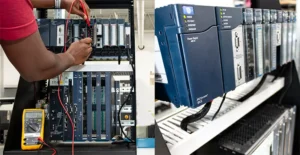
Begin the setup by mounting the main rack or backplane. Secure it firmly in the electrical panel. Next, install the main CPU module. This module is the brain of the control systems. Ensure all expansion modules are correctly seated. These modules may include I/O, communication, or specialized cards. Always check the physical connections carefully. A loose connection can cause system instability. Therefore, meticulous hardware setup is extremely important. This foundational step dictates the reliability of your system.

Connecting Power and Grounding: Ensuring System Integrity

Proper power and grounding are non-negotiable for any PLC. Connect the primary power source to the CPU and the power supply module. Refer to the GE product manual for exact voltage specifications. Incorrect voltage can damage sensitive electronics. Moreover, robust grounding minimizes electrical noise and interference. Use dedicated grounding points on the backplane. Good grounding protects your system from surges. This attention to detail upholds the principle of trustworthiness (E-E-A-T).

Software Installation and Project Creation

The PACSystems RX3i utilizes the Machine Edition (ME) software. Install this programming environment onto your engineering workstation. After installation, launch the ME application. Create a new project specific to your application. Select the correct RX3i CPU type from the hardware catalog. In addition, configure the rack and add all installed modules virtually. This digital representation must match your physical setup perfectly. This step establishes the basis for all control logic.

Step-by-Step Setup Guide for GE PACSystems RX3i PLC: Mastering Industrial Automation

Establishing Communication and Downloading the Initial Program

Configure the communication driver settings in the ME software. Typically, this uses an Ethernet connection. Assign a unique IP address to the RX3i CPU. The IP address must fit your plant network scheme. Once communication is verified, a successful connection icon will appear. Write a simple test program, perhaps a basic I/O check. As a result, you can download this initial program to the PLC. Switching the PLC to ‘Run’ mode verifies basic operational success. My own experience shows this simple test prevents later frustration.

Configuration of I/O Modules and Tag Database

The correct configuration of I/O is vital for DCS integration and control. Double-click each module in the ME software to set parameters. These include addressing, input filtering, or output type (e.g., analog, discrete). Define meaningful names for all I/O points in the tag database. Descriptive tags improve program readability and troubleshooting. However, avoid overly complex tag names that might confuse others. Clear documentation enhances the overall authority of your system design.

Author’s Insight: The Trend Toward Cybersecurity

The integration of industrial automation systems now demands strong cybersecurity. The RX3i offers features like secure boot and enhanced authentication. Engineers should prioritize network segmentation for PLCs. Never connect a control network directly to the public internet. This proactive approach protects critical infrastructure. Therefore, modern setup guides must include security considerations. This is my professional view on the evolving control landscape.

Step-by-Step Setup Guide for GE PACSystems RX3i PLC: Mastering Industrial Automation

Post-Setup Validation and System Documentation

Thoroughly test all hardware and software functionalities. Validate every input and output point. Check the system’s response to various operational scenarios. Document all IP addresses, tag definitions, and configuration settings. Comprehensive documentation is crucial for future maintenance. A well-documented system reflects high expertise and trustworthiness.

Application Scenario: High-Speed Packaging Line

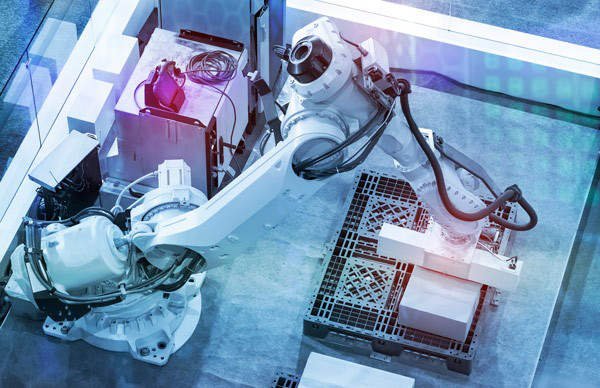
The RX3i excels in high-speed, demanding applications. Consider a scenario in a packaging facility. The fast processing speed of the RX3i accurately coordinates multiple servo motors. It manages vision systems for quality checks and integrates safety functions. This application highlights the PLC’s power in complex motion control and data handling, a staple of advanced factory automation.

Discover Advanced Industrial Solutions

Are you looking to optimize your industrial automation projects with the power of GE PACSystems RX3i or other robust control systems? Learn how a leading solutions provider can elevate your facility’s performance.

Back to Top
Product has been added to your cart