


Product details
Product Overview
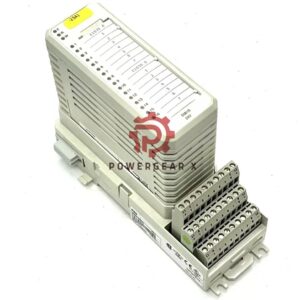
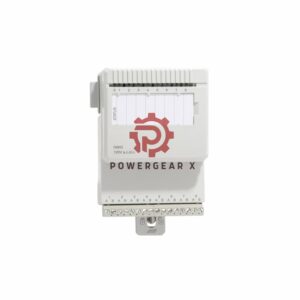
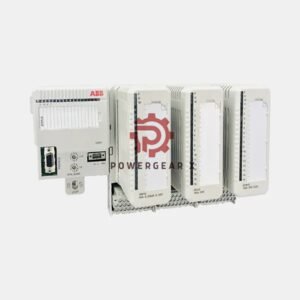
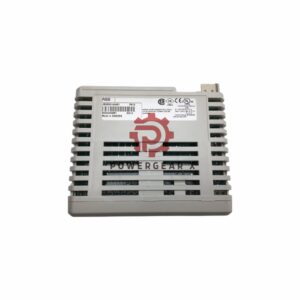
- The 1560-PDP2 is a PROFIBUS to SCANport communication adapter from Allen-Bradley.
- It helps SCANport devices talk to a PLC or another DP network.
- It supports up to 32 parameter values.
- It runs in PROFIBUS DP slave mode with the SPC3 chipset.
- It reaches a maximum baud rate of 12 M.
- It supports up to 126 nodes with 3 repeaters.
- Red and green LEDs show PROFIBUS and SCANport status.
- It suits drives and industrial control systems that need fast, reliable data exchange.
- It is a practical choice for retrofits and new builds alike.
Technical Specifications
- Brand: Allen-Bradley
- Model: 1560-PDP2
- Series: SMC-Flex
- Category: Drives
- Module type: Communication adapter
- Baud rate: 12 M
- Parameter values: 32
- Voltage: 85–264 V AC
- Frequency: 45–63 Hz
- Current draw: 65 mA at 24 V DC
- DIP switch slave addresses: 1–63
- Parity setups: none, odd, even
- Connectors: RS-232, RS-422 or RS-485 female 9-pin D-shell
- Mounting: DIN Rail clip
- Operating temperature: 0–50 °C
- Enclosure: open type; protect from water sprays
- Weight: 225.00 lbs (102.06 kg)
- Status indicators: red and green LEDs
- Pre-assigned map: yes, for command, control and reference data
Installation Guide
- Mount the adapter on a standard DIN rail with the built-in clip.
- Keep the open enclosure away from water sprays and moisture.
- Set the slave address with DIP switches from 1 to 63.
- Choose parity: none, odd or even.
- Use the 9-pin D-shell connector for RS-232, RS-422 or RS-485 wiring.
- Confirm the 85–264 V AC supply and 45–63 Hz frequency.
- Check the red and green LEDs after power-up.
- Keep ambient temperature between 0 and 50 °C.
Commissioning and Maintenance
- Set addresses and parity before you connect the network.
- Use the LED indicators for fast fault finding.
- The pre-assigned map speeds up command and control setup.
- No special software is needed for basic address setup.
- Clean the open enclosure only when power is off.
- Check wiring and DIP switch settings during routine service.
- The adapter draws only 65 mA at 24 V DC, so it runs cool.
Compatibility Notes
- Fully compatible with the 1336 Plus, 1397, 1305, SMP3 and other Allen-Bradley products.
- Works with SCANport devices and PROFIBUS DP networks.
- Supports up to 126 nodes with 3 repeaters.
- Uses PROFIBUS DP slave mode with the SPC3 chipset.
- Supports RS-232, RS-422 and RS-485 connections.
Certification and Packaging
- Certification: confirm the current certificate with the supplier before order.
- Package list: 1560-PDP2 adapter, DIN rail mounting clip, quick start guide.
- Warranty: 12 months.
- Dispatch: 12–24 hours after order confirmation.
- Couriers: FedEx, UPS and DHL.
- Contact for inquiries: sales@powergearx.com or +86 18030005825.
Manager’s Insight
- This adapter is a solid bridge for older SCANport drives.
- It saves time when you move a drive onto a PROFIBUS DP line.
- The 12 M baud rate and 32 parameter values cover most drive tasks.
- DIP switch setup keeps commissioning simple and predictable.
- Stock this unit for maintenance teams that run mixed Allen-Bradley fleets.
Expert Review
- The 1560-PDP2 is a focused, proven communication module.
- Its SPC3 chipset and PROFIBUS DP slave mode are well understood in the field.
- LED status makes troubleshooting quick for technicians.
- The 0–50 °C range suits most control cabinets.
- The open enclosure needs a dry, protected location.
- Overall, it is a reliable choice for SCANport to PROFIBUS links.
Best Fit Devices and Applications
- Allen-Bradley 1336 Plus, 1397, 1305 and SMP3 drives.
- SCANport devices that must join a PROFIBUS DP network.
- Factory automation lines with PLC control.
- Retrofit projects that keep existing drives in service.
- Water treatment, material handling and packaging machinery.
- Systems that need fast parameter exchange and simple setup.
FAQ
- Q: What does this adapter do?
- A: It links SCANport devices to a PROFIBUS DP network.
- Q: How many parameter values can it handle?
- A: It supports up to 32 parameter values.
- Q: How do I set the slave address?
- A: Use the DIP switches to pick a value from 1 to 63.
- Q: What is the top baud rate?
- A: The maximum baud rate is 12 M.
- Q: Which connectors does it use?
- A: It uses RS-232, RS-422 or RS-485 female 9-pin D-shell connectors.
- Q: What is the operating temperature range?
- A: It runs between 0 and 50 °C.
- Q: Can it sit in a wet area?
- A: No. The open enclosure must stay dry and away from water sprays.
- Q: How fast do you ship?
- A: We dispatch in 12–24 hours via FedEx, UPS or DHL.
- Q: What warranty do I get?
- A: You get a 12-month warranty.
- Q: From experience, what check comes first on site?
- A: Check the DIP address and the red and green LEDs first.
- Q: What is a common buying mistake?
- A: Buyers often forget the 3-repeater limit for 126 nodes.
- Q: How do I confirm compatibility?
- A: Match your drive model and network type before you order.
Buying Guide
- Confirm your drive is a SCANport model such as 1336 Plus, 1397, 1305 or SMP3.
- Check that your network uses PROFIBUS DP.
- Plan node count and repeaters before you buy.
- Make sure the cabinet stays between 0 and 50 °C.
- Keep the mounting spot dry and free of water sprays.
- Order early; dispatch takes 12–24 hours.
- Ask us for stock and lead time at sales@powergearx.com or +86 18030005825.
Contact Information
- Email: sales@powergearx.com
- WhatsApp: +86 18030005825
- We reply fast and help you pick the right module.
Copyright © 2026 Powergear X Automation Limited. All rights reserved.
Original Source: https://www.powergearx.com/


There are no reviews yet.