Over 50,000 hot-selling automation module components.
A6110 Shaft Vibration Monitor API 670 Protection for Critical Assets

A6110 Shaft Vibration Monitor: API 670 Protection for Critical Assets

The A6110: Essential Protection for Rotating Equipment

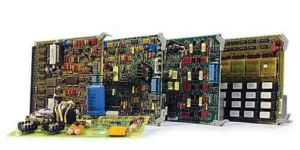
Critical rotating machinery demands reliable protection. The A6110 Shaft Relative Vibration Monitor delivers this essential safeguard. This single-slot module fits seamlessly into existing AMS 6500 systems. Moreover, it rigorously adheres to stringent API 670 standards. It uses advanced non-contact eddy current sensors. Consequently, the A6110 accurately measures shaft relative vibration. Early detection of issues prevents catastrophic machine failures. This proactive approach minimizes costly downtime in industrial automation settings.

Precision Measurement and Technical Edge

The A6110 boasts impressive technical specifications. It features two independent input channels. Eddy current displacement sensors provide the core input data. This setup ensures high-precision monitoring. The wide frequency range, from 1 Hz to 2000 Hz, captures all relevant vibration data. Powering the module requires a standard 24 VDC supply. Furthermore, it operates reliably within a 0° to 65°C temperature range. Compliance with both API 670 and DIN standards confirms its superior quality and dependability.

A6110 Shaft Vibration Monitor API 670 Protection for Critical Assets

Seamless Integration with Control Systems

Effective communication is crucial for modern control systems. The A6110 excels in this area. It provides 4-20 mA current outputs for easy PLC or DCS integration. Additionally, 0-10 VDC voltage outputs offer proportional vibration signals. For configuration, an RS-232 interface is standard. Critically, ModBus TCP/IP ensures robust data communication across the network. Buffered raw signal outputs are available for detailed diagnostic analysis. These features make it a versatile component in any factory automation architecture.

A Hot-Swappable Solution for Maximum Uptime

Downtime severely impacts productivity. Therefore, the A6110 features a valuable hot-swappable design. Technicians can replace the module without system shutdown. This capability guarantees maximum operational uptime. The monitor typically protects equipment like steam and gas turbines, high-speed compressors, and large sleeve-bearing pumps. In addition, it supports sensor installations up to 300 meters away. This flexibility is vital for extensive industrial facilities. The A6110 embodies a commitment to continuous, reliable operation.

A6110 Shaft Vibration Monitor API 670 Protection for Critical Assets

Expert Insight: Enhancing Reliability and Predictive Maintenance

The adherence to API 670 is a non-negotiable standard for critical rotating equipment. The A6110 meets this industry benchmark, confirming its reliability and precision. I believe its integration of ModBus TCP/IP is particularly significant. This modern protocol facilitates true predictive maintenance strategies. It allows maintenance teams to transition from reactive to proactive intervention. This shift significantly reduces unexpected shutdowns and extends equipment lifespan. Investing in the A6110 means investing in long-term asset health.

Solution Scenario: Turbine Generator Protection

Consider a power generation facility using a large steam turbine. The A6110 is the ideal protection solution here. Two independent eddy current probes mount at the turbine shaft bearings. They continuously measure relative shaft movement. The module instantly transmits data via ModBus TCP/IP to the plant’s DCS. If vibration levels rise, the control system triggers an alarm or shutdown. This immediate response prevents severe damage to the turbine and generator. The A6110 ensures the integrity of this high-value, critical asset.

A6110 Shaft Vibration Monitor API 670 Protection for Critical Assets

Discover the robust protection and seamless integration of the A6110 monitor.

Click here to explore how Powergear X Automation Limited can integrate this essential technology into your critical machinery protection strategy.

Emerson 8mm to Bently Nevada Integration

Emerson 8mm to Bently Nevada Integration: Guide for 3300 & 3500 Systems

Understanding the Integration Challenge in Industrial Automation

Integrating diverse components forms the backbone of modern industrial automation. Engineers frequently face the challenge of connecting third-party sensors to legacy or proprietary monitoring systems. This scenario often arises when merging Emerson’s reliable 8mm proximity sensors with the ubiquitous Bently Nevada 3300 and 3500 machinery protection systems. Successful integration is critical for effective machine health monitoring. A smooth connection ensures reliable data flow for predictive maintenance. Therefore, careful planning and technical understanding become essential.

Emerson 8mm to Bently Nevada Integration

The Role of Proximity Sensors in Machinery Protection

Proximity sensors, like the Emerson 8mm series, play a vital role in measuring shaft position, vibration, and speed. These non-contact sensors generate a voltage output proportional to the gap distance. The Bently Nevada control systems, specifically the 3300 and 3500 rack monitors, require a specific signal input. However, direct electrical compatibility between brands may not exist. The sensor and the monitor must meet specific requirements for sensitivity (mV/mil), linearity, and range. This standardization ensures data accuracy for critical machinery.

Technical Specifications: Bridging the System Gap

Proper connection requires matching the key technical specifications of both systems. Emerson 8mm sensors typically use an external power supply and a coaxial cable for signal transmission. The Bently Nevada 3300 and 3500 series expect a buffered, conditioned signal. In addition, the system’s power requirements must align. Using an interface or conditioning module often solves potential electrical discrepancies. Experienced technicians confirm signal integrity across the entire operating range. Consequently, the selection of a suitable signal conditioner is paramount.

Emerson 8mm to Bently Nevada Integration

Practical Steps for a Seamless PLC/DCS Integration

  1. Verify the sensor’s power supply and current draw.
  2. Confirm the required gap voltage for the Bently Nevada input card.
  3. Use an interface module to translate the signal to the monitor’s expected format.
  4. Calibrate the entire measuring chain end-to-end.
  5. Update documentation and wiring schematics in the DCS or PLC records.

This diligence maintains system reliability and compliance.

Author’s Insight: Enhancing System Trustworthiness

Based on my experience, never compromise on cable quality or shielding. Noise interference significantly affects proximity sensor readings. Using specialized junction boxes with proper grounding improves system trustworthiness. Furthermore, consider future expansion or upgrades. Selecting a configurable interface module allows for easier scaling. The Bently Nevada 3500 offers greater flexibility, but the fundamental signal conditioning principle remains the same. Investing in quality components reduces long-term maintenance costs.

Emerson 8mm to Bently Nevada Integration

Application Scenario: Turbo-machinery Monitoring

Imagine a large industrial facility using turbo-machinery. Continuous, accurate shaft vibration data prevents catastrophic failures. Emerson 8mm sensors monitor the shaft displacement. The Bently Nevada 3500 system provides continuous, real-time protection and alarming. This blended solution leverages the strengths of both brands. The interface module acts as the crucial link, ensuring reliable data delivery to the central control systems. This successful integration minimizes downtime and maximizes asset utilization.

Need the right components for your integration?

Powergear X Automation Limited offers specialized interface solutions to perfectly match Emerson 8mm sensors with Bently Nevada systems. Click the product links below for detailed specifications and to compare models.

Product Comparison Guide

Product ModelKey FeatureApplication Focus
EZ1081-03-00-010High-speed data throughputCritical Turbomachinery
EZ1080-12-00-010Extended temperature rangeHarsh environments
EZ1080-18-08-010Integrated signal filteringHigh-noise applications

Product Selection Details

EZ1081-03-00-010: This model focuses on rapid data acquisition, ideal for high-speed machinery where minimal latency is critical. It ensures quick response in protection scenarios.

EZ1080-12-00-010: Designed for resilience, this unit operates reliably in extreme temperatures, making it suitable for unconditioned industrial spaces or outdoor applications.

EZ1080-18-08-010: With built-in noise reduction capabilities, this model is the superior choice for electrically noisy areas, guaranteeing clean, accurate signal transmission to the Bently Nevada monitor.

The Hidden Cost of Heat: How Overheating Kills Drives and PLCs

Understanding the Silent Killer in Industrial Automation

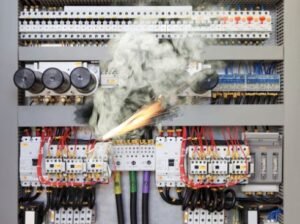
Heat is an insidious enemy in industrial automation. It quietly degrades critical components. High temperatures directly shorten the lifespan of Variable Frequency Drives (VFDs) and Programmable Logic Controllers (PLCs). Therefore, ignoring thermal management guarantees future failures. Engineers must prioritize effective cooling solutions now. This proactive approach saves significant repair costs later. High ambient temperatures severely challenge control systems.

The Hidden Cost of Heat How Overheating Kills Drives and PLCs

The Critical Impact on PLCs and DCS Modules

PLCs (Programmable Logic Controllers) are the brains of factory automation. Distributed Control Systems (DCS) also rely on sensitive electronics. Excessive heat accelerates component aging within these modules. Moreover, heat can introduce subtle data corruption errors. These errors compromise system reliability and safety. Proper enclosure cooling is not optional; it is mandatory. For instance, reputable manufacturers like Siemens and Rockwell Automation specify strict operating temperature limits. Ignoring these limits voids warranties and risks catastrophic downtime.

VFDs and Motor Drives: Thermal Stress Points

Variable Frequency Drives (VFDs), or motor drives, generate considerable heat themselves. They handle high currents to control motor speed. Internal power semiconductors (IGBTs) are especially susceptible to thermal stress. As a result, overheating drastically reduces IGBT life. Frequent thermal cycling also weakens solder joints. This eventually leads to intermittent faults and complete drive failure. Effective dissipation of this internal heat is vital for drive longevity. Manufacturers must design for robust thermal management.

The Hidden Cost of Heat How Overheating Kills Drives and PLCs

Experience and Expertise: The Cost of Component Degradation

My field experience confirms heat damage is slow but inevitable. We often see technicians replacing components prematurely. They replace them not due to electrical fault, but due to thermal fatigue. Overheated capacitors bulge and fail. Control boards become brittle and cracked. In addition, dust buildup often exacerbates the heat problem. This creates a vicious cycle of rising temperatures and accelerating failure rates. Preventing this requires regular inspection and cleaning protocols. Maintaining lower operating temperatures maximizes the system Mean Time Between Failures (MTBF).

Selecting the Right Enclosure Cooling Solution

Implementing effective cooling is the only defense against thermal death. Choosing the right method depends on the environment. Air conditioners offer precise temperature and humidity control. However, they require maintenance and consume energy. Filtered fan systems are simpler but only work when the ambient air is clean and cooler. For extreme or dirty environments, advanced liquid cooling or specialized heat exchangers are better options. Companies must budget for robust thermal solutions within their industrial automation projects. This investment ensures long-term operational success.

The Hidden Cost of Heat How Overheating Kills Drives and PLCs

Author’s Viewpoint: A Proactive Shift in Maintenance

Many companies still adopt a reactive maintenance strategy. They only fix equipment after it fails. This approach is costly and inefficient in the modern era. I believe a shift to proactive thermal monitoring is crucial. Implementing thermal imaging during routine checks can identify hot spots early. Therefore, corrective action can be taken before failure occurs. This proactive stance significantly reduces unscheduled downtime. It also enhances the overall safety and productivity of the factory automation line. This is a clear indicator of a mature maintenance program.
Application Case: Optimizing Control Panel Life

Prolonging the life of your control systems requires premium cooling solutions. Powergear X Automation Limited offers high-performance thermal management products. They help protect your sensitive PLCs, DCS, and VFDs from destructive heat.

ModelCooling Capacity (BTU/hr)FeaturesBest Application
CoolMax 25002,500Compact design, high efficiency, basic display.Small-to-Mid Enclosures, Clean Environments
ThermoGuard 60006,000Robust construction, integrated condensate evaporator, IoT monitoring ready.Mid-to-Large Enclosures, High Heat Loads
EcoCool 40004,000Energy-saving inverter technology, NEMA 4X rated (corrosion resistant).Outdoor/Washdown Areas, Energy Critical Sites

Selection Guidance:

  • For a compact panel with a moderate heat load in a clean indoor setting, the CoolMax 2500 offers a cost-effective, efficient solution.
  • If your enclosure is large, houses multiple VFDs, and requires robust monitoring, the ThermoGuard 6000 provides necessary capacity and advanced features.
  • When environmental protection (dust, water, corrosion) and energy savings are top priorities, the EcoCool 4000 with its NEMA 4X rating and inverter technology is the ideal choice.

Protect Your Investment Now. Click here to explore the full range of Powergear X Automation Limited cooling products and secure your system’s longevity.

The GE Speedtronic Mark VI Essential for Turbine Control and Industrial Automation

The GE Speedtronic Mark VI: Essential for Turbine Control and Industrial Automation

Mastering Industrial Automation with GE Mark VI

The GE Speedtronic Mark VI is a powerful system. It controls and protects gas and steam turbines. This guide explores its crucial role in industrial automation. Furthermore, it details system architecture and key components. Operators rely on the Mark VI for reliable performance.

The GE Speedtronic Mark VI Essential for Turbine Control and Industrial Automation

Understanding the Mark VI System Architecture

The Mark VI uses a triple modular redundant (TMR) design. This architecture ensures high system availability. It minimizes the risk of unexpected shutdowns. The system employs three separate controllers. These controllers process input signals simultaneously. The outputs are voted on before execution. DCS and PLC systems also use redundancy. However, the Mark VI focuses specifically on turbine control. This specialization provides superior protection.

Core Components: The Heart of Turbine Control

Key modules define the Mark VI hardware. The Control Module (UCPx) handles core logic. Input/Output (I/O) modules connect field devices. They manage signals from sensors and actuators. Furthermore, they process vibration and temperature data. The Human-Machine Interface (HMI) allows operator interaction. This interface offers real-time monitoring. These components work together seamlessly. This integration is vital for reliable operation.

The GE Speedtronic Mark VI Essential for Turbine Control and Industrial Automation

Mark VI Versus Traditional Control Systems

Traditional PLC or older DCS systems lack this depth. The Mark VI provides specialized turbine control functions. It includes complex sequencing and fuel control. Moreover, it offers advanced diagnostics. This functionality is crucial for modern power generation. Older systems often require custom programming. The Mark VI provides proven, pre-engineered solutions. Therefore, it reduces engineering time and cost. It is a benchmark in control systems.

Implementing Mark VI in Factory Automation

The Mark VI extends beyond power plants. It finds applications in various factory automation settings. Processes requiring high-speed control benefit greatly. These include large compressors and critical pumps. Its robustness meets stringent industry standards. In addition, its fault tolerance is highly valued. This makes the Mark VI a versatile choice. Many engineers trust the GE name.

Maintenance and Long-Term Reliability

Proper maintenance is essential for Mark VI longevity. Regular software updates are necessary. Technicians must check I/O modules frequently. Moreover, documentation review keeps knowledge current. The TMR design inherently boosts reliability. However, component failures still occur. Therefore, a robust maintenance plan is crucial. This proactive approach saves significant costs. It prevents costly unplanned downtime.

The GE Speedtronic Mark VI Essential for Turbine Control and Industrial Automation

Author’s Insight: The Digital Future of Turbine Control

I believe the Mark VI remains a strong platform. Its TMR structure sets an industry high bar. Newer systems, however, push further into digitalization. They incorporate more predictive maintenance tools. The integration of data analytics is now essential. Mark VI users should embrace these upgrades. This ensures continued peak performance. Staying current is key in evolving industrial automation.

Application Solutions and Component Selection

Choosing the right components is critical. Consider system size and redundancy needs. Powergear X Automation Limited offers expertise and spares. We specialize in Mark VI components.

Powergear X Component Spotlight and Comparison

Here are some critical Mark VI components. Understanding their roles aids selection:

Model NumberDescriptionPrimary FunctionRedundancyKey Differentiator
IS200EGDMH1AExcitation Gate Drive ModuleDrives SCRs for excitation controlSingleCore component for generator excitation control
IS420UCSBH4AUnit Control Sub-System BoardMain processor board for core control logicTriple (TMR)High-performance TMR processor, critical for safety
IS420ESWBH1AEthernet Switch BoardNetwork communication within the control panelSingleBasic network connectivity for control panels
IS420ESWBH3AEnhanced Ethernet Switch BoardAdvanced network and communication featuresSingleImproved throughput and potentially more ports
IS420UCSBS1AUnit Control Sub-System BoardMain processor board, often non-TMR or SimplexSingleAlternative processor for non-critical or Simplex systems

Need Mark VI parts or expert support?

Click here to explore Powergear X Automation Limited‘s full range of GE Speedtronic Mark VI products and solutions.

Troubleshooting Excitation System Alarms for Industrial Automation

GE EX2100 Diagnostics: Troubleshooting Excitation System Alarms for Industrial Automation

Understanding the Critical Role of the EX2100 System

The GE EX2100 excitation system is vital. It regulates generator voltage effectively. This system ensures power grid stability. However, alarm codes sometimes appear. Diagnosing these codes quickly is essential. Timely action minimizes costly downtime. Excitation systems are core to reliable power generation. They function as a key part of industrial automation.

Troubleshooting Excitation System Alarms for Industrial Automation

Decoding Common EX2100 Alarm Code Categories

Alarm codes often fall into logical groups. These groups relate to hardware faults or control issues. For instance, a “Field Ground” alarm signals an electrical leak. Another common category involves communication errors. The EX2100 integrates with DCS and control systems. Therefore, network communication faults are frequent. Knowing the category helps pinpoint the source. Technicians must understand the system manual thoroughly.

Step-by-Step Approach to Alarm Code Diagnosis

  1. Start by acknowledging the alarm on the HMI.
  2. Next, immediately record the exact code number.
  3. Use the GE documentation to cross-reference the code.
  4. The manual provides the most likely cause.
  5. Moreover, check the system’s status LEDs.
  6. These visual cues offer valuable initial feedback.
  7. System logs provide historical context.
  8. They can reveal intermittent issues.
  9. Never reset an alarm without understanding its root cause first.

Troubleshooting Excitation System Alarms for Industrial Automation

Troubleshooting Hardware and I/O Faults

Many codes indicate a physical problem. Inspect input/output (I/O) boards carefully. Look for loose connectors or burnt components. Specifically, check the power supply units. The EX2100 relies on robust power quality. The I/O modules interface with PLC logic in many plants. Replacing a faulty card often resolves the issue. Always follow Lockout/Tagout procedures for safety.

Addressing Control Software and Parameter Issues

Some alarms relate to software or configuration. Parameter deviations can trigger alerts. Verify that the control settings match the operational requirements. A sudden load change might cause a transient alarm. However, a persistent “Control Deviation” suggests deeper tuning problems. Regular software backups are crucial. They allow for quick restoration after a configuration error. These systems embody complex factory automation.

Author Insight: The Shift Towards Predictive Diagnostics

I believe the future lies in predictive maintenance. Modern industrial automation leverages data analytics. The EX2100 generates a wealth of data. Analyzing trends in pre-alarm data is key. This shift prevents forced outages entirely. Proactive replacement is always better than emergency repair. Companies must invest in training their maintenance staff. Their expertise drives system reliability.

Enhancing Reliability: Best Practices for EX2100 Maintenance

  • Regular preventative maintenance is non-negotiable.
  • Perform system audits annually.
  • Check cooling systems and air filters often.
  • Heat is a major enemy of electronic components.
  • Furthermore, keep the firmware updated.
  • Newer versions often include bug fixes and better diagnostics.
  • A well-maintained EX2100 ensures maximum uptime.

Troubleshooting Excitation System Alarms for Industrial Automation

Application Case: Excitation System Solutions

Powergear X Automation Limited offers robust solutions for excitation system maintenance and upgrades. Click here to explore our product offerings and enhance your system’s performance.

We recommend comparing these critical control modules:

ModelFunctionSelection Guidance
IS200ECTBG2AExciter Control Termination Board: This board is the backbone for control signal interfacing. It handles communication between the control processor and field devices.Selecting this ensures precise control signal management.
IS200EDCFG1ADrive Control Feedback Board: This module is crucial for receiving and processing feedback signals from the power bridge. It guarantees accurate current and voltage regulation.This directly impacts generator stability.
IS200ERIOH1AExciter Redundant I/O Pack: This unit offers redundant I/O capacity. Redundancy is vital for high-reliability applications.Choosing this module minimizes the risk of single-point I/O failure.

Consider your application’s criticality when selecting. The ERIO offers maximum reliability. The ECTB and EDCF are foundational for core control.

Interfacing GE EX2100 with Industrial Networks

Achieving Seamless Control: Interfacing GE EX2100 with Industrial Networks

Understanding the GE EX2100 in Industrial Automation

The GE EX2100 is a critical component. It provides advanced control for synchronous machines. This excitation system is vital in power generation. Successful integration is essential for overall plant efficiency. Engineers must ensure reliable data exchange. Furthermore, the EX2100 often sits within a wider industrial automation framework. Its data feeds key supervisory systems.

Interfacing GE EX2100 with Industrial Networks

Selecting the Right Communication Protocol for Connectivity

Choosing the correct protocol is the first crucial step. The EX2100 typically supports standard control systems protocols. These include Modbus TCP/IP, OPC, or sometimes Ethernet/IP. Modbus TCP/IP offers robust, simple connectivity. OPC (OLE for Process Control) is common for SCADA data exchange. Therefore, protocol selection dictates network architecture. Engineers prioritize reliable, high-speed communication.

Interfacing the EX2100 with SCADA Systems

SCADA (Supervisory Control and Data Acquisition) systems oversee entire operations. The EX2100 must provide performance data to the SCADA. This usually happens via a dedicated server or gateway device. The gateway translates the EX2100’s native protocol. It converts this data into a format the SCADA understands. In addition, historical data logging becomes possible. Operators gain real-time visibility into machine health.

Interfacing GE EX2100 with Industrial Networks

Integrating the EX2100 into PLC Networks

Connecting to PLC (Programmable Logic Controller) networks requires precision. PLCs often handle fast, real-time control logic. The EX2100 needs to share specific operational parameters. This integration often uses the same Ethernet-based protocols. However, data mapping must be precise. This ensures the PLC receives critical status and command signals instantly. Reliable data exchange is paramount for coordinated control.

Architectural Best Practices for Reliable Data Flow

Effective integration demands a robust network design. A segmented network enhances security and performance. Control traffic (like PLC data) should separate from supervisory traffic (SCADA). Moreover, redundant communication paths increase system availability. Industry leaders like Siemens and Rockwell emphasize network security standards. This design principle minimizes the risk of production downtime.

Author’s Insight: The Convergence of DCS and EX2100

Many modern plants utilize a DCS (Distributed Control System). The DCS acts as a central factory automation platform. Integrating the EX2100 directly into the DCS offers significant advantages. It streamlines configuration and maintenance efforts. I believe direct DCS integration offers the most cohesive, unified control environment. This trend simplifies overall system architecture for large-scale industrial automation.

Interfacing GE EX2100 with Industrial Networks

Application Scenario: Power Plant Turbine-Generator Unit

In a gas turbine power plant, the GE EX2100 controls the generator’s excitation. We use a managed switch to connect the EX2100’s Modbus TCP/IP port. This switch links to the plant’s main SCADA server and the master PLC controller. The SCADA continuously monitors key parameters like field voltage and current. Simultaneously, the PLC receives status signals for generator breaker synchronization logic. This reliable data flow ensures safe, efficient power generation.

Recommendation for Robust Industrial Connectivity

Achieving high reliability in industrial automation requires specialized hardware. Solutions that bridge diverse protocols are essential.

For advanced control systems integration and high-performance industrial networking products, explore the solutions offered by Powergear X Automation Limited. Click here to view our range of industrial communication gateways and managed switches.

GE EX2100 Synchronization Guide

GE EX2100 Synchronization Guide: Mastering Turbine Control Integration

The Ultimate Guide to Synchronizing GE EX2100 with Turbine Control Systems

Mastering EX2100 Synchronization: The Core Challenge

The GE EX2100 Excitation System is vital. It manages generator voltage and reactive power. Synchronization with the main Turbine Control Systems (TCS) is critical. This process ensures smooth grid connection. Poor synchronization risks equipment damage. It also causes system instability. Industrial automation demands precision here. We must link the EX2100 with the DCS or PLC effectively. This guide outlines best practices.

GE EX2100 Synchronization Guide

Understanding the GE EX2100 Architecture

The EX2100 uses a powerful PLC platform. It communicates via high-speed digital networks. These often include Ethernet protocols. The system features redundant controllers for reliability. This design minimizes downtime risks. The main control processor handles complex algorithms. It integrates with turbine speed and load controls. Proper understanding is key to successful integration.

Communication Protocols for Seamless Integration

Effective synchronization relies on robust communication. Modbus TCP/IP is a common standard. Profibus or PROFINET are also frequently used. The selected protocol must be fast and reliable. Latency in communication is unacceptable. It affects the synchronization process timing. Clear data mapping between systems is mandatory. This ensures accurate signal exchange.

GE EX2100 Synchronization Guide

The Synchronization Sequence: A Technical View

Synchronization involves several critical steps. The TCS provides the generator speed reference. The EX2100 adjusts the excitation accordingly. Automatic synchronizers monitor voltage and frequency. They also check the phase angle difference. The circuit breaker closes only at zero-degree difference. This complex sequence requires precise timing. Factory automation tools facilitate this sequence control.

Expert Insight: Data Validation and Redundancy

Data integrity is paramount in control systems. All synchronization signals must be validated. Redundancy should be built into the communication paths. Loss of a signal could halt the operation. Dual communication links enhance system reliability. Moreover, cross-checking data prevents erroneous closures. This expert approach increases operational safety. Trustworthy systems maintain high uptime.

Case Study: DCS Integration for Enhanced Control

A major power plant utilized a DCS for centralized control. They needed to synchronize their EX2100 units. The DCS provided the master timing signal. It managed the overall grid connection sequence. This centralized approach simplified operator interaction. The unified platform improved system transparency. As a result, connection times were reduced significantly.

GE EX2100 Synchronization Guide

GE EX2100 Component Selection Guide

Choosing the right spares or upgrades is essential. Below are key GE EX2100 module comparisons.

Model NumberTypical FunctionNotes on Selection
IS200EPCTG1AExciter Processor Control CardCore processing module; critical for control logic.
IS200EDEXG1BQDrive Excitation InterfaceHandles power device interface; check revision carefully.
IS200EPSMG1AExcitation Power Supply ModuleProvides necessary control power; ensure correct voltage rating.
IS200CSLAH1ACommunication Server (Single Link)Manages external communication; suitable for non-redundant links.
IS200CSLAH4ACommunication Server (Quad Link)Enhanced communication redundancy; highly recommended for critical systems.
IS200TDBTH6ATermination Board (I/O)Interface for field wiring; verify I/O count matches application needs.

Author’s Comment: The trend is toward high-availability architecture. Therefore, prioritizing modules like the IS200CSLAH4A, which offers greater redundancy, is a sound investment. Reliability always outweighs minimal cost savings in power generation.

Solution Scenario: Modernization Project

A client needed to update aging components. Their goal was enhanced synchronization reliability. The solution involved upgrading their communication cards. We replaced older single-link cards with IS200CSLAH4A units. Moreover, we updated the control software (IS200EPCTG1A firmware). This modernization drastically improved data exchange speed. The result was faster and more secure synchronization cycles.

Need Specific EX2100 Modules?

For accurate selection, configuration, and procurement of GE EX2100 components, including the IS200EPCTG1A, IS200EDEXG1BQ, and other models, please visit our dedicated product page for Powergear X Automation Limited. Consult with our experts for your specific industrial automation requirements.

Future-Proof Industrial Ethernet: CAT6A RJ45 for Factory Automation

Future-Proof Industrial Ethernet: CAT6A RJ45 for Factory Automation

🌐 Industrial Ethernet in Modern Automation

Industrial Ethernet forms the digital backbone of machine, process, and building automation.
It enables real-time control, remote monitoring, and IIoT connectivity across modern plants.

With Industry 4.0 accelerating data exchange between PLCs, sensors, HMIs, and cloud systems, reliable connectors and cabling now determine long-term performance and uptime.

🏭 Where Industrial Ethernet Connects Your Plant

From control cabinets to field devices, Ethernet connects PLCs, drives, and edge computing units.
Common protocols—such as Ethernet/IP, PROFINET, Modbus TCP, and EtherCAT—rely on stable CAT6A connectivity to ensure synchronization and throughput.

➡️ Explore Industrial Ethernet solutions at Powergear X Automation

Future-Proof Industrial Ethernet: CAT6A RJ45 for Factory Automation

⚡ Why Network Capacity Will Stress Existing Systems

Global IIoT expansion means billions of connected industrial nodes.
By 2025, total data volume may exceed 180 ZB, placing huge stress on legacy networks.

Plants must adopt cabling that supports higher bandwidth, lower latency, and improved EMI immunity — all of which CAT6A delivers.

🚀 Choose CAT6A for Future-Proof Performance

CAT6A supports 10 Gbps Ethernet with extended bandwidth up to 500 MHz.
According to TIA-568 and ISO/IEC 11801 standards, CAT6A is the preferred medium for new high-density installations.

Key benefits:

  • 10G-ready backbone for Industrial Ethernet
  • Reduced crosstalk and interference
  • Superior shielding for EMI-heavy environments
  • Backward compatibility with CAT6 and CAT5e

🧱 Ruggedization: Vibration, Shock, and Bending

Industrial environments expose connectors to vibration, shock, and mechanical stress.
Select RJ45 solutions tested above IEC minimums—for example, 20g vibration and 30g shock tolerance.

These ensure signal stability in robotics, heavy equipment, and production lines.

Future-Proof Industrial Ethernet: CAT6A RJ45 for Factory Automation

🔒 EMI, EMC, and ESD Protection

Industrial noise can degrade Ethernet signals and device reliability.
Choose RJ45 connectors with:

  • 360° full-metal shielding
  • Tested ESD protection
  • Grounded panel connections
  • Such designs maintain signal integrity under strong electromagnetic interference.

🌡 Operating Temperatures and Outdoor Use

For outdoor or harsh settings, ensure components withstand temperature and moisture extremes.
Look for:

  • Wide operating temperature range (-40°C to +85°C)
  • UV-resistant housings
  • Ingress protection (IP67/IP68) when exposed to dust or water

Future-Proof Industrial Ethernet: CAT6A RJ45 for Factory Automation

🔗 Protocol Compatibility and Integration

J45 connectors should support:

EtherCAT

PROFINET

Modbus TCP

Ethernet/IP

Universal compatibility simplifies system upgrades, maintenance, and multi-vendor integration—key for Industry 4.0 convergence.

🧰 Integration and Assembly Features

To streamline installation:

  • Choose multiport modules and panel-mount connectors
  • Consider SMD/THR soldering types
  • Use integrated LED indicators for status feedback
  • ➡️ These features reduce wiring time and enable faster fault diagnosis.

📈 Industry Evidence and Market Context

The industrial Ethernet market exceeded USD 11 billion in recent years and continues to grow at a steady CAGR toward 2030.
The migration from fieldbus to Ethernet underscores the need for CAT6A-class cabling and ruggedized RJ45 connectors.

(Sources: MarketsandMarkets, IMARC Group, IEEE, Phoenix Contact Technical Reports)

🔧 Practical Recommendations from Field Experience
Deploy CAT6A shielded copper for horizontal runs.

Use RJ45 connectors rated for industrial shock and EMI resistance.

Test assemblies under real vibration, temperature, and humidity before rollout.

🌟 Product Spotlight: Phoenix Contact Industrial RJ45

Phoenix Contact provides CAT6A industrial RJ45 connectors designed for harsh factory conditions.

Specifications:
✅ CAT6A up to 10 Gbps
⚙️ Vibration 20g, Shock 30g, Bending Retention 30 N
🔧 EMI/ESD: 360° shielding

📎 Learn more on Phoenix Contact’s CAT6A RJ45 product page

🧩 Application Scenarios and Deployment Tips

  • Typical use cases:
  • Field cabling and control cabinets
  • Robotic systems and sensor networks
  • Outdoor and mobile equipment
  • Checklist for engineers:
  • Map device locations and noise sources.
  • Use shielded CAT6A cables and connectors in EMI-prone zones.
  • Validate assembly under vibration, temperature, and ESD stress.

🧠 Author Insight: Invest Early in Reliability

Investing in high-quality connectors and standardized cabling prevents future downtime and rewiring costs.
Consistency in components simplifies maintenance and spare part logistics.

❓ FAQs

  • Q1: Do I need CAT6A everywhere?
    Use CAT6A for 10 Gbps, long cable runs, or high EMI zones. In other cases, CAT6 may suffice.
  • Q2: How important is connector ruggedization?
    Very. Rugged connectors reduce downtime in vibration-heavy or outdoor environments.
  • Q3: Can I mix fieldbus and Ethernet devices?
    Yes—but plan gateways and bridges, and use connectors compatible with common stacks (Ethernet/IP, PROFINET).

🧭 Call to Action

Ready to upgrade your Industrial Ethernet infrastructure?
👉 Visit Powergear X Automation to explore CAT6A RJ45 solutions and expert integration support.

📚 References

  • Markets and Markets: Industrial Ethernet Market Report
  • IMARC Group: Industrial Ethernet Growth Analysis
  • Phoenix Contact: CAT6A RJ45 Datasheets
  • TIA-568 Cabling Standards Overview
  • Global Data Growth Projections, 2025 (IDC/Statista)
RX3i Troubleshooting

Mastering Reliability: Troubleshooting Communication Failures in RX3i PACSystems

Understanding RX3i PACSystems Communication Issues

The RX3i PACSystems PLC is vital for robust industrial automation. However, communication failures can disrupt control, severely impacting factory automation. These issues range from simple loose cables to complex network configuration errors. Effective troubleshooting is crucial. We must quickly identify the root cause to maintain system uptime. This section sets the stage for expert-level diagnosis.

Initial Checks: Physical Layer and Wiring Integrity

Always start troubleshooting at the physical layer. Loose or damaged wiring is a very common culprit. Verify all Ethernet cables (for PROFINET or Modbus TCP/IP) are securely plugged in. Check cable shielding and grounding according to industry standards. Moreover, inspect power supply voltages for all modules. Consistent power ensures stable module operation and reliable data transmission.

RX3i Troubleshooting

Diagnosing Network Configuration and IP Conflicts

Incorrect network settings frequently cause communication problems. Verify that the CPU and all remote I/O devices have unique, correct IP addresses. Use the Proficy Machine Edition software to check device configurations. In addition, ensure subnet masks and gateway settings are correct across the entire control systems network. An IP address conflict will instantly halt communication.

Examining RX3i Module Status and Diagnostics

The RX3i platform provides powerful on-board diagnostics. Look for LED indicators on the CPU and communication modules (e.g., green/red status). A solid red status often signals a critical fault. Consult the CPU fault tables or diagnostic logs in the PLC programming environment. These logs offer specific error codes, significantly speeding up the repair process.

Advanced Troubleshooting: Protocol and Performance Analysis

For persistent issues, consider the communication protocol itself. For instance, PROFINET systems require correct device names and cycle times. Use network monitoring tools to analyze data traffic and identify excessive latency or packet loss. Therefore, optimizing network loading and segmenting large networks can enhance overall DCS reliability. We must ensure the network can handle the required data throughput.

RX3i Troubleshooting

Author’s Insight: The Move to High-Speed Industrial Ethernet

Modern industrial automation demands faster, more reliable communication. The trend is clearly towards high-speed industrial Ethernet like PROFINET or Ethernet/IP. While these protocols offer benefits, they also introduce configuration complexity. My experience shows that proper network documentation and rigorous commissioning are the best preventative measures against future failures. Investing in expert training is far cheaper than dealing with unexpected downtime.

Application Scenario: Redundant Control Solutions

For mission-critical applications, consider implementing an RX3i hot-standby redundancy solution. While the initial setup is more complex, a redundant system ensures continuous operation even if one CPU or communication link fails. This architectural approach is highly valued in pharmaceutical and power generation control systems. It elevates reliability, offering peace of mind to operations managers.

RX3i Troubleshooting

RX3i Troubleshooting

Enhance Your System Reliability Today!

Communication failures cost time and money. Powergear X Automation Limited offers advanced troubleshooting services and certified RX3i components.

Troubleshooting Bently Nevada 3300 NSv Metric Probe Issues

Resolving Zero Output: Troubleshooting Bently Nevada 3300 NSv Metric Probe Issues

Understanding the 3300 NSv Metric Probe

The Bently Nevada 3300 NSv Metric Probe is vital. It measures shaft vibration and position accurately. These proximity probes are essential for industrial automation systems. They monitor critical machinery health. The probe system relies on a non-contact technique. Therefore, zero output is a serious indicator of a fault. We must address this quickly to maintain machine protection.

Initial Diagnostics: Checking Power and Wiring

Start by verifying the system’s power supply. The 3300 NSv proximity system needs stable DC voltage. Check the wiring for physical damage first. Look for cuts, abrasions, or loose connections. Moreover, confirm correct polarity for the power leads. Incorrect wiring often causes a zero or unstable signal. Always consult the system’s manual for pinout specifications.

Troubleshooting Bently Nevada 3300 NSv Metric Probe Issues

Examining the Proximitor Sensor and Gap Voltage

The Proximitor Sensor is key to the system’s function. Measure the Gap Voltage at the Proximitor output terminals. A healthy system shows a specific DC voltage range. A zero reading here strongly suggests a probe or Proximitor failure. Alternatively, a short circuit in the probe cable could be the issue. Use a digital multimeter for accurate voltage measurement.

Investigating Probe and Cable Integrity

Probe damage is a common culprit. Inspect the probe tip for dirt, grease, or physical damage. Contaminants can block the electromagnetic field. The probe cable’s integrity is also crucial. Perform a resistance check on the cable and probe assembly. A high resistance reading indicates an open circuit. This issue directly leads to no output signal.

System Integration with PLC and DCS

The 3300 NSv output feeds into control systems like PLC or DCS. The zero output might originate downstream. Check the input module settings on your factory automation controller. Ensure the scaling and input type are correct for the 3300 NSv signal. Incorrect configuration prevents the controller from reading the signal. Therefore, verify software settings thoroughly.

Troubleshooting Bently Nevada 3300 NSv Metric Probe Issues

The Influence of Grounding and Shielding

Proper grounding is paramount in noisy industrial environments. Bad grounding causes signal interference or loss. Ensure the Proximitor housing is correctly grounded. Additionally, the cable shielding must be intact and correctly terminated. Good shielding prevents electrical noise from corrupting the low-level signal. This is a vital step in high-noise industrial automation.

Author’s Insight: Leveraging Modern Diagnostics

My experience suggests investing in modern diagnostic tools. Portable vibration analyzers can quickly test the probe’s health. Furthermore, trending the Gap Voltage is a powerful predictive tool. A gradual voltage shift precedes total signal loss. Bently Nevada continues to set the standard for machine protection. Proactive maintenance far outweighs reactive repairs.

Troubleshooting Bently Nevada 3300 NSv Metric Probe Issues

Application Scenario: Turbo-Machinery Monitoring

The 3300 NSv is frequently deployed on critical turbo-machinery. Imagine a compressor trip caused by a false zero-vibration reading. Downtime costs skyrocket rapidly. Regular checks of the system’s Gap Voltage prevent this scenario. A functioning proximity probe is the first line of defense in process control safety.

For reliable solutions and expert support in maintaining your industrial automation and control systems, and for high-quality replacement parts, Powergear X Automation Limited offers a wide range of products.

Click here to explore Powergear X Automation Limited‘s solutions for vibration monitoring and machine protection.

ModelTitleLink
1900/27-01Bently Nevada Vibration Monitor ModuleLearn More
60M100-00Bently Nevada Condition Monitoring SystemLearn More
3500/53 133388-01Bently Nevada Overspeed Detection ModuleLearn More
3500/45 176449-04Bently Nevada Position MonitorLearn More
3500/77M-03-00 176449-07Bently Nevada Recip Cylinder Pressure MonitorLearn More
Back to Top
Product has been added to your cart